
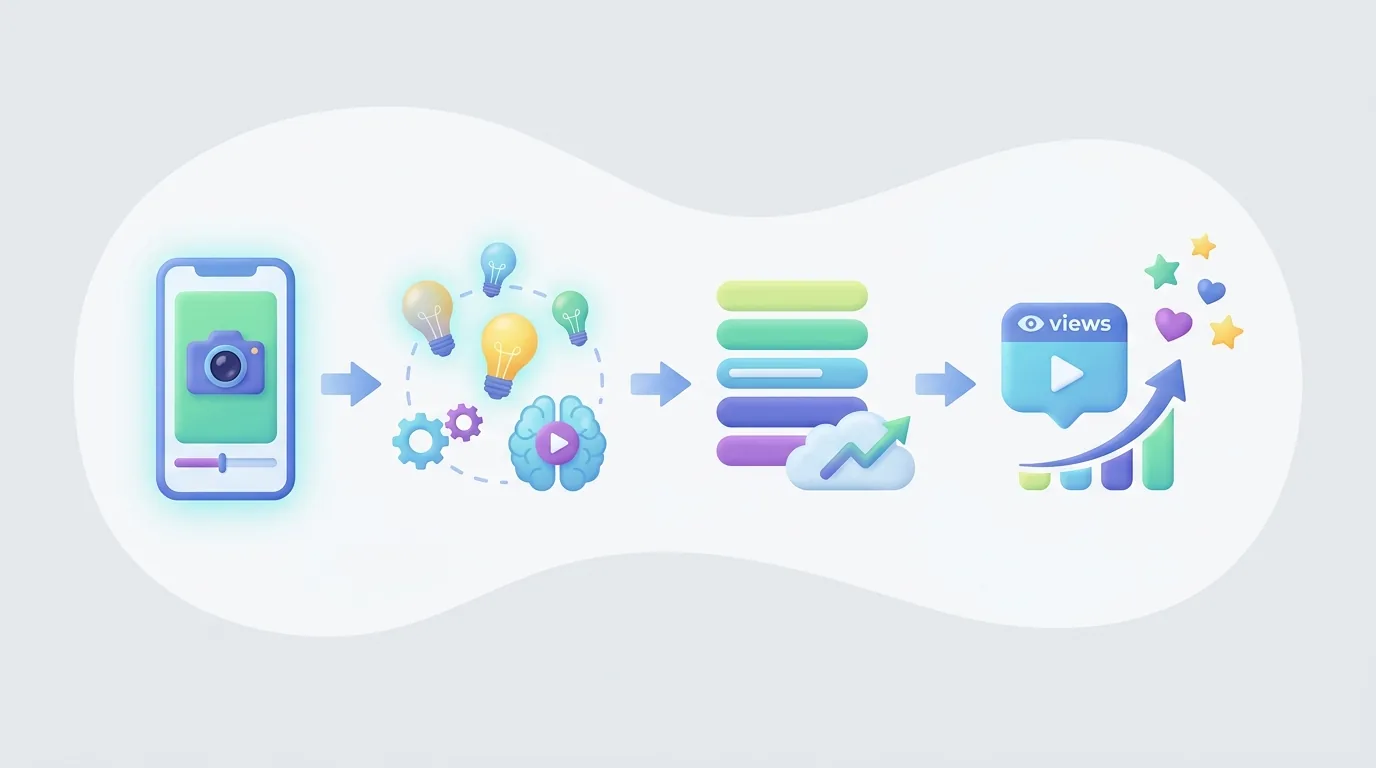
สร้าง YouTube Short ในปี 2026 โดยการเลือกสัญญาในการรับชมหนึ่งข้อ, เขียนหัวข้อสำหรับหน้าจอแรก, ถ่ายทำหรือประกอบวิดีโอแนวตั้ง, ตัดต่อทุกจังหวะรอบข้อสัญญานั้น, อัปโหลดไฟล์ที่เสร็จสมบูรณ์ใน YouTube หรือ YouTube Studio, และเผยแพร่หลังจากตรวจสอบสิทธิ์และข้อมูลเมตา Short แรกมักใช้เวลา 30–60 นาที ก่อนการวิจัย, การถ่ายทำ, หรือการตัดต่อละเอียด
ข้อควรจำสำคัญ:
- YouTube Shorts สามารถยาวได้สูงสุด 3 นาที สำหรับวิดีโอที่อัปโหลดในวันที่ 15 ตุลาคม 2024 หรือหลังจากนั้น ตามที่ YouTube Help ระบุ
- ตั้งแต่ 31 มีนาคม 2025 เป็นต้นไป การนับการดู YouTube Shorts จะเกิดขึ้นเมื่อ Short เริ่มเล่นหรือเล่นซ้ำ โดยไม่ต้องมีเกณฑ์ระยะเวลาที่ต้องดูขั้นต่ำ ตามที่ YouTube’s announcement ระบุ
- YouTube Shorts มีผู้ชมถึง 70 พันล้านครั้งต่อวัน ในปี 2024 และมีผู้ใช้มากกว่า 2 พันล้านคนต่อเดือน ในต้นปี 2026 ตามที่ Retensis ระบุ
- ผู้สร้างที่สร้างรายได้จาก Shorts ผ่าน YouTube Partner Program จะได้รับ 45% จากส่วนแบ่งรายได้โฆษณา Shorts ของพวกเขาหลังจากที่ยอมรับข้อกำหนดที่เกี่ยวข้อง ตามที่ YouTube Help ระบุ
ข้อกำหนดเบื้องต้น: คุณต้องมีช่อง YouTube, ผู้ชมที่ชัดเจน, หัวข้อที่สามารถแสดงหรืออธิบายได้ด้วยภาพ, และสิทธิ์ในคลิป, รูปภาพ, เสียง, เสียงพูด, และสินทรัพย์ของแบรนด์ที่คุณใช้ เริ่มต้นด้วยหัวข้อพื้นที่ที่สามารถทำซ้ำได้แทนที่จะโพสต์ความคิดที่ไม่เกี่ยวข้อง ช่องที่พูดถึงการทำอาหารสำหรับผู้เริ่มต้น เช่น สามารถครอบคลุมการทดแทนส่วนผสม, ข้อผิดพลาดในการใช้มีด, และเทคนิคที่รวดเร็ว; ช่องที่สลับระหว่างการทำอาหาร, ข่าวคนดัง, และสอนซอฟต์แวร์ทำให้ผู้ชมมีเหตุผลน้อยมากในการคาดหวัง Short ที่เกี่ยวข้องอีกอัน
กฎล่าสุดสำหรับการโพสต์ YouTube Shorts ในปี 2026 คืออะไร?
YouTube Shorts ในปี 2026 เป็นวิดีโอแนวตั้งสั้นที่ผู้สร้างสามารถบันทึกในแอป YouTube หรืออัปโหลดเป็นไฟล์ที่ตัดต่อเสร็จสมบูรณ์ การอัปโหลดที่มีสิทธิ์ที่ทำขึ้นในวันหรือหลังจากวันที่ 15 ตุลาคม 2024 สามารถยาวได้สูงสุด 3 นาที ก่อนการเผยแพร่ ผู้สร้างควรยืนยันว่าแต่ละภาพ, การบันทึกเสียง, คลิป, และเพลงถูกเคลียร์สำหรับการใช้งาน เนื่องจากการตัดต่อที่น่าสนใจไม่สามารถเอาชนะข้อจำกัดเรื่องลิขสิทธิ์หรือปัญหานโยบายการสร้างรายได้ YouTube’s Shorts upload guidance ยังคงเป็นแหล่งข้อมูลสำหรับความยาวและกฎเพลงปัจจุบัน
กระบวนการทำงานจริงนั้นง่าย แต่ละขั้นตอนมีวัตถุประสงค์แก้ไขปัญหาที่แตกต่างกัน:
- เลือกผลลัพธ์ของผู้ชมหนึ่งก่อนเขียน YouTube Short ต้องมีสัญญาที่เฉพาะเจาะจงที่ผู้ชมเข้าใจได้ทันที: “การยืดเหยียดที่โต๊ะสามตัวสำหรับไหล่ที่แข็ง,” “วลีการขายที่ซ่อนการเพิ่มราคา,” หรือ “การตั้งค่าหนึ่งที่แก้ไขข้อผิดพลาดในการตัดต่อ นี้” เขียนผลลัพธ์ในประโยคเดียว หากผลลัพธ์มีสองประโยชน์ที่ไม่เกี่ยวข้องกัน ควรแบ่งออกเป็นสอง Short
- เขียนประโยคแรกที่พูดและภาพแรกด้วยกัน หัวข้อไม่ใช่แค่การบรรยาย ผู้ชมควรเห็นหัวข้อ, ผลลัพธ์, ข้อผิดพลาด, หรือความแตกต่างในขณะที่ได้ยินบรรทัดเปิด สำหรับ Short ที่เกี่ยวกับการทำอาหาร แสดงจานที่เสร็จสมบูรณ์หรือผลลัพธ์ที่ล้มเหลวก่อน สำหรับเคล็ดลับซอฟต์แวร์ แสดงการตั้งค่าหรือข้อความผิดพลาดก่อน หน้าจอแรกควรสื่อสารแนวคิดเมื่อดูโดยไม่มีเสียง
- สร้างลำดับแนวตั้งที่ตอบคำถามหนึ่งเดียว จัด Short ให้เป็นความก้าวหน้า: หัวข้อ, บริบท, หลักฐานหรือลำดับขั้นตอน, และผลลัพธ์ แต่ละฉากควรตอบคำถามของผู้ชม, แสดงหลักฐาน, หรือทำให้การอธิบายก้าวหน้า เอาจุดทักทาย, อนิเมชันโลโก้, การตั้งค้าที่ซ้ำซ้อน, และจุดข้างเคียงที่ทำให้ผลลัพธ์ที่สัญญาไว้ล่าช้าออก
- ตัดต่อเพื่อคงความสนใจ, ไม่ใช่แค่ความเร็ว ตัดเวลาหยุดก่อนคำที่มีประโยชน์ถัดไป, ตัดฉากเมื่อทำให้คำพูดของมันชัดเจนแล้ว และเปลี่ยนภาพเมื่อการอธิบายเปลี่ยน การเปลี่ยนภาพสามารถเป็นมุมใหม่, การบันทึกหน้าจอ, การซูมใกล้, แผ่นข้อความ, ตัวอย่าง, หรือการเปรียบเทียบก่อนและหลัง การตัดต่อที่รวดเร็วไม่จำเป็นต้องดีกว่า; ผู้ชมยังต้องใช้เวลาเพียงพอในการอ่านคำบรรยายและเข้าใจหลักฐาน
- ตรวจสอบสิทธิ์และการปฏิบัติตามนโยบายก่อนอัปโหลด ยืนยันแหล่งที่มาหรือใบอนุญาตของแต่ละคลิป, รูปภาพ, เพลง, เอฟเฟกต์เสียง, และโลโก้ที่นำกลับมาใช้ คอนเฟิร์มว่าการบรรยายเขียนขึ้นอย่างแท้จริงสำหรับวิดีโอแทนที่จะคัดลอกจากเทมเพลตทั่วไป Shorts ที่ยาวขึ้นต้องการการดูแลเป็นพิเศษกับข้อจำกัดด้านดนตรี ดังนั้นควรตรวจสอบแนวทางปัจจุบันของ YouTube ก่อนที่จะพึ่งพาเพลง
- อัปโหลดด้วยข้อมูลเมตาที่ตรงกับวิดีโอ อัปโหลดผ่าน YouTube หรือ YouTube Studio จากนั้นใช้ชื่อและคำอธิบายที่แม่นยำ ชื่ออย่าง “แก้ไขความเข้มข้นของคำบรรยายให้เข้ากับเวลาสามครั้ง” จะบอกผู้ชมมากกว่าการใช้คำว่า “เคล็ดลับการตัดต่อ” ข้อมูลเมตาควรอธิบายผลลัพธ์ที่แท้จริง ไม่ควรสัญญาผลลัพธ์ที่ Short ไม่เคยแสดง
- ตรวจสอบการตอบสนองและเปลี่ยนการตัดสินใจหนึ่งครั้งในครั้งถัดไป หลังจากที่ Short มีเวลาในการแพร่หลาย ให้สังเกตว่าความสนใจตกอยู่ที่ไหน, ความคิดเห็นเปิดเผยอะไร, และผู้ชมถามคำถามติดตามตามธรรมชาติหรือไม่ ให้คงที่ในหัวข้อและผู้ชมสักหน่อย จากนั้นทดสอบตัวแปรหนึ่ง — บรรทัดเปิด, หลักฐาน, จังหวะ, โครงสร้าง, หรือจบ — แทนที่จะเปลี่ยนทุกอย่างในครั้งเดียว
รายการตรวจสอบการผลิต Short แรกที่ใช้งานได้
ผู้เริ่มต้นสามารถสร้าง Short ที่มีประโยชน์โดยไม่ต้องมีการตั้งค่าการผลิตที่ซับซ้อน ร่างการบรรยาย 60 ถึง 90 คำ, รายการภาพที่จำเป็นสำหรับแต่ละประโยค, บันทึกหรือรวบรวมเฉพาะสินทรัพย์ที่ได้รับการเคลียร์ และสร้างการตัดต่อในลำดับเดียวกับที่ผู้ชมจะได้สัมผัส เพิ่มคำบรรยายหลังจากการบรรยายเสียงหรือสคริปต์สุดท้ายถูกตั้งค่าแล้ว ไม่ก่อนหน้านั้น มิฉะนั้น การเปลี่ยนแปลงคำที่เกิดขึ้นแต่ละครั้งจะสร้างงานคำบรรยายที่หลีกเลี่ยงได้.
ก่อนการเผยแพร่ ให้ดูการส่งออกในสามวิธี ก่อนอื่น ดูแบบไม่มีเสียงเพื่อดูว่าภาพและคำบรรยายสื่อความหมายได้หรือไม่ ประการที่สอง ฟังโดยไม่ต้องดูอย่างใกล้ชิดเพื่อตรวจสอบว่าคำอธิบายมีความสมเหตุสมผลในรูปแบบเสียงหรือไม่ และสุดท้าย ดูตามปกติและถามคำถามที่ชัดเจน: ผลลัพธ์ส่งมอบสิ่งที่สัญญาในบรรทัดเปิดหรือไม่? ถ้าคำตอบไม่ชัดเจนให้ปรับปรุงสคริปต์หรือเรียงลำดับก่อนที่จะเพิ่มเอฟเฟกต์ตกแต่ง.
YouTube Shorts ของฉันสามารถยาวได้แค่ไหน?
YouTube Shorts สามารถยาวได้สูงสุด 3 นาที สำหรับการอัปโหลดที่มีสิทธิ์ที่ทำขึ้นในวันหรือหลังจากวันที่ 15 ตุลาคม 2024 ขีดจำกัดสูงสุดที่ขยายได้เปิดโอกาสให้ผู้สร้างมีที่ว่างสำหรับการสอน, เรื่องราว, การเปรียบเทียบ, หรือการอธิบาย แต่สามนาทีเป็นเพดาน ไม่ใช่เป้าหมาย YouTube Help’s Shorts update ยืนยันว่าสูงสุดที่ขยายออกมาและอธิบายว่ากฎด้านดนตรีอาจแตกต่างสำหรับ Shorts ที่ยาวกว่า 1 นาที
เลือกเวลาการทำงานตามจำนวนหลักฐานที่ข้อสัญญาต้องการ ภาพก่อนและหลังอาจต้องการเพียงการตั้งค่าและการเปิดเผย บทเรียนที่เป็นรูปธรรมอาจต้องการหัวข้อ, สองหรือสามขั้นตอน, และสรุป เรื่องราวสั้นๆอาจต้องการสถานการณ์จุดหักเห และจบที่ชัดเจน การเปรียบเทียบอาจจำเป็นต้องแสดงทั้งสองตัวเลือกภายใต้เงื่อนไขเดียวกันก่อนที่จะทำการแนะนำ Short ควรสิ้นสุดเมื่อผู้ชมได้รับคุณค่าที่สัญญาไว้ โดยไม่ใช่เมื่อเวลานานที่กำหนด
ใช้โครงสร้างที่เหมาะสมกับแนวคิด
การสาธิตที่สั้นมากสามารถใช้ลำดับนี้:
- เปิด: “นี่คือเหตุผลที่คำบรรยายของคุณรู้สึกช้า.”
- หลักฐาน: แสดงคำบรรยายที่ปรากฏอย่างชัดเจนหลังจากที่มีการพูดคำสำคัญ.
- แก้ไข: แสดงให้เห็นว่าคำบรรยายย้ายไปที่จุดเริ่มต้นของวลี.
- ผลลัพธ์: แสดงเวอร์ชันที่แก้ไขแล้วและระบุว่ากฎการตัดต่อคืออะไร.
การสอนที่มีรายละเอียดมากขึ้นอาจใช้ลำดับที่แตกต่าง:
- เปิด: “ใช้การตรวจสอบสามรายการนี้ก่อนเผยแพร่ข้อเสนอของลูกค้า.”
- บริบท: ระบุความเสี่ยง: ขอบเขตที่ไม่ชัดเจน, การอนุมัติที่ขาดหายไป, หรือการอ้างสิทธิ์ที่ไม่ได้รับการสนับสนุน.
- ขั้นตอน: แสดงส่วนเอกสารหรือคำตัวยกตัวอย่างสำหรับการตรวจสอบแต่ละครั้ง.
- ผลลัพธ์: สิ้นสุดด้วยรายการตรวจสอบที่ใช้ได้จริงแทนที่จะเป็นการเตือนที่คลุมเครือเกี่ยวกับ "ให้มืออาชีพ."
รูปแบบที่สองต้องการเวลาเพิ่มเติมเนื่องจากมีการตัดสินใจมากขึ้นและหลักฐานมากขึ้น รูปแบบแรกควรสั้นเพราะการขยายจะทำให้ซ้ำซ้อนในจุดที่ผู้ชมเข้าใจอยู่แล้ว.
Short ที่ยาวกว่าต้องการวินัยในการดำเนินการที่เข้มงวด ย้ายภาพเมื่อการอธิบายเปลี่ยนไป, แสดงหลักฐานที่อยู่เบื้องหลังข้อเรียกร้อง, และใช้คำบรรยายที่ชัดเจนแทนที่จะซ้ำซ้อนกับ ทุกคำที่พูด หากการบรรยายพูดว่า “เปรียบเทียบการส่งออกทั้งสองนี้” หน้าจอควรแสดงการจัดส่งทั้งสอง หากการบรรยายพูดว่า “ข้อกำหนดนี้เปลี่ยนราคา,” หน้าจอควรเน้นข้อกำหนดนั้น ความสัมพันธ์ระหว่างการบรรยายและภาพควรชัดเจน
ก่อนที่จะอัปโหลด ให้ดูวิดีโอหนึ่งครั้งโดยไม่มีเสียงและอีกหนึ่งตามอัตราตามปกติ หากจุดประสงค์ไม่ชัดเจนโดยไม่ต้องมีเสียง ให้นำการบรรยายที่ชัดเจนขึ้นหรือตรวจสอบภาพ หากผลลัพธ์ไม่มีค่าใหม่ให้ลบมากกว่าการเติมเวลา หากผู้ชมต้องการข้อมูลเบื้องหลังเพื่อเข้าใจการเปิด ให rewrite หัวข้อเพื่อให้ Short ยืนอยู่ในฟีดได้.
การเปลี่ยนแปลงในการนับการดูของ YouTube Shorts คืออะไร?
YouTube เปลี่ยนการนับการดู Shorts เมื่อวันที่ 31 มีนาคม 2025: การดูตอนนี้ลงทะเบียนเมื่อ Shorts เริ่มเล่นหรือเล่นซ้ำ โดยไม่มีข้อกำหนดขั้นต่ำในการดู การประกาศอย่างเป็นทางการของ YouTube ระบุว่า "การดูจะถูกนับเมื่อ Shorts เริ่มเล่นหรือเล่นซ้ำ" ใน YouTube Help update ดังนั้นยอดรวมการดูสาธารณะของ Short จึงแสดงถึงการเริ่มต้นและการเล่นซ้ำภายใต้ระบบที่ปรับปรุงแล้ว แทนที่จะเป็นการวัดที่จำเป็นต้องมีระยะเวลาการดูขั้นต่ำ.
การนับการดูที่ปรับปรุงแล้วนั้นมีประโยชน์ แต่ไม่ควรกลายเป็นคำตัดสินเพียงอย่างเดียวในด้านการสร้างสรรค์ การเริ่มต้นแสดงว่า Short ถูกนำเสนอและการเล่นเริ่มขึ้น ซึ่งไม่สามารถยืนยันโดยตัวเองว่าผู้ชมเข้าใจการเปิด, อยู่เพื่อรับผลลัพธ์, เชื่อมั่นในผู้สร้าง, สมัครสมาชิก, หรือมีการกระทำที่มีความหมายใดๆ ใช้ยอดรวมการดูเป็นสัญญาณการกระจายจากนั้นตรวจสอบการตอบสนองของผู้ชมและข้อมูลการรักษาใน YouTube Analytics.
ผู้สร้างที่ทดสอบหัวข้อควรตีความข้อมูลในบริบท สมมติว่าสอง Shorts อธิบายทักษะเดียวกันให้กับผู้ชมเดียวกัน Short แรกเปิดด้วย “วันนี้ฉันจะแสดงกลเม็ดที่มีประโยชน์ให้คุณ.” Short ที่สองเปิดด้วย “การส่งออกของคุณดูเบลอเพราะการตั้งค่านี้.” หากเวอร์ชันที่สองได้รับความสนใจต่อเนื่องที่แข็งแกร่ง นั่นหมายความว่าไม่เพียงแต่ได้รับการดู; แต่ก็คือการเปิดระบุปัญหาที่สังเกตได้และมอบเหตุผลให้ผู้ชมรอการแก้ปัญหา.
เพื่อให้การทดลองเป็นไปอย่างสะอาด ให้อัปโหลดหลาย Shorts สำหรับผู้ชมที่ต้องการการเดียวกันและเปรียบเทียบพวกเขาหลังจากที่มีเวลาแพร่หลายคล้ายกัน รักษาหัวข้อและผลลัพธ์ให้สม่ำเสมอ จากนั้นเปลี่ยนแค่หนึ่งองค์ประกอบ:
- บรรทัดที่พูดแรก;
- ภาพเปิด;
- ลำดับการสาธิต;
- จำนวนขั้นตอน;
- ความเร็วของส่วนที่สูญเสียความสนใจ; หรือ
- ข้อความสุดท้ายสำหรับวิดีโอหรือความคิดเห็นอื่น.
วิธีนี้ทำให้การนับที่ปรับปรุงกลายเป็นส่วนหนึ่งของการตรวจสอบการผลิตที่มีประโยชน์ แทนที่จะถามว่า “Short นี้ไปไวรัลหรือไม่?” ถามว่า “การเปิด, หลักฐาน, และการจบไหนช่วยให้ผู้ชมเข้าใจและยังคงดูวิดีโอประเภทนี้?”
การโพสต์รูปภาพมีผลต่อการนับการดูของช่องของฉันอย่างไร?
การโพสต์ภาพและ YouTube Shorts ควรได้รับการประเมินเป็นรูปแบบที่แยกออกจากกัน เว้นแต่เอกสารรายงานปัจจุบันของ YouTube และการวิเคราะห์ YouTube Studio ของคุณเองจะระบุอย่างชัดเจนว่าแต่ละรูปแบบรวมอยู่ในเมตริกระดับช่องเฉพาะอย่างไร เอกสาร Shorts getting-started ที่อ้างถึงไม่ควรถูกพิจารณาเป็นหลักฐานสำหรับการอ้างการเปลี่ยนแปลงต่อช่องในเดือนเมษายน 2026 ว่าการโพสต์รูปภาพได้เปลี่ยนการนับการดูสาธารณะของช่อง ผู้สร้างควรตรวจสอบการนิยามรูปแบบปัจจุบันใน YouTube Studio แทนที่จะอิงการตัดสินใจการรายงานจากการตีความที่ไม่มีการสนับสนุน.
หลักการรายงานที่ใช้งานได้จริงตรงไปตรงมา: อย่าใช้ยอดรวมช่องตลอดชีวิตเดียวเพื่อตัดสินว่าคอนเซ็พการ Short นี้ใช้ได้ผลหรือไม่ Short แต่ละรายการจะตอบคำถามเกี่ยวกับการกระจายวิดีโอหนึ่งวิดีโอและการตอบสนองของผู้ชม ตัวเลขระดับช่องสามารถสะท้อนการตัดสินใจการเผยแพร่หลายครั้งในระยะเวลาและอาจไม่แยกแยะรูปแบบ, หัวข้อ, ผู้ชม, หรือช่วงเวลาที่คุณกำลังพยายามประเมิน การเปรียบเทียบรูปแบบที่ไม่เหมือนกันโดยปราศจากการติดป้ายชื่อสามารถทำให้การตัดสินใจด้านบรรณาธิการที่มีประโยชน์ดูเหมือนจะเป็นแนวโน้มการแสดงที่ทำให้เข้าใจผิด.
ใช้แผนการวางแผนที่เรียบง่ายเพื่อรักษาความเปรียบเทียบที่มีความหมาย สำหรับทุกรายการที่เผยแพร่ จดบันทึกรูปแบบ, หัวข้อ, วันที่เผยแพร่, ผู้ชมที่ตั้งใจ, สัญญาการเปิด, การเรียกร้องที่สำคัญ และคำถามที่คุณต้องการทดสอบ เพิ่มหมายเหตุหลังการเผยแพร่เพื่ออธิบายความคิดเห็น, ลักษณะการรักษา, หรือหัวข้อที่ติดตามที่สร้างขึ้น นี่มีประโยชน์ไม่ว่าคุณจะเผยแพร่ Shorts เพียงอย่างเดียวหรือผสมผสานวิดีโอเข้ากับรูปแบบชุมชนอื่น.
โพสต์ที่อิงจากภาพยังสามารถสนับสนุนกลยุทธ์ Shorts ได้เมื่อใช้ตอบโจทย์ความต้องการของผู้ชมเดียวกัน ผู้สร้างที่เผยแพร่ Short การทำอาหารอย่างรวดเร็วอาจใช้โพสต์ภาพเพื่อถามว่าผู้ชมประสบปัญหาในการทดแทนส่วนผสมหรือไม่, แสดงรายการตรวจสอบ, หรือรวบรวมคำถามสำหรับการสาธิตถัดไป โพสต์ภาพมีงานด้านบรรณาธิการ: เปิดเผยหัวข้อ, รวบรวมวิธีการจากผู้ชม, หรือสนับสนุนซีรีย์ มันไม่ควรถูกใช้เพื่อทำการอ้างที่ไม่มีการสนับสนุนเกี่ยวกับผลการทำงานของ Shorts หรือเพื่อทำให้รายงานภายในมากเกินไป.
เมื่อใช้เมื่อเปรียบเทียบผลลัพธ์ให้เปรียบเทียบในประเภทเดียวกัน เปรียบเทียบ Short การทำอาหารเกี่ยวกับความปลอดภัยของมีดกับ Short การทำอาหารอื่น ๆ ที่มุ่งเป้าไปที่ผู้เริ่มต้น เปรียบเทียบโพสต์ที่เป็นภาพของชุมชนกับโพสต์ที่เป็นภาพในชุมชนอื่น ๆ ที่ออกแบบมาเพื่อรวบรวมการตอบสนอง จากนั้นเชื่อมโยงสองรูปแบบคุณภาพ: คำถามที่อยู่ในโพสต์ภาพสร้างหัวข้อ Short ที่ชัดเจนยิ่งขึ้นหรือไม่ และ Short ที่ผลิตออกมายังคงตอบคำถามเหล่านั้นอย่างดีหรือไม่? นั่นเป็นการทำงานที่หนักแน่นกว่าในการสมมติว่าทุกจำนวนที่ระดับช่องมีความหมายในพฤติกรรมการดูเดียวกัน.
เนื้อหาแบบไหนที่ถือว่าไม่เป็นของจริงในการสร้างรายได้จาก Shorts?
เนื้อหาที่ไม่เป็นของจริงสำหรับการสร้างรายได้จาก Shorts คือเนื้อหาที่ผลิตจำนวนมากหรือตกซ้ำซากแทนที่จะเป็นต้นฉบับที่มีความหมายและมีค่าต่อผู้ชม นโยบายการสร้างรายได้ของ YouTube กล่าวว่า “เนื้อหาที่ไม่เป็นของจริงคือเนื้อหาที่ถูกผลิตในจำนวนมากหรือซ้ำซาก” ใน YouTube Partner Program policy รูปแบบที่ไม่มีใบหน้าไม่ถือได้ว่าไม่เป็นของจริงโดยอัตโนมัติ คำถามหลักคือช่องนั้นเผยแพร่เนื้อหาที่ไม่ซ้ำมากเกินไปหรือไม่โดยไม่มีความคิดเห็น, เรื่องราว, การวิเคราะห์, การรายงาน, การสาธิต, หรือคุณค่าด้านการศึกษา.
ความเป็นต้นฉบับแสดงให้เห็นในทางเลือกด้านบรรณาธิการที่อยู่เบื้องหลัง Short ผู้สร้างสามารถทำ Short ต้นฉบับโดยไม่ต้องโผล่หน้าโดยการค้นคว้าคำถามเฉพาะ เขียนคำอธิบายที่เฉพาะเจาะจง, เลือกภาพที่พิสูจน์คำอธิบาย, และนำมาที่ข้อสรุปที่เป็นของวิดีโอนั้น ในทางตรงกันข้าม การเปลี่ยนเฉพาะชื่อ, ภาพ, หรือคลิปแบ็คกราวด์ในเทมเพลตที่ซ้ำซ้อนจะไม่สร้างประสบการณ์ของผู้ชมที่ชัดเจนโดยอัตโนมัติ
พิจารณาความแตกต่างระหว่างสองแนวทางนี้:
- เทมเพลตทั่วไปพูดว่า “นี่คือสามนิสัยของคนที่ประสบความสำเร็จ” เหนือฟุตเทจที่ไม่เกี่ยวข้อง ความคิดอาจกว้าง, หลักฐานไม่ชัดเจน และโครงสร้างเดียวกันสามารถนำกลับมาใช้ใหม่โดยมีการเปลี่ยนแปลงน้อยมาก.
- Short ด้านบรรณาธิการพูดว่า “ประโยคข้อเสนอ นี้สร้างความสับสนขอบเขต,” แสดงประโยค, อธิบายผลที่เกิดขึ้นจริง, และแสดงการเขียนใหม่ที่ชัดเจน ค่าความมาจากตัวอย่างเฉพาะและการตีความ.
แนวทางที่สองมอบเหตุผลให้ผู้ชมดู Short นี้โดยเฉพาะ มันยังสร้างบันทึกเกี่ยวกับการมีส่วนร่วมของผู้สร้าง: การเลือกการวิจัย, คำอธิบาย, ตัวอย่าง, สคริปต์, และการตัดต่อทั้งหมดทำงานร่วมกัน.
ทำการตรวจสอบความเป็นต้นฉบับก่อนการเผยแพร่ซีรีส์ ถาม: ฉันสามารถอธิบายสิ่งที่ผู้ชมเรียนรู้, เข้าใจ, หรือรู้สึกที่นี่ว่าพวกเขาจะไม่ได้รับจากการคัดลอกทั่วไปหรือไม่? การบรรยายเฉพาะสำหรับวิดีโอนี้หรือไม่? ภาพพิสูจน์, อธิบาย, หรือก้าวหน้าหรือเปล่า? คำบรรยายมีความถูกต้องหรือไม่? ข้อสรุปยังสมเหตุสมผลอยู่หรือไม่หากฟุตเทจได้ถอดออก? รักษาบันทึกแหล่งที่มาและสิทธิ์สำหรับวัสดุที่คุณไม่ได้สร้าง ข้อปฏิบัติเหล่านี้จะช่วยปรับปรุงงานและทำให้การตรวจสอบการสร้างรายได้มีความเสี่ยงน้อยลง.
ข้อกำหนดในการเข้าร่วม YouTube Partner Program สำหรับ Shorts คืออะไร?
ในการสร้างรายได้จาก YouTube Shorts ผู้สร้างต้องเข้าร่วม YouTube Partner Program และยอมรับเงื่อนไขการสร้างรายได้ที่เกี่ยวข้อง ผู้สร้างที่มีสิทธิ์จะได้รับ 45% จากส่วนแบ่งรายได้โฆษณาของ Shorts ตามที่ YouTube Help รายงานเส้นทางการมีสิทธิ์ใน Partner Program ปัจจุบันและอธิบายว่าการได้รับเกณฑ์การเข้าร่วมไม่เหมือนกับการได้รับรายได้โฆษณาจาก Shorts Feed โดยอัตโนมัติ ช่องจะต้องปฏิบัติตามนโยบายการสร้างรายได้ของ YouTube และข้อกำหนดการมีสิทธิ์ที่อาจใช้ได้ใน YouTube Studio
YouTube ได้ให้เส้นทางการเข้าถึงก่อนสำหรับผู้สร้างที่มีคุณสมบัติในประเทศที่มีคุณสมบัติ: 500 สมาชิก, 3 การอัปโหลดสาธารณะที่ถูกต้องใน 90 วันที่ผ่านมา, รวมถึง 3,000 ชั่วโมงการดูสาธารณะที่ถูกต้องใน 12 เดือนที่ผ่านมา หรือ 3 ล้านการดู Shorts สาธารณะที่ถูกต้องใน 90 วันที่ผ่านมา สำหรับการแบ่งรายได้โฆษณาเต็มรูปแบบ YouTube ระบุ 1,000 สมาชิกพร้อมทั้ง 4,000 ชั่วโมงการดูสาธารณะที่ถูกต้องใน 12 เดือน หรือ 10 ล้านการดู Shorts สาธารณะที่ถูกต้องใน 90 วันที่ผ่านมา ตรวจสอบแผงคุณสมบัติสดใน YouTube Studio ก่อนการวางแผนรอบเกณฑ์ เพราะผู้สร้างควรทำการตัดสินใจจากข้อมูลผลิตภัณฑ์ปัจจุบันที่มีให้กับช่องของตน.
เส้นทางทั้งสองให้บริการความเป็นจริงการเผยแพร่ที่ต่างกัน ช่องที่มุ่งเน้น Shorts อาจให้ความสำคัญกับการดู Shorts สาธารณะที่ถูกต้องในช่วงเวลา 90 วันที่กล่าวถึง ช่องที่ผสมผสาน Shorts เข้ากับวิดีโอการศึกษาแบบยาวอาจมีการผสมผสานที่แตกต่างของชั่วโมงการดู, สมาชิก, และเส้นทางการค้นพบ ทั้งสองเส้นทางไม่สามารถลบความต้องการเนื้อหาต้นฉบับ, สิทธิ์ที่เคลียร์, ข้อมูลที่ถูกต้อง, และการปฏิบัติตามนโยบายการสร้างรายได้ของ YouTube.
ให้เห็นการสร้างรายได้เป็นผลจากการสัญญาของผู้ชมที่เชื่อถือได้ แทนที่จะเป็นบรีฟการสร้างสรรค์แรก สร้างซีรีส์ด้วยหัวข้อที่มั่นคง, รักษาสิทธิ์ของวัสดุ, และเผยแพร่งานที่คุณสามารถอธิบายและปกป้องว่าต้นฉบับ ช่องที่มีความเฉพาะเจาะจงจะมีเหตุผลให้ผู้ชมสมัครสมาชิก และการเติบโตของสมาชิกมีความสำคัญเพราะเป็นส่วนหนึ่งของเกณฑ์การสร้างรายได้โฆษณาเต็มรูปแบบ.
แนวทางการวางแผนที่เป็นประโยชน์คือการสร้างแผนที่เนื้อหาก่อนที่จะวิ่งตามตัวเลข เลือกสามคำถามที่ผู้ชมถามซ้ำๆ สร้างแนวคิด Shorts ที่แตกต่างกันหลายรายการภายใต้คำถามแต่ละข้อ และระบุว่าหลักฐานที่แต่ละวิดีโอต้องการคืออะไร ตัวอย่างเช่น ช่องการตัดต่อสำหรับผู้เริ่มต้นอาจสร้าง Shorts แยกกันเกี่ยวกับการตัดเวลา, เวลาการใช้คำบรรยาย, การตั้งค่าการส่งออก, และการจัดระเบียบฟุตเทจ ผู้สร้างสามารถตรวจสอบว่าปัญหาไหนทำให้เกิดความคิดเห็นที่น่าสนใจและมีแนวโน้มกลับมา ณ จุดนี้ แทนที่จะต้องทำซ้ำเคล็ดลับการตัดต่อที่ไม่เฉพาะเจาะจงซ้ำๆ.

ฉันจะสร้างรายได้จาก YouTube Shorts ยังไงให้มีประสิทธิภาพ?
การสร้างรายได้จาก YouTube Shorts อย่างมีประสิทธิภาพเริ่มจากเนื้อหาที่มีคุณสมบัติและต้นฉบับและกลยุทธ์ช่องที่สามารถตรงตามข้อกำหนดของ YouTube Partner Program รายได้จากโฆษณา Shorts Feed เป็นหนึ่งในช่องทางรายได้ แต่ผู้สร้างยังสามารถใช้ Shorts เพื่อนำผู้ชมที่มีคุณสมบัติมายังผลิตภัณฑ์, บริการ, วิดีโอที่ยาวขึ้น, หรือข้อเสนออื่น ๆ ที่พวกเขาสามารถโปรโมทได้อย่างถูกต้อง พื้นฐานยังคงเป็นการปฏิบัติตามนโยบาย: ผู้สร้างต้องเข้าร่วม YouTube Partner Program, ยอมรับเงื่อนไขที่เกี่ยวข้อง, และปฏิบัติตาม นโยบายการสร้างรายได้ของ YouTube.
เลือกช่องทางการสร้างรายได้ที่ตรงกับเหตุผลของผู้ชมในการรับชม ช่องการศึกษาสามารถเผยแพร่บทเรียนสั้น ๆ ที่นำไปสู่คู่มือที่เต็มรูปแบบหรือวิดีโอที่เกี่ยวข้อง ช่องทางการธุรกิจสามารถตอบคำถามผู้ซื้อที่เจาะจงและเชิญชวนผู้ชมไปที่ขั้นตอนถัดไปที่เกี่ยวข้อง ช่องที่มุ่งเน้นผลิตภัณฑ์สามารถแสดงการใช้งานจริง, ข้อจำกัด, หรือการเปรียบเทียบ Short ควรส่งมอบข้อมูลที่สัญญาไว้ออกมาก่อนที่จะถามอะไรจากผู้ชม
โครงสร้างการสร้างรายได้ที่มีประโยชน์คือ:
- แก้ไขปัญหาเล็ก ๆ หนึ่งอย่างใน Short ให้คำตอบที่สมบูรณ์และตรงไปตรงมาแก่ผู้ชมในระดับที่สัญญาด้วยหัวข้อ
- ระบุขั้นตอนต่อไปที่มีเหตุผล การกระทำถัดไปควรเป็นไปตามภารกิจเดียวกัน: บทเรียนอีกหนึ่งบท, การสาธิตที่ยาวขึ้น, บริการที่เกี่ยวข้อง, หรือผลิตภัณฑ์ที่ผู้ชมสามารถประเมินได้อย่างสมเหตุสมผล
- ใช้คำเรียกร้องเพียงอย่างเดียว คำเรียกร้องที่ไม่ได้เกี่ยวข้องหลาย ๆ คำแข่งขันกับบทเรียนและอาจทำให้ Short รู้สึกเหมือนเป็นโฆษณามากกว่าที่จะเป็นเนื้อหาที่ใช้งานได้
- เก็บบันทึกในสิ่งที่ถูกสัญญา หาก Short โปรโมทข้อเสนอ ให้แน่ใจว่าคำพูด, ภาพ, และข้อมูลที่เรียกร้องสะท้อนข้อเสนออย่างถูกต้อง.
ตัวอย่างเช่น ผู้สร้างที่อธิบายวิธีการจัดระเบียบฟุตเทจดิบสามารถทำ Short เกี่ยวกับโครงสร้างโฟลเดอร์อันหนึ่ง ข้อเสนอถัดไปที่เกี่ยวข้องอาจเป็นวิดีโอที่ยาวขึ้นที่แสดงกระบวนการตัดต่อทั้งหมด ข้อความโฆษณาที่ไม่ได้เกี่ยวข้องจะทำให้การเดินทางของผู้ชมอ่อนข้อ เพราะมันไม่ได้ตามจากปัญหาที่เพิ่งถูกแก้ไข.
สร้างห้องสมุดเนื้อหา ไม่ใช่ความพยายามในการไปไวรัลเพียงอย่างเดียว รวมกลุ่ม Shorts ให้อยู่ในธีมที่เกิดขึ้นซ้ำ เพื่อให้ผู้ชมที่ชอบรายการหนึ่งสามารถหาคนอื่นที่มีประโยชน์เดียวกันได้ รักษาปฏิทินบรรณาธิการที่ติดตามหัวข้อ, ปัญหาของผู้ชม, บรรทัดเปิด, หลักฐานที่ใช้, สถานะการผลิต, และการกระทำถัดไป หากผู้สร้างใช้กระบวนการผลิตที่ช่วยเลย AI ก็ยังต้องมีการตรวจสอบบรรณาธิการที่สำคัญ: ตรวจสอบการวิจัย, แก้ไขสคริปต์, ยืนยันสิทธิ์, และแน่ใจว่าวิดีโอสุดท้ายมีมุมมองที่ชัดเจน.
กลยุทธ์ใดบ้างที่สามารถเพิ่มวิธีการมองเห็นใน YouTube Shorts ของฉันได้?
ความมองเห็นของ YouTube Shorts จะดีขึ้นเมื่อ Short มอบเหตุผลที่ชัดเจนแก่ผู้ชมที่ชัดเจนในการดูต่อ และเหตุผลที่ชัดเจนในการดูวิดีโออื่นจากช่องเดียวกัน โอกาสนั้นมีมาก: YouTube Shorts ได้ถึง 70 พันล้านการดูต่อวันในปี 2024 และมีผู้ใช้กว่า 2 พันล้านคนในเดือนเดียวกันในปี 2026 ตามที่ Retensis research ระบุ ความเข้าถึงไม่ใช่สิ่งที่รับประกันได้ ดังนั้นผู้สร้างควรทำให้ความเกี่ยวข้อง, หลักฐาน, และความชัดเจนถูกมองเห็นได้จากหน้าจอเปิด.
ใช้กลยุทธ์การมองเห็นที่เป็นไปได้เหล่านี้:
- เปิดด้วยผลลัพธ์หรือความตึงเครียด ระบุสิ่งที่ผู้ชมจะได้รับ, เห็น, หลีกเลี่ยง, หรือสรุป เปลี่ยน “นี่คือเคล็ดลับสำหรับผู้สร้าง” เป็น “บรรทัดแรกของคุณทำให้ผู้คนเพลิดเพลินเมื่อเริ่มต้นด้วยแบ็คกราวด์.” บรรทัดที่สองระบุปัญหาและสร้างเหตุผลให้ดูต่อ.
- จับคู่ชื่อ, การเปิด, และผลลัพธ์ หากชื่อสัญญาถึงการเปรียบเทียบ ให้แสดงการเปรียบเทียบทันทีและถึงบทสรุปก่อนที่วิดีโอจะสิ้นสุดลง หากชื่อสัญญาสิ่งหนึ่งที่จะแก้ไข ให้แสดงทั้งปัญหาและการแก้ไข ความไม่ตรงกันอาจสร้างความสนใจในตอนเริ่มต้น แต่ทำให้ผิดหวังในผลลัพธ์.
- ทำซีรีส์ให้เหมาะกับผู้ชมเพียงคนเดียว เผยแพร่คำตอบที่เกี่ยวข้องต่อข้อสงสัยที่เกี่ยวข้อง ผู้สร้างที่อธิบายการตัดต่อสำหรับผู้เริ่มต้นสามารถทำ Shorts แยกกันเกี่ยวกับการตัด, คำบรรยาย, จังหวะ, การบันทึกหน้าจอ และเสียง Short แต่ละอันสามารถยืนอยู่ได้ด้วยตัวเองในขณะที่ทำให้วิดีโอถัดไปในการค้นหาที่เกี่ยวข้องมากขึ้น.
- ออกแบบสำหรับการดูแบบเงียบ ใช้คำบรรยาย, ป้ายชื่อบนหน้าจอ, และภาพที่แสดงความหมายหลักโดยไม่ต้องมีเสียง คำบรรยายควรอ่านง่ายและตั้งเวลาให้ตรงกับแนวคิดที่กำลังอธิบาย อย่าวางคำที่สำคัญไว้ในพื้นหลังที่วุ่นวายหากการ์ดที่ขัดกับพื้นหรือภาพที่ชัดเจนทำให้ได้งาน.
- แสดงหลักฐานแต่เนิ่นๆ ข้อเรียกร้องเกี่ยวกับข้อผิดพลาดในการออกแบบควรแสดงข้อผิดพลาด ข้อเรียกร้องเกี่ยวกับเทคนิค สูตรควรแสดงเนื้อสัมผัส, เวลา, หรือผลลัพธ์ ข้อเรียกร้องเกี่ยวกับการตั้งค่าซอฟต์แวร์ควรแสดงการตั้งค่าในหน้าจอ หลักฐานทำให้ Short เข้าใจได้มากขึ้นและลดจำนวนการบรรยายที่จำเป็นลง.
- ใช้การตัดต่อการเก็บรักษาอย่างตั้งใจ เมื่อเริ่มขั้นตอนใหม่ให้แสดงภาพใหม่หรือป้ายชื่อที่ชัดเจนเมื่อประโยคซ้ำจุดก่อนหน้านี้ ให้ตัดมัน และเมื่อผลลัพธ์พร้อมให้เปิดเผยแทนที่จะเพิ่มปิดที่ทั่วไป การตัดต่อการเก็บรักษาไม่ใช่เรื่องการเพิ่มการเคลื่อนไหวตลอดเวลา แต่เป็นการลบช่วงเวลาที่ผู้ชมไม่มีเหตุผลใหม่ที่จะดำเนินต่อไป.
- เปลี่ยนความคิดเห็นให้เป็น Shorts ติดตาม คำถามที่เฉพาะเจาะจงจากผู้ชมเป็นร่างเนื้อหาที่ใช้งานได้ หากผู้ชมหลายคนถามว่าควรนำเทคนิคเดียวกันไปใช้ในสถานการณ์ที่แตกต่างกันอย่างไร ให้เริ่ม Short ถัดไปด้วยการระบุสถานการณ์นั้นและตอบคำถามนั้นทันที.
- ใช้การวิจัยหัวข้อก่อนการผลิต เปลี่ยนหัวข้อที่กว้างให้เป็นมุมมองที่เฉพาะเจาะจงและมีค่า คำถามเกี่ยวกับ "เคล็ดลับการตัดต่อวิดีโอ" นั้นทั่วไป; "วิธีการตัดระยะเวลาหยุดโดยไม่ทำให้เสียงพูดดูเฉยชา" เป็น Short ที่เฉพาะเจาะจงพร้อมการสาธิตภาพที่ชัดเจน.
ตัวอย่างสคริปต์ Short และแผนการตัดต่อ
ผู้สร้างมือใหม่สามารถใช้โมเดลนี้เพื่อเปลี่ยนคำถามแคบหนึ่งข้อให้กลายเป็น Short ที่เผยแพร่ได้ ตัวอย่างหัวข้อคือเวลาคำบรรยาย:
คำถามของผู้ชม: ทำไมคำบรรยายของฉันรู้สึกคลาดเคลื่อนไปจากผู้พูด?
หัวข้อและภาพเปิด: “คำบรรยายของคุณรู้สึกช้าเพราะเริ่มต้นหลังจากคำสำคัญ.” แสดงคลิปสั้นซึ่งคำบรรยายเข้ามาหลังจากที่ผู้พูดพูดคำสำคัญ.
คำอธิบาย: “เริ่มต้นคำบรรยายที่ต้นวลี, ไม่หลังจากวลีที่แลนด์แล้ว.” แสดงคลิปเดียวกันกับการปรับเวลาคำบรรยาย.
หลักฐาน: เล่นเวอร์ชันที่ช้าและเวอร์ชันที่แก้ไขตามลำดับ ระบุชัดเจนเพื่อไม่ให้ความแตกต่างขึ้นอยู่กับการบรรยายเพียงอย่างเดียว.
ผลลัพธ์: “ผู้ชมอ่านแนวคิดขณะที่เกิดขึ้น ดังนั้นการตัดต่อจึงรู้สึกเชื่อมโยงมากขึ้น.” สิ้นสุดด้วยตัวอย่างที่แก้ไขแล้ว.
ตัวอย่างสะพานสำหรับซีรีส์: “ถัดไป: วิธีการทำให้คำบรรยายสั้นลงโดยไม่เปลี่ยนความหมาย.” ซึ่งทำงานได้เพราะระบุปัญหาที่เกี่ยวข้องสำหรับผู้ชมเดียวกัน แทนที่จะขัดจังหวะบทเรียนด้วยการโปรโมทที่ไม่เกี่ยวข้อง.
สคริปต์นี้มีประโยชน์เพราะทุกบรรทัดมีวัตถุประสงค์ในด้านการผลิต หัวข้อระบุจุดที่เจ็บปวด ภาพแสดงให้เห็น และคำอธิบายให้กฎ หลักฐานยืนยันกฎ ผลลัพธ์ทำให้สัญญาสมบูรณ์และให้หัวข้อถัดไปที่เป็นธรรมชาติ นำหลักการเดียวกันไปใช้กับคู่มือ, การสาธิตผลิตภัณฑ์, การอธิบาย, เรื่องราว, และ Shorts ที่นำเสนอความคิดเห็น.
ตรวจสอบประสิทธิภาพในช่วงการอัปโหลด แทนที่จะตอบสนองอารมณ์ต่อการอัปโหลดครั้งเดียว รักษาหัวข้อและการเปิดที่สร้างการตอบสนองของผู้ชมที่ชัดเจน จากนั้นปรับปรุง Short ถัดไปด้วยจุดหลักฐานที่แข็งแกร่งกว่า, คำพูดที่ง่ายกว่า, เวลาคำบรรยายที่ดีกว่า, หรือคำถามที่มุ่งเน้นมากขึ้น การใช้กระบวนการทำซ้ำสร้างการเรียนรู้ที่มีประโยชน์มากกว่าการเปลี่ยนธีม, สไตล์, และผู้ชม.
สร้าง Short ถัดไปของคุณ: สร้างวิดีโอแนวตั้งที่มีประโยชน์เกี่ยวกับคำถามผู้ชมหนึ่งข้อ จากนั้น สร้างบัญชี หากคุณต้องการตัวเลือกการผลิตที่ช่วย AI.
Sources & further reading
Keep reading

วิธีเพิ่มรายได้จาก YouTube Shorts ให้สูงสุด
เพิ่มรายได้จาก YouTube Shorts ด้วยการสร้างเงื่อนไขที่เหมาะสมสำหรับการสร้างรายได้ เลือกกลุ่มที่มี RPM สูงกว่า ตัดสินใจเกี่ยวกับเพลง และกลยุทธ์การเติบโตแบบยาว
ความสำเร็จของวิดีโอ 3–7 วินาทีในการมีส่วนร่วม
การวิเคราะห์ที่อิงจากข้อมูลเกี่ยวกับการทำงานของวิดีโอ 3–7 วินาที ในด้านการมองเห็น การแชร์ การเปลี่ยนแปลง การสื่อสาร และสัญญาณจากอัลกอริธึม
การอิ่มตัวของประสิทธิภาพ TikTok: หมายความว่าอย่างไรสำหรับผู้สร้างที่ไม่มีใบหน้า
การดูและการมีส่วนร่วมบน TikTok กำลังลดลงต่อปี เรียนรู้วิธีที่ผู้สร้างที่ไม่มีใบหน้าสามารถปรับรูปแบบ การรักษา การทดสอบ และการแจกจ่ายได้