

Un fuerte video de historia sin rostro puede seguir una fórmula simple: una pregunta inquietante o emocionalmente cargada + cinco momentos narrativos + un cambio visual por momento + una miniatura que muestra la consecuencia. Por ejemplo, "¿Por qué se abrió un túnel sellado después de décadas?" puede pasar de la puerta, a la razón por la que estuvo sellada, a la descubrimiento, a la consecuencia—sin mostrar nunca a un presentador.
Principales conclusiones:
- La investigación de vidIQ informa que los títulos que utilizan el lenguaje "captado en cámara" tuvieron un rendimiento 4× mejor y los títulos que usan lenguaje de "transformación" tuvieron un rendimiento 3× mejor en su análisis. Trata estos hallazgos como orientaciones de esa investigación, no como multiplicadores garantizados para cada nicho, audiencia o carga.
- La misma investigación de vidIQ informa que los canales que suben 12 o más veces al mes crecieron 4.1× más rápido. La frecuencia es un referente operativo útil solo si los videos siguen siendo originales, precisos y significativamente diferentes.
- YouTube anunció requisitos de divulgación de contenido alterado el 18 de marzo de 2024 para contenido alterado o sintético realista. La regla y sus ejemplos se explican en el anuncio oficial de YouTube.
- Desde el 15 de julio de 2025, las reglas de monetización de YouTube han prohibido contenido masivamente producido y repetitivo, de acuerdo a la política de monetización de canales de YouTube. Un formato sin rostro no es el problema; la salida intercambiable y de bajo valor lo es.
Requisitos previos: elige un nicho, define un estilo visual repetible y ten una manera de crear narraciones, visuales, subtítulos y miniaturas.
Tiempo realista para el primer video: reserva varias horas para la investigación del tema, verificación de fuentes, delineación, redacción, producción, empaquetado y una revisión final de calidad. La rapidez debe venir después, una vez que hayas documentado un flujo de trabajo que aún proteja la precisión y la originalidad.
¿Cuáles son las mejores estructuras narrativas para videos sin rostro?
Los videos sin rostro funcionan mejor cuando su estructura crea una brecha de información que el espectador desea resolver. La estructura más reutilizable es gancho, configuración, escalada, revelación, conclusión: haz un reclamo inusual preciso, establece lo que está en juego, introduce evidencia u obstáculos, entrega la respuesta y deja al espectador con una implicación clara. Esta secuencia se adapta a misterios, historias, relatos empresariales, explicaciones científicas y transformaciones porque ofrece al espectador una progresión en lugar de una lista desconectada de hechos.
La estructura se fortalece cuando cada momento cambia lo que la audiencia cree. En una historia de descubrimiento de túneles, el gancho podría ser “La puerta había estado sellada durante décadas.” La configuración explica quién lo encontró y dónde. La escalada introduce la razón por la que nadie esperaba que se abriera. La revelación muestra lo que había dentro. La conclusión responde por qué el descubrimiento importa. Si el medio simplemente repite la atmósfera, el video se siente inflado incluso cuando la narración suena pulida.
Paso 1: Escribe la pregunta emocional antes de redactar el guion. Expone la tensión en una frase antes de reunir detalles de apoyo. Por ejemplo: “¿Cómo se convirtió un viaje en tren rutinario en una operación de rescate?” o “¿Por qué una empresa destruyó su producto más vendido?” Una pregunta emocional utilizable contiene un evento, una consecuencia y un “por qué” o “cómo” sin respuesta. La pregunta es fuerte cuando un espectador entiende la premisa sin necesidad de conocimiento previo del canal o tema.
Paso 2: Construye un esquema de cinco momentos. Asigna a cada momento un trabajo distinto: gancho, contexto, complicación, punto de inflexión y resolución. Escribe una o dos frases por momento antes de redactar una narración completa. Luego prueba el esquema eliminando cada momento a su vez. Si eliminar la complicación no cambia nada, es probable que sea un detalle de fondo más que una escalada. Si la resolución introduce información que no se preparó anteriormente, añade un momento de configuración para que la recompensa se sienta merecida.
Paso 3: Relaciona cada momento con un cambio visual. Ofrece al espectador un nuevo estado visual cada vez que la historia avanza: un mapa para la ubicación, un documento para evidencia, una toma del entorno para contexto, un primer plano de un objeto para una pista o un gráfico animado para una secuencia. Para el ejemplo del túnel sellado, muestra la entrada exterior, el recorrido del mapa, el candado o barrera, el proceso de apertura y el descubrimiento interior. El plan visual funciona cuando alguien puede seguir aproximadamente la narrativa con el sonido en silencio.
Para aperturas más impactantes, prueba frases de curiosidad concretas solo cuando describen con precisión el video. La investigación de vidIQ informa sobre un mejor rendimiento para el lenguaje de “captado en cámara” y “transformación”, pero las cifras no deben considerarse una promesa de que cualquier título que use esas palabras tendrá un mejor desempeño. Un título como “El momento en que la puerta finalmente se abrió” solo es útil si la apertura realmente muestra o rápidamente alcanza ese momento; de lo contrario, crea un desajuste entre la promesa del clic y la experiencia del espectador.
¿Cómo diseño miniaturas efectivas sin rostros?
Las miniaturas efectivas sin rostro reemplazan la expresión facial con una emoción visual inmediatamente comprensible: peligro, sorpresa, contraste, pérdida, descubrimiento o transformación. Usa un único sujeto dominante, un claro punto focal y tensión visual que el título complete. Esto importa porque un estudio de The Content Labs encontró que los videos con rostro en cámara representaron 84.2% de los videos que alcanzaron 100K+ vistas en su conjunto de datos, lo que significa que los creadores sin rostro deben hacer que su tema y las apuestas sean legibles sin depender de la expresión de un presentador.
Ese resultado no significa que los videos sin rostro no puedan tener éxito, ni establece que mostrar un rostro cause vistas. Resalta un compromiso práctico: cuando no hay un rostro humano para proporcionar emoción o reconocimiento instantáneo, la miniatura debe llevar más información narrativa. La imagen debe responder “¿Qué es inusual aquí?” en menos de un segundo, mientras que el título responde “¿Por qué debería importar?”
Paso 4: Convierte el conflicto de la historia en una única imagen de miniatura. Reduce el conflicto central a un solo fotograma. Para un video sobre el descubrimiento de un túnel abandonado, usa un haz de linterna, una puerta sellada y una pequeña figura en silueta en lugar de un collage de cinco pistas, múltiples flechas y varias etiquetas de texto. Para una historia de transformación, muestra el contraste visible más fuerte: dañado contra restaurado, vacío contra lleno, ordinario contra alterado. La miniatura tiene éxito cuando crea una pregunta específica antes de que se lea el título.
Paso 5: Usa el contraste para mostrar las apuestas. Combina un objeto brillante con un entorno oscuro, un objeto normal con uno anormal, o un estado de antes y después. El contraste puede ser espacial, como una persona diminuta al lado de una puerta gigantesca, o conceptual, como un documento prístino al lado de una habitación quemada. Verifica el diseño en tamaño móvil antes de publicar. Si el objeto principal, el contraste o el peligro implícito desaparecen cuando la imagen está pequeña, simplifica en lugar de agregar más elementos.
Paso 6: Haz que el título y la miniatura revelen diferentes mitades de la promesa. Deja que el título declare el evento mientras la miniatura muestra la consecuencia, o deja que el título nombre el misterio mientras la miniatura aísla la pista. Por ejemplo, un título podría decir: “¿Por qué se selló este túnel durante 40 años?”, mientras que la imagen muestra la puerta abriéndose a un espacio inesperado. Evita repetir la misma frase en el texto del título y en el texto de la miniatura. La pareja funciona cuando un espectador puede explicar la razón para hacer clic después de ver ambas durante dos segundos.
Una verificación útil del empaquetado es escribir la pregunta creada por la pareja de miniatura-título. Si la pareja sugiere “¿Qué había detrás de la puerta?” pero el video pasa la mayor parte de su tiempo discutiendo la historia general del túnel, revisa ya sea el paquete o la historia. La curiosidad precisa es más duradera que el espectáculo vago porque protege la confianza después del clic.

¿Qué calendario de carga maximiza el engagement para contenido sin rostro?
El mejor calendario de carga para un canal sin rostro es un ritmo sostenible que crea suficientes oportunidades de aprendizaje sin reducir la originalidad, la calidad de la investigación o la especificidad visual. Publica en días fijos, agrupa tareas de producción similares y revisa la retención y los comentarios después de cada lanzamiento. La investigación de vidIQ informa que los canales que suben 12+ veces al mes crecieron 4.1× más rápido, pero esa cifra es mejor utilizada como un punto de referencia de frecuencia que como una garantía causal.
Un creador que publica 12 videos intercambiables ha resuelto un problema de programación mientras crea un problema de monetización y retención de audiencia. Un creador que publica menos videos pero distintos puede aprender más de cada lanzamiento. El objetivo práctico es elegir un ritmo que dé al canal bucles de retroalimentación repetidos: una idea empaquetada, una respuesta de la audiencia, una lección documentada y una mejora deliberada en la próxima carga.
Paso 7: Selecciona un objetivo de publicación mensual que tu flujo de trabajo pueda mantener. Tres cargas semanales es un posible camino hacia 12 lanzamientos mensuales, pero no es la única ruta. Un canal podría en su lugar publicar una mezcla de historias más largas y clips cortos, siempre que cada pieza tenga una promesa de espectador distinta. Antes de comprometerte, estima el tiempo real para investigación, redacción, narración, ensamblaje visual, subtítulos, creación de miniaturas y revisión. El calendario es sostenible cuando puedes mantenerlo durante un mes completo sin reciclar la misma estructura de guion o reducir las verificaciones de fuentes.
Paso 8: Asigna una tarea de producción a cada bloque de trabajo. Agrupa la investigación, luego los esquemas, guiones, narración, colección visual y empaquetado. Un banco de temas evita que un día de trabajo perdido detenga todo el calendario de lanzamientos. Por ejemplo, mantén cuatro ideas listas para investigar, dos historias delineadas, un video guionado y un video en producción. Encuentra ángulos iniciales en la biblioteca gratuita de ideas para videos sin rostro. El flujo de trabajo es resistente cuando los siguientes cuatro temas están planeados antes de que la carga actual salga al aire.
Paso 9: Revisa una señal de audiencia después de cada carga. Compara dónde los espectadores abandonan, qué comentarios se repiten y si la apertura satisface la promesa del título y la miniatura. Si los espectadores abandonan antes del primer momento de contexto, prueba una explicación más rápida de los riesgos. Si los comentarios hacen una pregunta que el video debería haber respondido, fortalece la revelación. Cambia una variable en el próximo video—como la línea de apertura, la composición de la miniatura o el ritmo—en lugar de cambiar todos los elementos a la vez. El proceso de revisión funciona cuando produce lecciones escritas en lugar de solo un archivo más grande.
¿Cómo puedo usar herramientas de IA de forma creativa sin quebrantar las políticas de YouTube?
Las herramientas de IA pueden apoyar la narración sin rostro cuando los creadores las utilizan para desarrollar planes de investigación originales, borradores de narración, conceptos visuales, decisiones de edición y un punto de vista distintivo en lugar de para fabricar videos casi idénticos a gran escala. El estándar relevante a largo plazo es la propia política de monetización de YouTube: la política de monetización de canales de YouTube prohíbe contenido masivamente producido y repetitivo. Esta es una prueba de producción más duradera que confiar en un informe de noticias sobre una interpretación futura o cambiante de la plataforma.
La distinción práctica no es si el software asistió en la producción. La distinción es si el episodio terminado contiene trabajo editorial significativo. Un creador puede usar la IA para crear una lista de escenas, pero debe decidir qué evidencia pertenece a la historia, qué reclamo requiere verificación, qué debe entender el espectador al final y cómo la secuencia visual hace clara esa comprensión. Esas decisiones no pueden ser reemplazadas por un aviso genérico sin hacer que los videos sean más fáciles de intercambiar.
Paso 10: Usa la IA para expandir un resumen creativo, no para reemplazar uno. Comienza con tu propio ángulo, pregunta de audiencia, notas de fuentes, tono deseado y motivo visual. Para el ejemplo del túnel, el resumen podría especificar: explica por qué la ubicación era importante, usa mapas y detalles de estilo de archivo solo donde estén licenciados o sean apropiados, y termina explicando la consecuencia del descubrimiento. La IA puede ayudar a organizar escenas o generar opciones de borrador, pero el creador debería seleccionarlas y revisarlas. El proceso está funcionando cuando el guion final no podría ser intercambiado en un canal competidor sin cambios.
Paso 11: Agrega decisiones editoriales humanas a cada episodio. Verifica los reclamos fácticos, elige el orden de la evidencia, elimina frases genéricas y selecciona visuales que coincidan con el evento específico en lugar del tema amplio. Una línea genérica como “Lo que sucedió a continuación sorprendió a todos” debe ser reemplazada por el cambio real en la historia: “El equipo descubrió que el pasaje conducía a una segunda cámara sellada.” El video se vuelve más creíble y más atractivo cuando cada escena tiene una función narrativa deliberada.
Paso 12: Mantén un registro de producción. Guarda notas de fuentes, guiones, avisos, licencias de activos, decisiones de revisión y la exportación final. Un registro de producción facilita corregir un error, rastrear un activo visual o explicar cómo un video se desarrolló de la investigación a una narrativa original. También evita que el equipo reutilice accidentalmente los mismos reclamos, secuencias o visuales en múltiples cargas. El registro es útil cuando puedes identificar la fuente y la razón editorial detrás de cada escena importante.
¿Cómo aseguro que mis videos sin rostro cumplan con las reglas de monetización de YouTube?
Los videos sin rostro pueden calificar para la monetización de YouTube cuando son originales, significativamente diferentes entre sí y valiosos para los espectadores; mostrar el rostro de un creador no es el requisito. La política de YouTube efectiva desde el 15 de julio de 2025 prohíbe contenido masivamente producido y repetitivo para la monetización, como se detalla en la política de monetización de canales de YouTube. El riesgo no es un estilo visual recurrente. El riesgo es un sistema de producción que convierte diferentes etiquetas de tema en esencialmente el mismo video.
Una serie recurrente puede seguir siendo original cuando la investigación, el punto de vista, la evidencia y la resolución cambian de episodio a episodio. Por ejemplo, un canal puede usar el mismo estilo de narración restringido, transiciones de mapas y paleta de colores en una serie de historia. Pero cada episodio aún debería plantear una pregunta diferente y presentar material diferente. “Otro lugar abandonado” es una categoría; “Por qué esta ubicación fue sellada y qué cambió al reabrirse” es una premisa.
Paso 13: Da a cada video una premisa y análisis distintos. Cambia más que el nombre, año, ubicación o tema. Usa investigación fresca, una pregunta de audiencia diferente, un nuevo argumento o una ruta narrativa única. Compara dos guiones consecutivos lado a lado: si sus ganchos, orden de momentos, descripciones visuales y conclusiones pueden ser intercambiados con solo unos pocos sustantivos cambiados, reconstruye uno de ellos. La prueba se supera cuando las cargas consecutivas enseñan o revelan cosas materialmente diferentes a pesar de compartir un estilo de canal reconocible.
Paso 14: Evita señales de línea de ensamblaje. No publiques guiones reciclados, secuencias de stock repetidas con ediciones triviales o presentaciones narradas mecánicamente que no añadan interpretación. El lenguaje visual reutilizado no es automáticamente un problema; el metraje repetido se convierte en un problema cuando sustituye pruebas visuales específicas de la historia. Una animación de mapa puede recurrir como transición, por ejemplo, pero la ruta, el reclamo y los objetos de apoyo deben servir al tema de ese episodio. Un espectador debe ser capaz de identificar la contribución única de cada entrega.
Paso 15: Verifica derechos y reclamos antes de publicar. Confirma permiso o licencias apropiadas para música, metraje, imágenes y entradas de narración. Revisa declaraciones fácticas que puedan engañar a los espectadores, especialmente fechas, ubicaciones, material citado, implicaciones médicas o financieras y afirmaciones presentadas como prueba. Crea una lista de verificación final: notas de fuentes adjuntas, activos identificados, material sintético realista revisado, título coincidente con contenido y miniatura coincidente con recompensa. La revisión está completa cuando puedes identificar de dónde provino cada reclamo y activo mediático clave.

¿Qué técnicas puedo usar para fomentar la interacción del espectador en videos de formato corto?
Los videos cortos sin rostro fomentan la interacción cuando la historia les da a los espectadores una pequeña decisión específica que tomar antes del segundo final. Pide una interpretación, predicción, clasificación o experiencia personal directamente relacionada con la narrativa. Las solicitudes genéricas de comentarios se sienten desconectadas porque no ofrecen a los espectadores nada significativo que contribuir. Una pregunta incrustada en el conflicto hace que la participación sea parte de la experiencia de visualización y puede proporcionar material para un útil episodio de seguimiento.
El mejor aviso de interacción no interrumpe la historia con una solicitud no relacionada. Extiende la tensión existente. En un misterio, pregunta qué pista fue importante primero. En una transformación, pregunta qué momento hizo inevitable el resultado. En una explicación, pregunta qué explicación encontró el espectador más convincente. La pregunta debe ser respondible con la información mostrada en pantalla, no una prueba de conocimiento externo.
Paso 16: Abre con una elección sin terminar. Utiliza una decisión que los espectadores puedan tomar rápidamente: “¿En este punto, abrirías la puerta o llamarías por ayuda?” Luego muestra el resultado después de una breve secuencia. La elección debe conectar con la narrativa real en lugar de servir como un dispositivo genérico de suspenso. Si la historia no tiene un verdadero punto de decisión, pide una predicción en su lugar: “¿Qué crees que encontraron detrás de ella?” La apertura funciona cuando los espectadores tienen suficiente información en pantalla para formar una respuesta.
Paso 17: Coloca un aviso de interacción cerca de la recompensa. Pide a los espectadores que nombren la pista que notaron primero, elijan entre dos explicaciones o compartan una experiencia relacionada. Mantén el aviso lo suficientemente corto como para leerlo sin pausar y asegúrate de que no retrase la respuesta que prometía el título. Por ejemplo, tras mostrar un documento clave, pregunta: “¿Fue el mapa o el candado la pista más importante?” El aviso es útil cuando los comentarios responden directamente a la pregunta en lugar de solo ofrecer elogios generales.
Paso 18: Convierte comentarios significativos en historias de seguimiento. Fija una respuesta útil, reconoce una corrección o crea una secuela en torno a la pregunta más común sin respuesta. Un seguimiento impulsado por comentarios aún debe ser investigado y estructurado como una historia completa, no simplemente leer comentarios sobre metraje reutilizado. Usa un patrón de apertura probado de la biblioteca de ganchos al desarrollar la secuela. La participación del espectador está funcionando cuando las audiencias pueden ver un vínculo creíble entre sus preguntas y futuras elecciones editoriales.
¿Cómo divulgo contenido generado por IA correctamente en mis videos?
Los creadores deben divulgar material alterado o sintético realista a través del proceso de divulgación de contenido alterado de YouTube cuando ese material podría hacer que los espectadores crean que una persona, evento o lugar real hizo algo que no ocurrió. En su anuncio oficial del 18 de marzo de 2024, YouTube, la plataforma de video responsable de la política, dijo: "Los creadores deberán divulgar cuando hayan creado contenido alterado o sintético que sea realista, incluyendo el uso de herramientas de IA." El anuncio oficial de YouTube explica la política y su propósito.
La pregunta práctica clave es el realismo y la posibilidad de confusión, no si cada tarea de producción utilizó software. Una ilustración estilizada de una escena imaginaria puede comunicarse claramente como ilustración. Una recreación sintética realista de un evento real, una simulación creíble de un lugar real o metraje alterado que involucre a una persona real puede crear una expectativa diferente para los espectadores. Revisa el video terminado desde la perspectiva de alguien que no ha visto tus notas de producción.
Paso 19: Identifica elementos sintéticos realistas antes de subir. Revisa voz, visuales, recreaciones, metraje alterado y escenas del mundo real simuladas. Pregunta si un espectador ordinario podría confundir el material con una grabación o evento real. Una escena que muestra una calle histórica renderizada de manera realista es diferente de una animación de mapa abstracta; un clip simulado realista parecido a noticias puede necesitar más consideración cuidadosa que un gráfico claramente estilizado. La revisión está completa cuando la configuración de carga refleja los elementos sintéticos realistas que realmente se usaron.
Paso 20: Usa la divulgación durante la carga cuando sea necesario. Completa la divulgación de contenido alterado de YouTube durante la publicación en lugar de intentar ocultar el contexto del material en una descripción distante. Agrega una nota en lenguaje claro en el video cuando un contexto inmediato ayudaría a los espectadores a entender una recreación. Por ejemplo, una etiqueta como "Recreación visual" puede aclarar que los espectadores están viendo una reconstrucción ilustrativa en lugar de metraje de archivo. El enfoque funciona cuando los espectadores reciben contexto relevante antes de formar una creencia equivocada.
Paso 21: Mantén las divulgaciones precisas y proporcionales. No presentes una escena completamente fabricada como material de archivo, y no oscurezcas el papel de los medios sintéticos en una historia factual. Al mismo tiempo, mantén la divulgación específica: explica qué es simulado en lugar de hacer afirmaciones vagas que confundan a los espectadores sobre toda la producción. Compara la narración, visuales, divulgación de carga y etiquetas en pantalla antes de publicar. La divulgación es fiable cuando todos ellos dicen la misma verdad.
¿Cuáles son las trampas comunes que los canales sin rostro deben evitar?
Los fracasos comunes de los canales sin rostro son ganchos débiles, guiones genéricos, empaquetado engañoso, producción repetitiva, derechos ignorados y publicación inconsistente. La ausencia de un rostro de presentador hace que la claridad y la originalidad de la historia sean más importantes, no menos. Trata cada carga como un producto editorial con una promesa distinta, un rastro de evidencia, lógica visual y conclusión para el espectador—no como otra variación de una plantilla de producción.
Una revisión mensual útil plantea cuatro preguntas concretas: ¿Los videos recientes abrieron con un conflicto real? ¿Los títulos prometieron la recompensa real? ¿Los visuales cambiaron con el argumento? ¿Podría un espectador distinguir un episodio de otro sin leer el título? Estas preguntas identifican problemas más profundos que la pulida superficial de producción. Un canal altamente editado pero intercambiable puede decepcionar a los espectadores y crear un riesgo de política.
Paso 22: Elimina introducciones lentas. Comienza con el conflicto, anomalía o resultado, luego proporciona contexto una vez que se ha ganado la atención. Reemplaza un saludo del canal o una introducción sobre el tema amplio con una frase que establezca apuestas inmediatas. En lugar de “Hoy observamos un viejo túnel,” comienza con “Durante décadas, este túnel permaneció sellado—y nadie esperaba lo que su apertura revelaría.” La apertura es efectiva cuando otorga a los espectadores una razón concreta para continuar antes de que comience la información de fondo.
Paso 23: No uses clickbait para compensar una premisa débil. Haz títulos y miniaturas intrigantes pero precisos. Un empaquetado engañoso puede ganar un clic, pero daña la confianza cuando la historia no logra entregar la revelación prometida. Prueba la alineación escribiendo la pregunta exacta creada por el paquete e identificando la marca de tiempo donde el video responde. Si la respuesta es débil o no relacionada, mejora el informe y la narrativa en lugar de elevar el lenguaje en el título. La recompensa debería resolver la curiosidad exacta que creó el empaquetado.
Paso 24: Audita la repetición mensualmente. Mira cargas recientes juntas y anota la redacción repetida, tipos de escenas, señales musicales, transiciones visuales y conclusiones. Mantén un branding reconocible, pero reemplaza patrones que hacen que los episodios sean intercambiables. Si tres videos comienzan con la misma cadencia de frase, utilizan el mismo metraje aéreo de stock y terminan con la misma lección genérica, varía la estructura en la etapa de esquema, no solo en la edición final. La auditoría funciona cuando el siguiente lote de producciones tiene una clara diferencia creativa respecto al anterior.
¿Listo para construir un flujo de trabajo más original para historias sin rostro?
Planifica una historia completa antes de escalar: escribe la pregunta emocional, mapea los cinco momentos, asigna un cambio visual a cada momento, crea una promesa de título-miniatura veraz y revisa la carga por originalidad, derechos y necesidades de divulgación. Un flujo de trabajo confiable debe hacer que la calidad sea más fácil de repetir sin hacer que los episodios sean idénticos.
Sources & further reading
Keep reading

Flujo de trabajo eficiente de producción de videos con IA: un sistema de dos horas
Construye un flujo de trabajo por lotes para videos con IA que incluya guion, recursos, edición y control de calidad humano en un ciclo de producción de dos horas.

Cómo pasar de la edición humana a la producción de videos con IA
Pasa de la edición humana a la producción de videos con IA mediante un piloto controlado, puertas de calidad, comparaciones de costos y una clara aprobación humana.
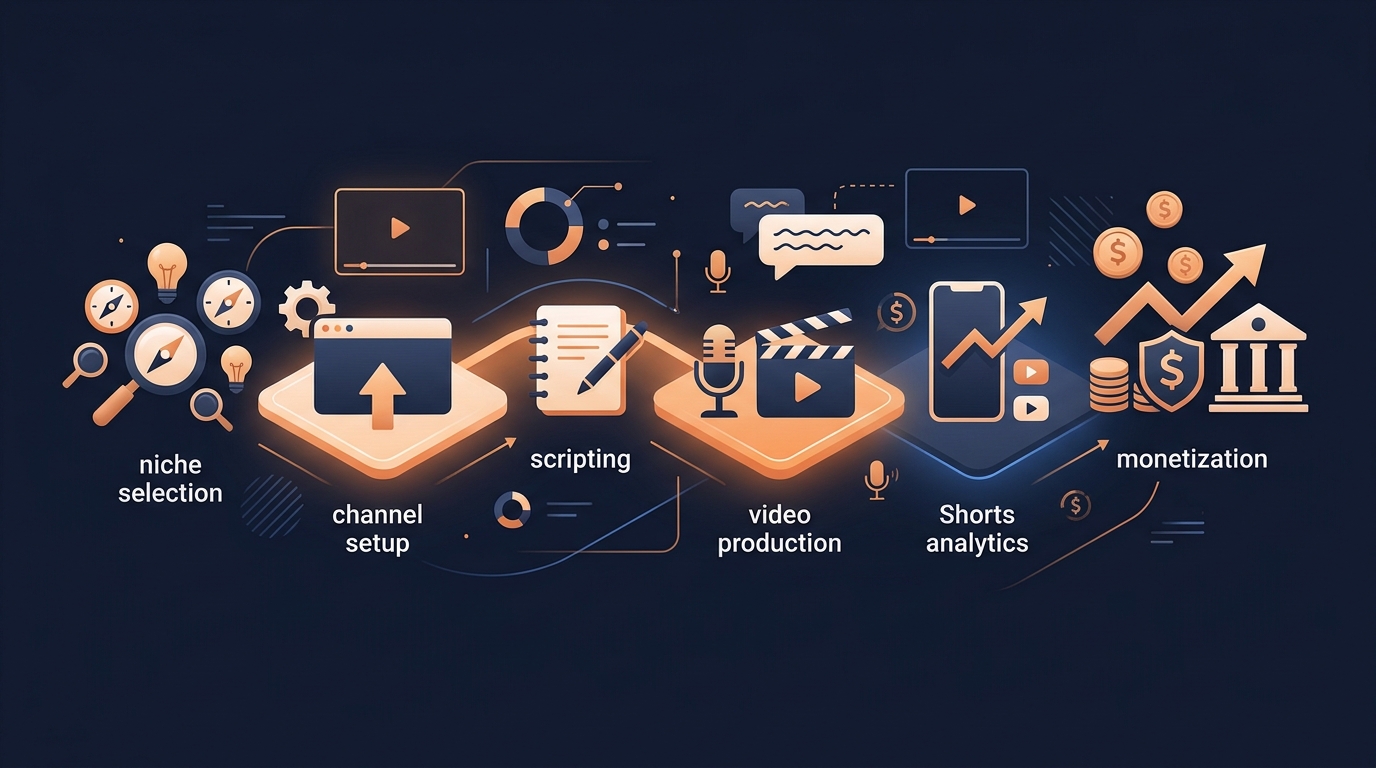
How to Build and Monetise a Faceless YouTube Channel
A practical map for building a faceless YouTube channel—from choosing a niche and making videos to growing on Shorts and creating multiple revenue streams.