
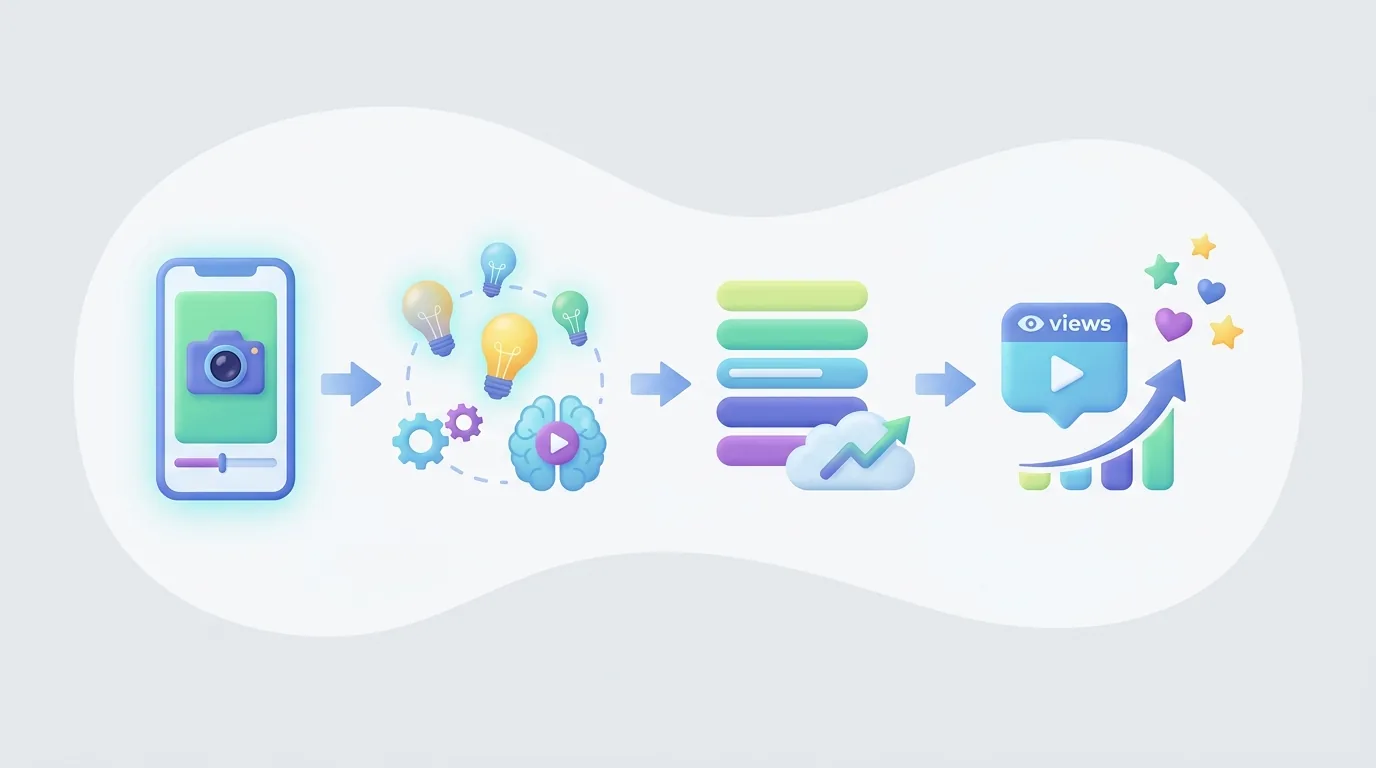
Crea un YouTube Short en 2026 eligiendo una promesa para el espectador, escribiendo un gancho para la primera pantalla, filmando o ensamblando un video vertical, editando cada momento alrededor de esa promesa, subiendo el archivo terminado en YouTube o YouTube Studio, y publicando después de una verificación de derechos y metadatos. Un primer Short comúnmente toma de 30 a 60 minutos antes de la investigación, filmación o edición detallada.
Conclusiones clave:
- Los YouTube Shorts pueden tener hasta 3 minutos de duración para los videos subidos el 15 de octubre de 2024 o después, según YouTube Help.
- Desde el 31 de marzo de 2025, una vista en YouTube Shorts cuenta siempre que un Short empieza a reproducirse o se repite, sin mínimo de tiempo de visualización, según el anuncio de YouTube.
- Los YouTube Shorts alcanzaron 70 mil millones de vistas diarias en 2024 y tenían más de 2 mil millones de usuarios mensuales a principios de 2026, según Retensis.
- Los creadores que monetizan Shorts a través del Programa de Socios de YouTube reciben el 45% de su parte asignada de ingresos publicitarios de Shorts después de aceptar los términos relevantes, según YouTube Help.
Requisitos previos: Necesitas un canal de YouTube, un espectador definido, un tema que se pueda mostrar o explicar visualmente, y derechos para cada clip, imagen, sonido, voz y activo de marca que utilices. Comienza con un área temática repetible en lugar de publicar ideas no relacionadas. Un canal sobre cocina para principiantes, por ejemplo, puede cubrir sustituciones de ingredientes, errores con cuchillos, y técnicas rápidas; un canal que alterna entre cocina, noticias de celebridades y tutoriales de software da al espectador pocas razones para esperar otro Short relevante.
¿Cuáles son las últimas reglas para publicar YouTube Shorts en 2026?
Los YouTube Shorts en 2026 son videos cortos en formato vertical que los creadores pueden grabar en la aplicación de YouTube o subir como archivos editados completos. Las subidas elegibles realizadas el 15 de octubre de 2024 o después pueden durar hasta 3 minutos. Antes de publicar, los creadores deben confirmar que cada visual, grabación de voz, clip y pista musical esté autorizado para uso, porque una edición convincente no puede superar una restricción de derechos de autor o un problema de política de monetización. La guía de subida de Shorts de YouTube sigue siendo la fuente oficial para la longitud actual de Shorts y reglas sobre música.
El flujo de trabajo práctico es simple, pero cada etapa resuelve un problema diferente:
- Elige un resultado para el espectador antes de escribir. Un YouTube Short necesita una promesa específica que un espectador pueda entender de inmediato: "tres estiramientos en el escritorio para hombros rígidos", "la frase de ventas que oculta un aumento de precio", o "la configuración que corrige este error de edición". Escribe el resultado en una oración. Si el resultado contiene dos beneficios no relacionados, divídelo en dos Shorts.
- Escribe la primera línea hablada y el primer visual juntos. Un gancho no es solo la narración. El espectador debe ver el sujeto, resultado, error o contraste mientras escucha la línea de apertura. Para un Short de cocina, muestra el plato terminado o el resultado fallido primero. Para un consejo de software, muestra la configuración o el mensaje de error primero. La primera pantalla debería seguir comunicando la premisa cuando se vea sin sonido.
- Construye una secuencia vertical alrededor de una sola pregunta. Organiza el Short como una progresión: gancho, contexto, prueba o pasos y recompensa. Cada escena debe responder la pregunta del espectador, probar la respuesta o avanzar la explicación. Elimina saludos, animaciones de logotipos, montajes repetidos y puntos secundarios que retrasen el resultado prometido.
- Edita para mantener la atención, no solo por velocidad. Corta las pausas antes de la próxima palabra útil, recorta una toma una vez que haya hecho su punto y cambia el visual cuando la explicación cambie. Un cambio visual puede ser un nuevo ángulo, grabación de pantalla, primer plano, tarjeta de texto, ejemplo o comparación antes y después. Cortes rápidos no son automáticamente mejores; el espectador aún necesita suficiente tiempo para leer subtítulos y entender la evidencia.
- Verifica derechos y políticas antes de subir. Confirma el origen o la licencia de cada clip, imagen, canción, efecto de sonido y logotipo reutilizados. Verifica que la narración esté genuinamente escrita para el video y no copiada de una plantilla genérica. Los Shorts más largos requieren cuidado particular con las restricciones musicales, así que revisa las guías actuales de YouTube antes de depender de una pista.
- Sube con metadatos que correspondan al video. Sube a través de YouTube o YouTube Studio, luego utiliza un título y descripción precisos. Un título como "Corrige la sincronización dura de subtítulos en tres ediciones" le dice a un espectador más que "Hack de edición". Los metadatos deben describir la recompensa real; no deben prometer un resultado que el Short nunca demuestra.
- Revisa la respuesta y cambia una decisión la próxima vez. Después de que el Short ha tenido tiempo de circular, anota dónde parece caer la atención, qué revelan los comentarios y si los espectadores hacen una pregunta de seguimiento natural. Mantén a la audiencia y el tema estables durante varias publicaciones. Luego, prueba una variable: línea de apertura, toma de prueba, ritmo, estructura o final, en lugar de cambiarlo todo de una vez.
Una lista de verificación práctica para producir tu primer Short
Un principiante puede completar un Short útil sin un complicado setup de producción. Redacta una narración de 60 a 90 palabras, lista los visuales requeridos para cada oración, graba o colecciona solo activos autorizados, y construye la edición en el mismo orden en que el espectador la experimentará. Agrega subtítulos después de que la narración o el guion final estén listos, no antes; de lo contrario, cada cambio de redacción genera trabajo extra innecesario en los subtítulos.
Antes de publicar, mira la exportación de tres maneras. Primero, mírala con el sonido apagado para ver si las imágenes y subtítulos transmiten la premisa. Segundo, escucha sin mirar de cerca para verificar si la explicación tiene sentido como audio. Tercero, mírala normalmente y hazte una pregunta directa: ¿el final cumple con el resultado prometido en la apertura? Si la respuesta no es clara, revisa el guion o la secuencia antes de agregar efectos decorativos.
¿Cuánto pueden durar mis YouTube Shorts?
Los YouTube Shorts pueden tener una duración de hasta 3 minutos para las subidas elegibles realizadas el 15 de octubre de 2024 o después. El máximo ampliado da a los creadores espacio para un tutorial compacto, historia, comparación o explicación, pero tres minutos son un límite, no un objetivo. La actualización de Shorts de YouTube Help confirma el máximo ampliado y explica que las reglas de música pueden diferir para los Shorts de más de 1 minuto.
Elige el tiempo de ejecución de acuerdo con la cantidad de prueba que la promesa requiere. Un visual de antes y después puede necesitar solo una configuración y una revelación. Una lección práctica puede requerir un gancho, dos o tres pasos y un resumen. Una historia corta puede necesitar una situación, un punto de giro y un final claro. Una comparación puede necesitar mostrar ambas opciones bajo la misma condición antes de hacer una recomendación. El Short debe terminar cuando el espectador ha recibido el valor prometido, no cuando se ha alcanzado una duración arbitraria.
Utiliza una estructura que se ajuste a la idea
Una demostración muy corta puede usar esta secuencia:
- Apertura: "Esta es la razón por la que tus subtítulos parecen retrasados."
- Prueba: Muestra un subtítulo que aparece notablemente después de la palabra hablada.
- Solución: Muestra el subtítulo movido al principio de la frase.
- Recompensa: Muestra la versión corregida y establece la regla de edición.
Un tutorial más detallado puede usar una secuencia diferente:
- Apertura: "Usa estas tres verificaciones antes de publicar una propuesta para un cliente."
- Contexto: Nombra el riesgo: alcance poco claro, aprobación faltante o una afirmación no respaldada.
- Pasos: Muestra una sección del documento o un ejemplo para cada verificación.
- Recompensa: Termina con una lista de verificación útil en lugar de un recordatorio vago de "ser profesional."
El segundo formato necesita más tiempo porque contiene más decisiones y más evidencia. El primer formato debe permanecer breve porque extenderlo repetiría un punto que el espectador ya entiende.
Los Shorts más largos requieren disciplina de ritmo más fuerte. Cambia el visual cuando la explicación cambia, muestra la prueba detrás de la afirmación y usa subtítulos que clarifiquen en lugar de duplicar mecánicamente cada palabra hablada. Si la narración dice "compara las dos exportaciones", la pantalla debe mostrar las dos exportaciones. Si la narración dice "esta cláusula cambia el precio", la pantalla debe resaltar la cláusula. La relación entre la narración y la imagen debe ser obvia.
Antes de subir, mira el video una vez sin sonido y una vez a velocidad normal. Si el punto no es claro sin audio, agrega subtítulos más claros o prueba visual. Si el final no añade ningún valor nuevo, elimínalo en lugar de llenar el tiempo. Si un espectador necesita información de fondo para entender la apertura, reescribe el gancho para que el Short pueda mantenerse por sí solo en el feed.
¿Qué cambios se hicieron en el conteo de vistas en YouTube Shorts?
YouTube cambió el conteo de vistas de Shorts el 31 de marzo de 2025: una vista ahora se registra cada vez que un Short comienza a reproducirse o se repite, sin un requisito mínimo de tiempo de visualización. El anuncio oficial de YouTube establece: "Las vistas se cuentan cuando un Short comienza a reproducirse o se repite" en su actualización de YouTube Help. Por lo tanto, los totales de vistas de Shorts públicos representan inicios y repeticiones bajo el sistema actualizado, en lugar de una medida que requiere una duración mínima de visualización.
El conteo de vistas actualizado es útil, pero no debe convertirse en el único veredicto sobre una decisión creativa. Un inicio indica que el Short fue servido y comenzó la reproducción. No prueba, por sí mismo, que los espectadores entendieron la apertura, se quedaron para la recompensa, confiaran en el creador, se suscribieran o tomaran una acción significativa siguiente. Usa el total de vistas como una señal de distribución, luego examina la respuesta de la audiencia y la información de retención disponible en YouTube Analytics.
Un creador que prueba ganchos debe interpretar los datos en contexto. Supón que dos Shorts explican la misma habilidad a la misma audiencia. El primero se abre con "Hoy voy a mostrarte un truco útil." El segundo comienza con "Tu exportación se ve borrosa debido a esta configuración." Si la segunda versión recibe más atención continua, la lección útil no es solo que recibió vistas; es que la apertura nombró un problema reconocible y dio a los espectadores una razón para esperar la solución.
Para un experimento limpio, publica varios Shorts para el mismo espectador objetivo y compáralos después de haber tenido un tiempo similar para circular. Mantén el tema y la recompensa ampliamente consistentes, luego cambia solo un elemento:
- la primera línea hablada;
- el visual de apertura;
- el orden de una demostración;
- el número de pasos;
- la velocidad de una sección que pierde atención; o
- el último llamado para otro video o comentario.
Este enfoque convierte el conteo actualizado en parte de una revisión útil de la producción. En lugar de preguntar, "¿Este Short se volvió viral?" pregunta, "¿Qué apertura, prueba y final ayudaron a esta audiencia a entender y seguir viendo este tipo específico de video?"
¿Cómo afectan las publicaciones de imágenes al conteo de vistas de mi canal?
Las publicaciones de imágenes y los YouTube Shorts deben evaluarse como formatos separados a menos que la documentación de informes actual de YouTube y tus propias analíticas de YouTube Studio muestren explícitamente cómo cada formato se incluye en una métrica particular a nivel de canal. La citada documentación de inicio de Shorts no debe tratarse como evidencia para una afirmación amplia de abril de 2026 que diga que las publicaciones de imágenes cambiaron el conteo público de vistas de un canal. Los creadores deben verificar las definiciones actuales de formato en YouTube Studio en lugar de basar decisiones de informes en una interpretación no respaldada.
El principio práctico de informes es sencillo: no uses un total único de canal de por vida para juzgar si un concepto de Short está funcionando. Un Short individual responde preguntas sobre la distribución de un video y la respuesta de la audiencia. Una cifra a nivel de canal puede reflejar muchas decisiones de publicación a lo largo del tiempo y puede no aislar el formato, tema, audiencia o período que intentas evaluar. Comparar formatos diferentes sin etiquetas puede hacer que una decisión editorial útil se vea como una tendencia de rendimiento engañosa.
Utiliza una hoja de planificación simple para preservar comparaciones significativas. Para cada ítem publicado, registra el formato, tema, fecha de publicación, espectador objetivo, promesa de apertura, llamado principal a la acción y la pregunta que querías probar. Agrega una nota después de la publicación que describe los comentarios, el patrón de retención o los temas de seguimiento que generó. Esto es útil ya sea que publiques Shorts por separado o mezcles videos con otros formatos comunitarios.
Las publicaciones basadas en imágenes aún pueden apoyar una estrategia de Shorts cuando satisfacen la misma necesidad de la audiencia. Un creador que publica rápidos Shorts de cocina podría usar una publicación de imagen para preguntar cuál sustitución de ingrediente les cuesta a los espectadores, previsualizar una lista de verificación o recolectar preguntas para la próxima demostración. La publicación de imagen tiene una función editorial: revelar un tema, recopilar lenguaje de los espectadores o apoyar una serie. No debe usarse para hacer una afirmación no respaldada sobre el rendimiento de los Shorts o para inflar un informe interno.
Al revisar los resultados, compara lo similar con lo similar. Compara un Short de cocina sobre la seguridad con cuchillos con otros Shorts de cocina dirigidos a principiantes. Compara una publicación de imagen de la comunidad con otras publicaciones de imagen comunitarias diseñadas para recopilar respuestas. Luego conecta los dos formatos cualitativamente: ¿las preguntas en la publicación de imagen produjeron un tema de Short más claro, y el Short resultante respondió bien a esas preguntas? Ese es un flujo de trabajo más defensible que asumir que cada conteo a nivel de canal representa el mismo tipo de comportamiento de visualización.
¿Qué se considera contenido no auténtico para la monetización de Shorts?
El contenido no auténtico para la monetización de Shorts es aquel que está producido en masa o es repetitivo en lugar de ser significativamente original y valioso para los espectadores. La política de monetización de YouTube dice: "El contenido no auténtico es contenido que se produce en masa o es repetitivo" en la política del Programa de Socios de YouTube. Un formato sin rostro no es inherentemente no auténtico. La pregunta central es si el canal publica repetidamente material de baja variación sin comentario, narrativa, análisis, reporte, demostración o valor educativo original.
La originalidad es visible en las decisiones editoriales detrás del Short. Un creador puede hacer un Short original sin aparecer en cámara investigando una pregunta específica, escribiendo una explicación concreta, seleccionando visuales que prueben la explicación y llegando a una conclusión que pertenece a ese video. Por el contrario, cambiar solo un nombre, imagen o clip de fondo en una plantilla repetida no crea automáticamente una experiencia distinta para el espectador.
Considera la diferencia entre estos dos enfoques:
- Una plantilla genérica dice: "Aquí hay tres hábitos de personas exitosas" sobre metraje de archivo no relacionado. Las ideas pueden ser amplias, la evidencia poco clara y la misma estructura fácilmente reutilizable con cambios mínimos.
- Un Short editorial dice: "Esta frase de propuesta crea confusión de alcance", muestra la frase, explica la consecuencia práctica y demuestra una reescritura más clara. El valor proviene de un ejemplo específico y una interpretación.
El segundo enfoque le da al espectador una razón para ver ese Short en particular. También crea un registro de la contribución del creador: la elección de la investigación, la explicación, el ejemplo, el guion y la edición trabajan juntos.
Realiza una verificación de originalidad antes de publicar una serie. Pregunta: ¿Puedo explicar lo que un espectador aprende, entiende o siente aquí que no obtendría de una compilación genérica? ¿Es la narración específica para este video? ¿Los visuales prueban, ilustran o avanzan el punto? ¿Son precisos los subtítulos? ¿La conclusión seguiría teniendo sentido si se eliminara el metraje de archivo? Mantén registros de origen y derechos para el material que no creaste. Estos hábitos mejoran el trabajo mismo y hacen que la revisión de monetización sea menos arriesgada.
¿Cuáles son los requisitos para unirse al Programa de Socios de YouTube para Shorts?
Para monetizar YouTube Shorts, un creador debe unirse al Programa de Socios de YouTube y aceptar los términos relevantes de monetización; los creadores elegibles retienen el 45% de su parte asignada de ingresos publicitarios de Shorts. YouTube Help enumera los caminos actuales de elegibilidad para el Programa de Socios y explica que cumplir con un umbral de entrada no es lo mismo que ganar automáticamente ingresos publicitarios de Shorts Feed. Los canales también deben cumplir con las políticas de monetización de YouTube y cualquier requisito de elegibilidad aplicable que se muestre en YouTube Studio.
YouTube proporciona una ruta de acceso anticipado para los creadores que califiquen en países elegibles: 500 suscriptores, 3 subidas públicas válidas en los últimos 90 días, además de 3,000 horas de visualización pública válidas en los últimos 12 meses o 3 millones de vistas válidas públicas de Shorts en los últimos 90 días. Para la participación completa en ingresos publicitarios, YouTube enumera 1,000 suscriptores más 4,000 horas de visualización pública válidas en 12 meses o 10 millones de vistas públicas válidas de Shorts en 90 días. Revisa el panel de elegibilidad en vivo en YouTube Studio antes de planificar alrededor de un umbral, porque los creadores deben tomar decisiones a partir de la información actual del producto disponible para su canal.
Las dos rutas sirven a diferentes realidades de publicación. Un canal centrado principalmente en Shorts puede prestar especial atención a las vistas públicas válidas de Shorts en la ventana de 90 días indicada. Un canal que combina Shorts con videos educativos más largos puede tener una mezcla diferente de horas de visualización, suscriptores y caminos de descubrimiento. Ninguna de las dos rutas elimina la necesidad de contenido original, derechos autorizados, información precisa y cumplimiento de las políticas de monetización de YouTube.
Trata la monetización como un resultado de una promesa confiable para los espectadores en lugar de como el primer breve creativo. Construye una serie con un tema estable, retiene los derechos sobre el material y publica un trabajo que puedas explicar y defender como original. Un nicho consistente le da a los espectadores una razón para suscribirse, y el crecimiento de suscriptores es importante porque es parte del umbral completo de ingresos publicitarios.
Un enfoque práctico de planificación es hacer un mapa de contenido antes de perseguir un número. Elige tres preguntas recurrentes de la audiencia, crea varias ideas de Shorts distintas bajo cada pregunta e identifica qué evidencia necesita cada video. Por ejemplo, un canal de edición para principiantes podría crear Shorts separados sobre recortar pausas, sincronización de subtítulos, configuraciones de exportación y organización de metraje. El creador puede luego revisar qué problema produce comentarios útiles e interés continuado en lugar de rehacer repetidamente el mismo consejo genérico sobre edición.

¿Cómo puedo monetizar mis YouTube Shorts de manera efectiva?
La monetización efectiva de YouTube Shorts comienza con contenido original elegible y una estrategia de canal que pueda cumplir con los requisitos del Programa de Socios de YouTube. Los ingresos publicitarios de Shorts Feed son una vía de ingresos, pero los creadores también pueden utilizar Shorts para dirigir a los espectadores calificados hacia productos, servicios, videos de formato largo u otras ofertas que puedan promocionar legítimamente. La base sigue siendo el cumplimiento de la política: los creadores deben estar en el Programa de Socios de YouTube, aceptar los términos relevantes y seguir las políticas de monetización de YouTube.
Elige una vía de monetización que coincida con la razón del espectador para ver. Un canal educativo puede publicar una lección concisa que conduzca de manera natural a una guía más completa o a un video de formato largo relacionado. Un canal enfocado en negocios puede responder a una pregunta específica del comprador e invitar a los espectadores a un próximo paso relevante. Un canal centrado en productos puede demostrar un caso de uso real, limitación o comparación. El Short debe ofrecer su insight prometido antes de pedir algo al espectador.
Una estructura de monetización útil es:
- Resuelve un pequeño problema en el Short. Brinda al espectador una respuesta completa y honesta en la escala prometida por el gancho.
- Nombra el próximo paso lógico. La siguiente acción debe continuar la misma tarea: otra lección, una demostración más completa, un servicio relevante o un producto que el espectador pueda evaluar razonablemente.
- Usa un llamado a la acción directo. Varios llamados no relacionados compiten con la lección y pueden hacer que un Short se sienta como un anuncio en lugar de contenido útil.
- Mantén registros de lo que se prometió. Si un Short promociona una oferta, asegúrate de que su redacción, visuales y afirmaciones reflejen con precisión la oferta.
Por ejemplo, un creador que explica cómo organizar metraje sin procesar puede hacer que el Short se enfoque en una estructura de carpeta concreta. El paso relevante siguiente podría ser un video más largo que demuestre el flujo de trabajo completo de edición. Un mensaje promocional no relacionado debilitaría el recorrido del espectador porque no sigue del problema ya resuelto.
Construye una biblioteca de contenido, no intentos virales aislados. Agrupa Shorts en temas recurrentes para que un espectador que disfruta uno pueda encontrar otro con el mismo beneficio. Mantén un calendario editorial que registre el tema, el problema del espectador, la línea de apertura, evidencia utilizada, estado de producción y próxima acción. Si un creador utiliza un flujo de trabajo de producción asistido por IA, la revisión editorial sigue siendo esencial: verifica la investigación, corrige el guion, confirma los derechos y asegura que el video final tenga un punto de vista distinto.
¿Qué estrategias pueden aumentar la visibilidad de mis YouTube Shorts?
La visibilidad de YouTube Shorts mejora cuando un Short da a una audiencia definida una razón inmediata para seguir viendo y una razón clara para ver otro video del mismo canal. La oportunidad es sustancial: los YouTube Shorts alcanzaron 70 mil millones de vistas diarias en 2024 y superaron los 2 mil millones de usuarios mensuales a principios de 2026, según la investigación de Retensis. El alcance no está garantizado, por lo que los creadores deben hacer que la relevancia, la evidencia y la claridad sean visibles desde la pantalla de apertura.
Utiliza estas estrategias prácticas de visibilidad:
- Abre con el resultado o la tensión. Indica lo que el espectador ganará, verá, evitará o decidirá. Reemplaza "Aquí hay un consejo para creadores" con "Tu primera línea pierde espectadores cuando comienza con fondo." La segunda línea nombra un problema y crea una razón para seguir mirando.
- Haz que el título, la apertura y la recompensa coincidan. Si el título promete una comparación, muestra la comparación inmediatamente y llega a una conclusión antes de que el video termine. Si el título promete una solución, muestra el problema y la solución. Un desajuste puede generar curiosidad al inicio pero decepción en la recompensa.
- Crea una serie para una audiencia única. Publica respuestas relacionadas a preguntas relacionadas. Un creador que explica la edición básica puede hacer Shorts separados sobre cortes, subtítulos, ritmo, grabaciones de pantalla y sonido. Cada Short puede mantenerse solo mientras que facilita el descubrimiento del próximo video relevante.
- Diseña para visualización en silencio. Utiliza subtítulos, etiquetas en pantalla y visuales que transmitan el significado central sin requerir audio. Los subtítulos deben ser legibles y estar sincronizados con la idea que se está explicando. No coloques redactado importante sobre un fondo ocupado si una tarjeta de contraste simple o una toma más clara harían el trabajo.
- Muestra prueba temprano. Una afirmación sobre un error de diseño debe mostrar el error. Una afirmación sobre una técnica de receta debe mostrar la textura, el tiempo o el resultado. Una afirmación sobre una configuración de software debe mostrar la configuración en pantalla. La prueba hace el Short más comprensible y reduce la cantidad de narración necesaria.
- Usa la edición de retención de manera deliberada. Cuando comienza un nuevo paso, muestra un nuevo visual o etiqueta clara. Cuando una oración repite el punto anterior, córtala. Cuando la recompensa esté lista, revela la recompensa en lugar de agregar un cierre genérico. La edición de retención no se trata de agregar movimiento constante; se trata de eliminar momentos en los que el espectador no tiene una nueva razón para seguir.
- Convierta comentarios en Shorts de seguimiento. Una pregunta específica de la audiencia es un texto usable. Si varios espectadores preguntan cómo aplicar la misma técnica en una situación diferente, comienza el próximo Short nombrando esa situación y respondiendo directamente.
- Usa investigación temática antes de la producción. Convierte temas amplios en ángulos estrechos y útiles. "Consejos de edición de video" es amplio; "cómo cortar una pausa sin que el discurso suene abrupto" es un Short específico con una demostración visual clara.
Un guion trabajado y plan de edición para Short
Un creador principiante puede usar este modelo para convertir una pregunta estrecha en un Short publicable. El tema de ejemplo es la sincronización de subtítulos:
Pregunta del espectador: ¿Por qué mis subtítulos parecen desconectados del hablante?
Gancho y visual de apertura: "Tus subtítulos parece que llegan tarde porque comienzan después de la palabra importante." Muestra un clip corto en el que el subtítulo aparece después de que el hablante dice la palabra clave.
Explicación: "Inicia el subtítulo al inicio de la frase, no después de que la frase ya ha aterrizado." Muestra el mismo clip con la sincronización de subtítulos ajustada.
Prueba: Reproduce la versión tardía y la versión corregida en secuencia. Etiquétalas claramente para que la diferencia no dependa únicamente de la narración.
Recompensa: "El espectador lee la idea a medida que sucede, así que la edición se siente más conectada." Termina con el ejemplo corregido.
Puente opcional de serie: "Siguiente: cómo acortar subtítulos sin cambiar el significado." Esto funciona porque nombra un problema relacionado para la misma audiencia en lugar de interrumpir la lección con una promoción no relacionada.
Este guion es útil porque cada línea tiene un propósito de producción. El gancho identifica el punto de dolor. El visual lo demuestra. La explicación proporciona una regla. La prueba valida la regla. El final completa la promesa y proporciona un siguiente tema natural. Aplica la misma lógica a tutoriales, demostraciones de productos, explicaciones, historias y Shorts liderados por opiniones.
Revisa el rendimiento en lotes en lugar de reaccionar emocionalmente a una publicación. Mantén los temas y aperturas que producen respuestas claras de la audiencia, luego mejora el próximo Short con un punto de prueba más fuerte, redacción más simple, mejor sincronización de subtítulos o una pregunta más enfocada. Un flujo de trabajo repetible crea más aprendizaje útil que cambiar constantemente de nicho, estilo y audiencia.
Haz tu próximo Short: Construye un video vertical útil en torno a una pregunta de la audiencia y luego crea una cuenta si deseas una opción de producción asistida por IA.
Sources & further reading
Keep reading

Cómo Maximizar los Ingresos de YouTube Shorts
Maximiza los ingresos de YouTube Shorts con elegibilidad de monetización, elecciones de nicho de mayor RPM, decisiones musicales y tácticas de crecimiento a largo plazo.

¿Por qué una reclamación de derechos de autor bloquea mi Short de YouTube de más de un minuto?
Un Short de YouTube de más de un minuto con cualquier reclamación activa de derechos de autor se bloquea en todo el mundo. Descubre la norma, por qué ocurre y cómo resolver la reclamación.
Cómo los videos de 3 a 7 segundos se desempeñan en cuanto a engagement
Análisis basado en datos de cómo los videos de 3 a 7 segundos se desempeñan en visibilidad, compartición, conversión, mensajería y señales de algoritmos.