
Bulin 47
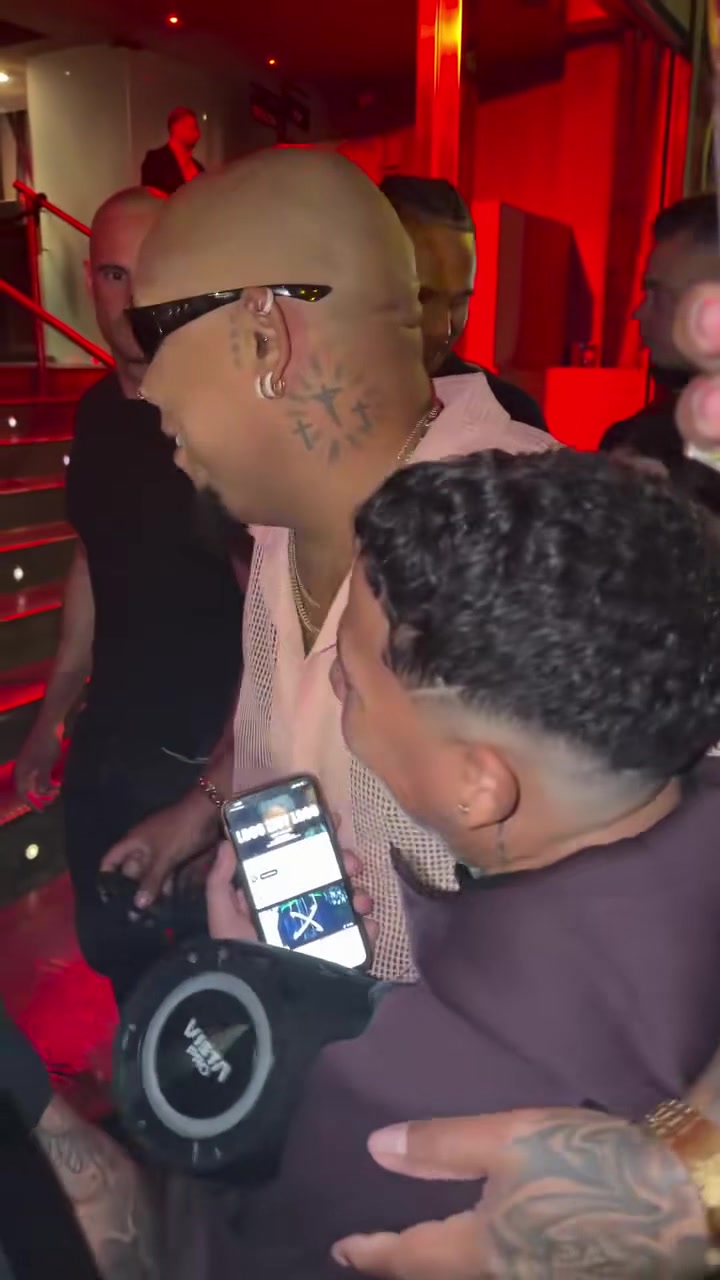
The viral Bulin 47 freestyle with you as the star. You arrive at the club door, a street rapper with a speaker raps dembow about you, and you talk back and laugh. Add one photo. Same moves, same sound.
Das Original
Bulin 47 ersetzen
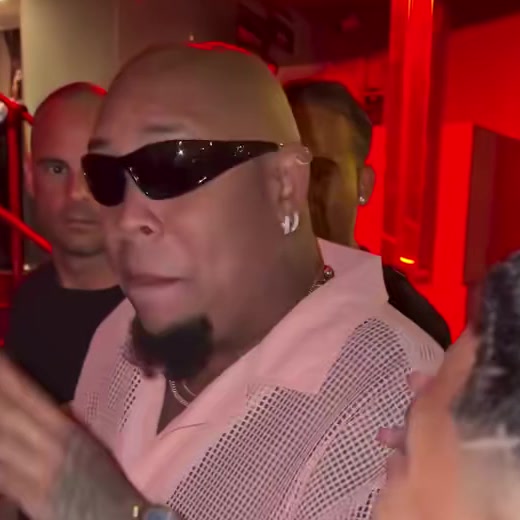
Leer lassen, damit Bulin 47 unverändert bleibt.
Vor dem Austausch verwandeln wir die Fotos jeder Person in eine klare Ganzkörper- und Gesichtsreferenz. So sehen sie vom ersten bis zum letzten Moment gleich aus.
Each caption sits right against the video. Leave one empty to skip it. Emoji work too.
Dein Video: Bulin 47 bleibt unverändert.
Füge ein Foto für Bulin 47 hinzu, um fortzufahren.
Wenn du fortfährst, bestätigst du, dass du diese Fotos verwenden darfst.
- 1
Dein Foto hinzufügen
One clear photo of your face, a selfie works. You take the place of Bulin 47 at the club door.
- 2
Wähle deinen Tarif
Erstelle dein Konto und wähle einen Tarif. Dein Foto bleibt währenddessen gespeichert.
- 3
Hol dir dein Video
Klicke auf „Mein Video erstellen“. Sobald es fertig ist, findest du es in deiner Bibliothek.
How to put yourself in the Bulin 47 freestyle
In the viral clip, the Dominican rapper Bulin 47 arrives at a red-lit club door and a street rapper, Kevincito, follows him with a speaker and his phone, freestyling dembow about him. Bulin talks back, gestures and laughs.
Here you are the star. Add one photo, and the rapper, the crowd, the camera and every second of the verse stay the same. Only Bulin 47 changes, into you.
Fragen
- Welches Foto eignet sich am besten?
- One clear photo of your face, looking at the camera. A selfie works.
- Does the video keep the freestyle?
- Yes. The original sound plays the whole way through: the verse, the crowd and the club.
- Ist es kostenlos?
- Du startest mit einer kostenlosen Testphase und siehst den Preis, bevor wir dein Video erstellen. Videos aus der Testphase tragen das GoFaceless-Wasserzeichen, das verschwindet, sobald deine erste Zahlung eingegangen ist.
- Wo kann ich es posten?
- Überall. Lade die MP4-Datei herunter und poste sie auf TikTok, Instagram Reels, YouTube Shorts oder in einer anderen App.