
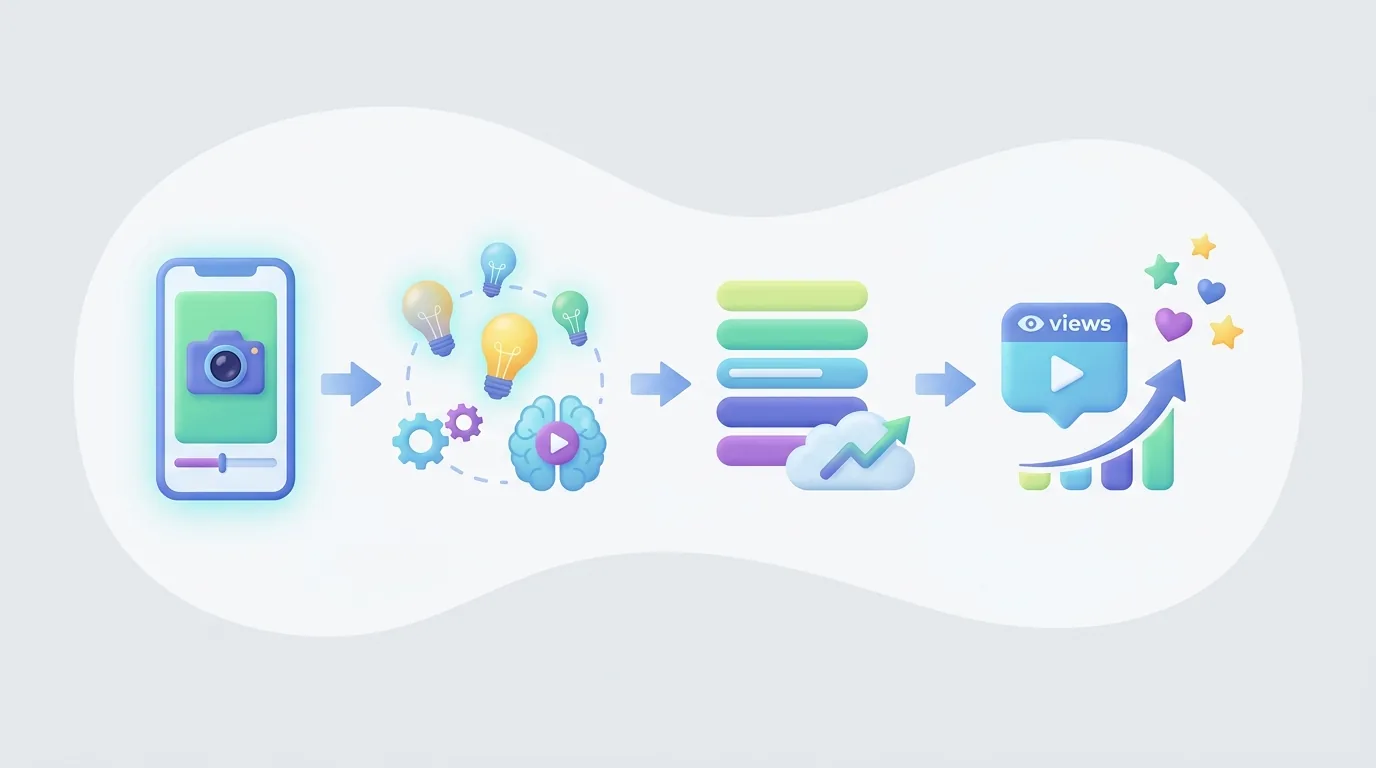
צור YouTube Short בשנת 2026 על ידי בחירת הבטחה אחת לצופה, כתיבת חוט ראשון למסך הראשון, צילומו או הרכבתו של סרטון אנכי, עריכת כל הקצב סביב ההבטחה הזו, העלאת הקובץ המוגמר ל-YouTube או YouTube Studio, ופרסום אחרי בדיקת זכויות ומטא-דתא. Short ראשון לוקח בדרך כלל בין 30 ל-60 דקות לפני מחקר, צילום או עריכה מפורטת.
נקודות מפתח:
- YouTube Shorts יכולים להיות באורך של עד 3 דקות עבור סרטונים שהועלו ב-15 באוקטובר 2024 ואילך, לפי YouTube Help.
- מאז 31 במרץ 2025, ספירת צפיות ל-YouTube Shorts מתבצעת בכל פעם ש-Short מתחיל או מושמע מחדש, ללא דרישת זמן צפייה מינימלי, לפי הודעת YouTube.
- YouTube Shorts הגיעו ל-70 מיליארד צפיות יומיות עד 2024 והיו יותר מ-2 מיליארד משתמשים חודשיים בתחילת 2026, לפי Retensis.
- יוצרים שמטפחים Shorts דרך תוכנית השותפים של YouTube מקבלים 45% מהכנסות הפרסום המוקצות להם לאחר קבלת התנאים הרלוונטיים, לפי YouTube Help.
דרישות מקדימות: עליך שיהיה לך ערוץ YouTube, צופה מוגדר, נושא שניתן להראות או להסביר בצורה ויזואלית, וזכויות לכל קליפ, תמונה, צליל, קול ורכיב מותג שברשותך. התחל עם תחום נושא אחד שניתן לחזור עליו במקום לפרסם רעיונות שאינם קשורים זה לזה. ערוץ על בישול למתחילים, לדוגמה, יכול לכלול החלפות רכיבים, טעויות עם סכינים וטכניקות מהירות; ערוץ שמשלב בין בישול, חדשות סלבריטאים ומדריכי תוכנה נותן לצופים מעט סיבות לצפות ב-Short רלוונטי נוסף.
מהן הכללים האחרונים לפרסום YouTube Shorts בשנת 2026?
YouTube Shorts בשנת 2026 הם סרטונים קצרים באורך אנכי שיצ creators יכולים לתעד באפליקציית YouTube או להעלות כקבצים גמורים ומערוכים. העלאות זכאיות שנעשו ב-15 באוקטובר 2024 ואילך יכולות להימשך עד 3 דקות. לפני הפרסום, על יוצרים לאשר שכל ויזואל, הקלטת קול, קליפ ופסקול מושגעים מוכנים לשימוש, כי שינוי יסודי לא יכול לגבור על הגבלה של זכויות יוצרים או בעיית מדיניות מונטיזציה. הנחיות העלאה של YouTube Shorts נותרת מקור רשמי לאורכן הנוכחי של Shorts ולחוקי המוזיקה.
העבודה המעשית פשוטה, אך כל שלב פותר בעיה שונה:
- בחר תוצאת צופה אחת לפני הכתיבה. Short של YouTube צריך הבטחה ספציפית שצופה יכול להבין מיד: "שלושה מתיחות על שולחן לכתפיים נוקשות," "הניסוח שמסתיר עליית מחיר," או "הגדרה אחת שמתקנת את השגיאה הזו בעריכה." כתוב את התוצאה במשפט אחד. אם התוצאה מכילה שני יתרונות לא קשורים, חלק אותה לשני Shorts.
- כתוב את השורה המוקדמת הראשונה והויזואל הראשון יחד. חוט ראשון אינו רק נרטיב. הצופה אמור לראות את הנושא, התוצאה, השגיאה או הניגוד תוך כדי שמיעת השורה הפתוחה. עבור Short בישול, הצג את המנה המוגמרת או את התוצאה הכושלת קודם. עבור טיפ תוכנה, הצג את ההגדרה או את הודעת השגיאה קודם. המסך הראשון עדיין צריך להעביר את המושג כשהוא נצפה ללא קול.
- בנה רצף אנכי סביב שאלה אחת. סודר את Short כהתקדמות: חוט, הקשר, הוכחה או צעדים, ותגמול. כל סצנה צריכה לענות על השאלה של הצופה, להוכיח את התשובה, או לקדם את ההסבר. הסר ברכות, אנימציות לוגו, הגדרות חוזרות ונושאים צדדים שמעכבים את התוצאה המובטחת.
- ערוך כדי לשמר תשומת לב מתמשכת, לא רק מהירות. חתוך הפסקות לפני המילה השימושית הבאה, קצץ תצלום אחרי שהציג את הנקודה, ושנה את הויזואל כאשר ההסבר משתנה. שינוי ויזואלי יכול להיות זווית חדשה, הקלטת מסך, צילום קרוב, כרטיס טקסט, דוגמה, או השוואת לפני ואחרי. חיתוך מהיר אינו בהכרח טוב יותר; הצופה עדיין צריך מספיק זמן לקרוא כתוביות ולהבין הוכחות.
- בדוק זכויות והתאמה למדיניות לפני העלאה. אשר את המקור או הרישיון של כל קליפ, תמונה, שיר, אפקט צליל ולוגו מחדש. ודא שהנרטיב נכתב באמת לסרטון ולא מועתק מתבנית כללית. Shorts ארוכים מצריכים זהירות מיוחדת עם הגבלות מוזיקליות, לכן בדוק את ההנחיות הנוכחיות של YouTube לפני שאתה מסתמך על פסקול.
- העלה עם מטא-דאטה התואמת את הסרטון. העלה דרך YouTube או YouTube Studio, ואז השתמש בכותרת ובתיאור מדויקים. כותרת כמו "תקן את זמנים הקטגוריות הקשוחים ב-שלושה עריכות" מספרת לצופה יותר מ"הדיוקן במדיה." המטא-דאטה צריכה לתאר את התגמול בפועל; היא לא צריכה להבטיח תוצאה ש-Short לעולם לא מדגים.
- סקור את התגובה ותשנה החלטה אחת בפעם הבאה. לאחר שה-Short היה מספיק זמן במחזור, רשום היכן התשומת לב נראית מתמוטטת, מה התגובות חושפות, אם צופים שואלים שאלה המשכית טבעית. שמור על הקהל והנושא יציבים במשך כמה פרסומים. ואז בדוק משתנה אחד—שורה פתיחה, תצלום הוכחה, קצב, מבנה, או סיום—במקום לשנות הכל בבת אחת.
רשימת בדיקה פרקטית להפקת Short ראשון
מתחיל יכול להשלים Short מועיל ללא הגדרת הפקה מורכבת. תכנן נרטיב בן 60 עד 90 מילים, רשום את הוויזואלים הנדרשים עבור כל משפט, הקלט או אסוף רק נכסים מאושרים, ובנה את העריכה באותו סדר בו הצופה יחווה זאת. הוסף כתוביות לאחר שהקול או התסריט סופיים, ולא לפני; אחרת, כל שינוי בניסוח ייבנה עבודה של כתוביות שניתן להימנע ממנה.
לפני הפרסום, צפה בהפקה בשלוש דרכים. קודם כל, צפה ללא קול כדי לראות אם התמונות והכתוביות מעבירות את המושג. שנית, האזן ללא צפייה קרובה כדי לבדוק אם ההסבר ברור כשמע. שלישית, צפה באופן רגיל ושאל שאלה ישירה אחת: האם הסיום מספק את התוצאה המובטחת בפתיחה? אם התשובה אינה ברורה, עבד מחדש את התסריט או הסדר לפני הוספת אפקטים דקורטיביים.
כמה יכולים להיות YouTube Shorts שלי?
YouTube Shorts יכולים להיות באורך של עד 3 דקות עבור העלאות זכאיות שהועלו ב-15 באוקטובר 2024 ואילך. המקסימום המורחב מעניק ליוצרים מקום להדרכה קומפקטית, לסיפור, להשוואה או להסבר, אך שלוש דקות הן תקרת גובה, לא מטרה. עדכון Shorts של YouTube Help מאשר את המקסימום המורחב ומסביר שחוקי המוזיקה יכולים להשתנות עבור Shorts שארוכים יותר מדקה אחת.
בחר משך בהתאם לכמות הראיה שהבטחה דורשת. שינויים ויזואליים עשויים להזדקק רק לסטאפ ולגילוי. שיעור מעשי עשוי להזדקק לחוט, שניים או שלושה צעדים, וסיכום. סיפור קצר עשוי להזדקק למצב, נקודת שינוי, וסיום ברור. השוואה עשויה להזדקק להראות את שתי האפשרויות באותו מצב לפני כשממליצים. ה-Short צריך להסתיים כאשר הצופה קיבל את הערך שהובטח, לא כאשר הושג משך זמן שרירותי.
השתמש במבנה שמתאים לרעיון
הדגמה מאוד קצרה יכולה להשתמש ברצף הזה:
- פתיחה: "ככה התחושות שלך לגבי הכתוביות מרגישות מאוחרות."
- הוכחה: הראה כתובת המצויה מאוחר אחרי המילה המדוברת.
- תיקון: הראה את הכתובת מועברת להתחלה של הביטוי.
- תגמול: הראה את הגירסה המתוקנת והגדר את חוק העריכה.
הדרכה מפורטת יותר יכולה להשתמש ברצף שונה:
- פתיחה: "השתמש בשלוש בדיקות אלו לפני פרסום הצעת לקוח."
- הקשר: ציין את הסיכון: טווח לא ברור, אישור חסר, או טענה שאין לה תמיכה.
- צעדים: הצג חלק או דוגמא של מסמך עבור כל בדיקה.
- תגמול: סיים עם רשימת בדיקה שימושית במקום תזכורת מעורפלת ל"להיות מקצועי."
הפורמט השני זקוק ליותר זמן כי הוא מכיל יותר החלטות ויותר הוכחות. הפורמט הראשון צריך להישאר קצר כי הרחבתו תחזור על נקודה שהצופה כבר מבין.
Shorts ארוכים צריכים משמעת קצבית חזקה יותר. שנה את הויזואלים כאשר ההסבר משתנה, הראה את ההוכחה מאחורי הטענה, והשתמש בכתוביות שמבהירות במקום לשכפל באופן מכני כל מילה מדוברת. אם הנרטיב אומר "השווה את שני הייצוא", המסך צריך להראות את שני הייצוא. אם הנרטיב אומר "סעיף זה משנה את המחיר", המסך צריך להדגיש את הסעיף. הקשר בין נרטיב ודימוי צריך להיות ברור.
לפני העלאה, צפה בסרטון פעם אחת ללא קול ופעם אחת במהירות בדרך כלל. אם הנקודה אינה ברורה ללא שמע, הוסף כתוביות ברורות יותר או הוכחת ווויזואל. אם הסיום אינו מוסיף ערך חדש, הסר אותו במקום למלא את הזמן. אם צופה צריך מידע רקע כדי להבין את הפתיחה, כתוב מחדש את החוט כך שה-Short יכול לעמוד בפני עצמו בפיד.
אילו שינויים נעשו בספירת צפיות על YouTube Shorts?
YouTube שינה את ספירת הצפיות של Shorts ב-31 במרץ 2025: צפייה נחשבת בכל פעם ש-Short מתחיל להנגן או שמושמע מחדש, ללא דרישה מינימלית של זמן צפייה. ההודעה הרשמית של YouTube קובעת, "צפיות נחשבות כאשר Short מתחיל לנגן או מושמע מחדש," בעדכון YouTube Help. סך הצפיות הציבוריות ב-Shorts משקף לכן את ההשקות והמושמעים מחדש תחת המערכת המעודכנת, במקום מדד שמצריך מינימום זמן צפייה.
ספירת הצפיות המעודכנת שימושית, אך היא לא צריכה להפוך להחלטה היחידה על החלטה יצירתית. השקה מצביעה על כך שה-Short שוחרר וההפעלה החלה. זה אינו מוכיח, באופן עצמאי, אם הצופים הבינו את הפתיחה, נשארו לתגמול, סמכו על היוצר, נרשמו, או עשו פעולה משמעותית הבאה. השתמש בסך הצפיות כאות הפצה אחד, ואז בדוק את תגובת הקהל ואת המידע הזמין ב- YouTube Analytics.
יוצר שבודק חוטים צריך לפרש את הנתונים בהקשר. נניח שיש שני Shorts שמסבירים את אותה מיומנות באותו קהל. הראשון פותח עם "היום אני הולך להראות לכם טריק שימושי." השני פותח עם "הייצוא שלך נראה מטושטש בגלל הגדרה זו." אם הגרסה השנייה מקבלת תשומת לב מתמשכת יותר, הלקח המועיל הוא לא רק שהיא קיבלה צפיות; היא גם קישרה לפתרון לבעיה מובחנת והציעה סיבה להמתין לתשובה.
בניסוי נקי, פרסם מספר Shorts עבור אותו צופה מיועד והשווה ביניהם לאחר שמקבלו זמן דומה במחזור. שמור על הנושא ועל התגמול באופן רחב עקב זאת, ואז שים לב רק למרכיב אחד:
- השורה המדוברת הראשונה;
- הויזואל הפותח;
- סדר ההדגמה;
- מספר הצעדות;
- מהירות חלק שאיבד תשומת לב; או
- הקריאה הסופית לעוד סרטון או תגובה.
גישור זה הופך את הספירה המעודכנת לחלק מהסקירה היעילה של הדבר. במקום לשאול, "האם ה-Short הזה נהיה ויראלי?" שאל, "איזה פתיחה, הוכחה וסיום עזרו לקהל זה להבין ולהמשיך לצפות בסוג זה ספציפית של סרטון?"
איך פוסטים מתמונות משפיעים על ספירת הצפיות של הערוץ שלי?
פוסטים מתמונות ו-YouTube Shorts צריכים להיבחן כפורמטים נפרדים אלא אם כן מסמכי הדיווח הנוכחיים של YouTube ואנליטיקות של YouTube Studio שלך מציינים במפורש כיצד כל פורמט כלול במדד ציבורי מסוים. המסמכים שנזכרו ב-דוקומנטציה על התחלת Shorts לא צריכים להיחשב כהוכחה להצהרה נרחבת באפריל 2026 כי פוסטים מתמונות שינו את ספירת הצפיות הציבורית של ערוץ. יוצרים צריכים לאמת הגדרות פורמט נוכחיות ב-YouTube Studio במקום להסתמך על החלטות דיווח שיש להן פרשנות לא מבוססת.
העיקרון של דיווח מעשי הוא פשוט: אל תשתמש בסך הכל של ערוץ אחד לכל החיים כדי לשפוט אם רעיון Short עובד. Short אינדיבידואלי עונה על שאלות לגבי הפצה של סרטון אחד ותגובה של קהל. מספר בתורם בקטע ערוץ יכול לשקף הרבה החלטות פרסום על פני זמן ואולי לא יכול להפריד את הפורמט, הנושא, הקהל או התקופה שאתה מנסה להעריך. השוואת פורמטים לא דומים בלי תוויות עשויה לגרום להחלטה ער редакטorial למחוש לאמילהמורה מטעית של מגמה.
השתמש בדף תכנון פשוט כדי לשמר השוואות משמעותיות. עבור כל פריט שפורסם, רשום את הפורמט, הנושא, תאריך הפרסום, הצופה המיועד, ההבטחה הפותחת, הקריאה העיקרית לפעולה, ואת השאלה שרצית לבדוק. הוסף הערה לאחר הפרסום שמתארת את התגובות, דפוסי השמירה או הנושאים שהניבו תגובות. זה מועיל אם אתה מפרסם Shorts לבד או משלב וידאו עם פורמטים אחרים בקהילה.
פוסטים מבוססי תמונה יכולים עדיין לתמוך באסטרטגיית Shorts כאשר הם עונים על אותו צורך בקהל. יוצר שמפרסם Shorts בישול מהיר יכול להשתמש בפוסט תמונה כדי לשאול באיזה תחליף רכיב הצופים מתקשים, מראשון רשימה, או לאסוף שאלות להדגמה הבאה. לפוסט התמונה יש תפקיד ער редактorial: לחשוף נושא, לאסוף שפה מהצופים, או לתמוך בסדרה. הוא לא צריך להיות בשימוש כדי לעשות טענה לא מבוססת לגבי ביצועי Shorts או להגדיל דיווח פנימי.
כשסוקרים תוצאות, השווה כמו עם כמו. השווה Short של בישול על בטיחות סכינים עם Shorts אחרים של בישול שמיועדים למתחילים. השווה פוסט בתמונה בקהילה עם פוסטים אחרים בקהילה שנועדו לאסוף תגובות. ואז חבר את שני הפורמטים בצורה איכותית: האם השאלות בפוסט התמונה יצרו נושא ברור יותר ל-Short, והאם ה-Short שנוצר ענה על השאלות הללו היטב? זאת זרימה הרבה יותר הגיונית מאשר להניח שכל ספירה ברמה של ערוץ מייצגת את אותה התנהגות צפייה.
מה נחשב לתוכן שאינו אותנטי למונטיזציה של Shorts?
תוכן שאינו אותנטי למונטיזציה של Shorts הוא תוכן המיוצר במאסות או שחוזר על עצמו ולא משמעותי או יקר לצופים. מדיניות המונטיזציה של YouTube אומרת, "תוכן שאינו אותנטי הוא תוכן המיוצר במאסות או שחוזר על עצמו," במדיניות תוכנית השותפים של YouTube. פורמט ללא פנים אינו באופן אוטומטי אינו אותנטי. השאלה המרכזית היא האם הערוץ מפרסם שוב ושוב חומר בעל נמוך שונה ללא נרטיב או תובנה או ערך חינוכי.
אותנטיות נראית בהחלטות העורכת מאחורי ה-Short. יוצר יכול ליצור Short מקורי מבלי להופיע על המסך על ידי חקירת שאלה צרה, כתיבת הסבר ספציפי, בחירת ויזואלים שמוכיחים את ההסבר ולהגיע למסקנה ששייכת לסרטון זה. בניגוד לכך, שינוי רק שם, תמונה או קליפ רקע בתבנית שחוזרת עליו אינו יוצר באופן אוטומטי חוויית צופה נפרדת.
שקול את ההבדל בין שתי הגישות הללו:
- תבנית כללית אומרת, "הנה שלושה הרגלים של אנשים מצליחים," על פני סרטון שלא קשור. הרעיונות עשויים להיות רחבים, הראיות לא ברורות, והמבנה אותו קל לחזור עליו עם שינויים מינמליים.
- Short עורך אומר, "סעיף זה יוצר בלבול גבול," מראה את הסעיף, מסביר את ההשלכה המעשית, ומדגים מחדש בצורה ברורה. הערך נובע מדוגמה ספציפית ופירוש.
הגישה השנייה נותנת לצופה סיבה לצפות ב-Short המסוים הזה. היא גם יוצרת תיעוד של תרומתו של היוצר: הבחירה במחקר, ההסבר, הדוגמה, התסריט והעריכה עובדים יחד.
בצע בדיקת אוטנטיות לפני שחרור סדרה. שאל: האם אני יכול להסביר מה צופה לומד, מבין או מרגיש כאן שהם לא היו מקבלים מקומפילציה כללית? האם הנרטיב ספציפי לסרטון הזה? האם הוויזואלים הוכיחו, המחישו או קידמו את הנקודה? האם הכתוביות מדויקות? האם המסקנה עדיין תשמע סבירה אם הווידאו היו הוסרו? שמור הערות מקור ורשומות זכויות לחומר שלא יצרת. הרגלים אלו משפרים את העבודה עצמה ומפחיתים את הסיכון בבדיקה למונטיזציה.
מהן הדרישות להצטרף לתוכנית השותפים של YouTube עבור Shorts?
כדי למונטיזציה של YouTube Shorts, יוצר חייב להצטרף לתוכנית השותפים של YouTube ולקבל את התנאים הרלוונטיים למונטיזציה; יוצרים זכאים שומרים 45% מנתח ההכנסות המוקצה להם מ-Shorts. YouTube Help מפרטת את דרכי הזכאות הנוכחיות לתוכנית השותפים ומסבירה שעזיבת הגישה לא באה עם צבירת הכנסות מפרסום ב-Shorts Feed. ערוצים חייבים גם לעמוד במדיניות המונטיזציה של YouTube וכל דרישות זכאות רלוונטיות שמוצגות ב-YouTube Studio.
YouTube מספקת דרך גישה מוקדמת עבור יוצרים זכאים במדינות זכאיות: 500 מנויים, 3 העלאות ציבוריות תקפות ב-90 הימים הקודמים, בנוסף או 3,000 שעות צפייה ציבוריות תקפות ב-12 החודשים האחרונים או 3 מיליון צפיות ציבוריות תקפות ב-90 הימים הקודמים. עבור שיתוף הכנסות מפרסום שלם, YouTube מפרטת 1,000 מנויים בנוסף או 4,000 שעות צפייה ציבוריות תקפות ב-12 חודשים או 10 מיליון צפיות ציבוריות תקפות ב-90 ימים. בדוק את לוח הזכאות החי ב-YouTube Studio לפני שתכנן סביב סף, מכיוון שיוצרים צריכים לקבל החלטות מתוך המידע הנוכחי הזמין לערוץ שלהם.
שתי הדרכים משרתות מציאויות פרסום שונות. ערוץ ממוקד בעיקר על Shorts עשוי לשים לב לנתוני צפיות ציבוריות תקפות ב-90 הימים המוצהרים. ערוץ שמשלב Shorts עם סרטונים חינוכיים ארוכים יותר עשוי למקבל סוג שונה של שעות צפייה, מנויים ושיטות גילוי. שום דרך לא מסירה את הצורך בתוכן מקורי, זכויות מאושרות, מידע מדויק, ותאימות למדיניות המונטיזציה של YouTube.
התייחס למונטיזציה כתוצאה של הבטחה אמינה לצופה ולא כאילו מדובר בבריף היצירתי הראשון. בנה סדרה עם נושא יציב, שמור זכויות לחומר, ופרסם עבודה שאתה יכול להסביר ולהגן עליה כעל המקורי. נישה עקבית נותנת לצופים סיבה להירשם, וצמיחת מנויים חשובה כיון שהיא חלק מהסף המלא להכנסות מפרסום.
גישה פרקטית לתכנון היא להכין מפה תוכן לפני שמחפשים מספר. בחר שלוש שאלות קהל חוזרות, צור מספר רעיונות Shorts נפרדים תחת כל שאלה, וזיהה איזו הוכחה כל סרטון זקוק. לדוגמה, ערוץ עריכות למתחילים יכול ליצור Shorts נפרדים על חיתוך הפסקות, תזמון כתוביות, הגדרות ייצוא, ואירגון חומרי הגלם. היוצר יכול אז לבדוק איזו בעיה מייצרת תגובות שימושיות וחזרת ענין במקום לחזור שוב ושוב על אותו טיפ עריכה גנרי.
איך אני יכול למונטיזציה את YouTube Shorts שלי ביעילות?
מונטיזציה יעילה של YouTube Shorts מתחילה עם תוכן זכאי ומקורי ואסטרטגיית ערוץ שיכולה לעמוד בדרישות תוכנית השותפים של YouTube. הכנסות מפרסום ב-Shorts Feed הן מסלול הכנסה אחד, אך יוצרים יכולים גם להשתמש ב-Shorts כדי להוביל צופים זכאיים למוצרים, שירותים, סרטים ארוכים או הצעות אחרות שהם יכולים לפרסם באופן לגיטימי. הבסיס נשאר תאימות למדיניות: יוצרים חייבים להיות בתוכנית השותפים של YouTube, לקבל את התנאים הרלוונטיים ולהתאים למדיניות המונטיזציה של YouTube.
בחר מסלול מונטיזציה שמתאים לסיבת הצפייה של הצופה. ערוץ חינוכי יכול לפרסם שיעור תמציתי שמוביל באופן טבעי למדריך יותר מלא או סרטון ארוך קשור. ערוץ עסקי יכול לענות על שאלה צרה של קונה ולהזמין את הצופים לשלב רלוונטי הבא. ערוץ ממוקד במוצרים יכול להדגים מקרה שימושים אמיתיים, מגבלה או השוואה. ה-Short צריך לספק את התובנה המובטחת לפני שהוא מבקש משהו מהצופה.
מבנה מועיל למונטיזציה הוא:
- פתור בעיה קטנה אחת ב-Short. תן לצופה תשובה שלמה וכנה בקנה המידה שהובטח על ידי החוט.
- ציין את הצעד הבא הלוגי. הפעולה הבאה צריכה להמשיך באותו משימת: שיעור נוסף, הדגמה מלאה יותר, שירות רלוונטי, או מוצר שהצופה יכול להעריך באופן סביר.
- השתמש בקריאה אחת ישירה לפעולה. מספר תמריצים בלתי קשורים מתחרים עם השיעור ויכולים לגרום ל-Short להרגיש כמו פרסומת ולא כתוכן שימושי.
- שמור תיעוד של מה שהובטח. אם Short מקדם הצעה, ודא שהניסוח, הויזואלים והטענה משקפים במדויק את ההצעה.
למשל, יוצר שמסביר כיצד לארגן קטעי חומר גולמי יכול לעשות את ה-Short על מבנה תיק אחד קונקרטי. הצעד הרלוונטי הבא יכול להיות סרטון ארוך שמדגים את כל תהליך העריכה. הודעה פרסומית לא קשורה תפגע במסע הצפייה כי היא לא עוקבת מהבעיה שפתרה עכשיו.
בנה ספריית תוכן, לא ניסיונות ויראליים בודדים. קבץ Shorts לנושאים חוזרים כך שהצופה שאוהב אחד יכול למצוא עוד אחד עם אותו יתרון. שמור לוח שנה ער редакטorial שעוקב אחר הנושא, בעיית הצופה, השורה הפותחת, ההוכחה שנעשה שימוש, סטטוס ההפקה, והפעולה הבאה. אם יוצר משתמש בזרימת הפקה נתמכת AI, ביקורת ער 編集orial נותרה חיונית: אמת את המחקר, תקן את התסריט, אשר זכויות, ודא שהסרטון הסופי יש לו נקודת מבט נפרדת.
Sources & further reading
Keep reading
איך למקסם את הרווחים מ-YouTube Shorts
מקסם את הרווחים מ-YouTube Shorts עם אילוצי מונטיזציה, בחירת נישות עם RPM גבוה יותר, החלטות מוזיקליות וטקטיקות הגדלת תוכן ארוך.
איך סרטונים של 3–7 שניות עובדים עבור מעורבות
ניתוח מגובה נתונים של איך סרטונים של 3–7 שניות מתנהגים בנושא נראות, שיתוף, המרות, מסרים, ואותות אלגוריתם.
רוויית ביצועים בטיקטוק: מה זה אומר ליוצרים ללא פנים
הצפיות והאינטראקציות בטיקטוק יורדות משנה לשנה. למדו איך יוצרים ללא פנים יכולים להתאים את הפורמטים, השימור, הבדיקות וההפצה.