
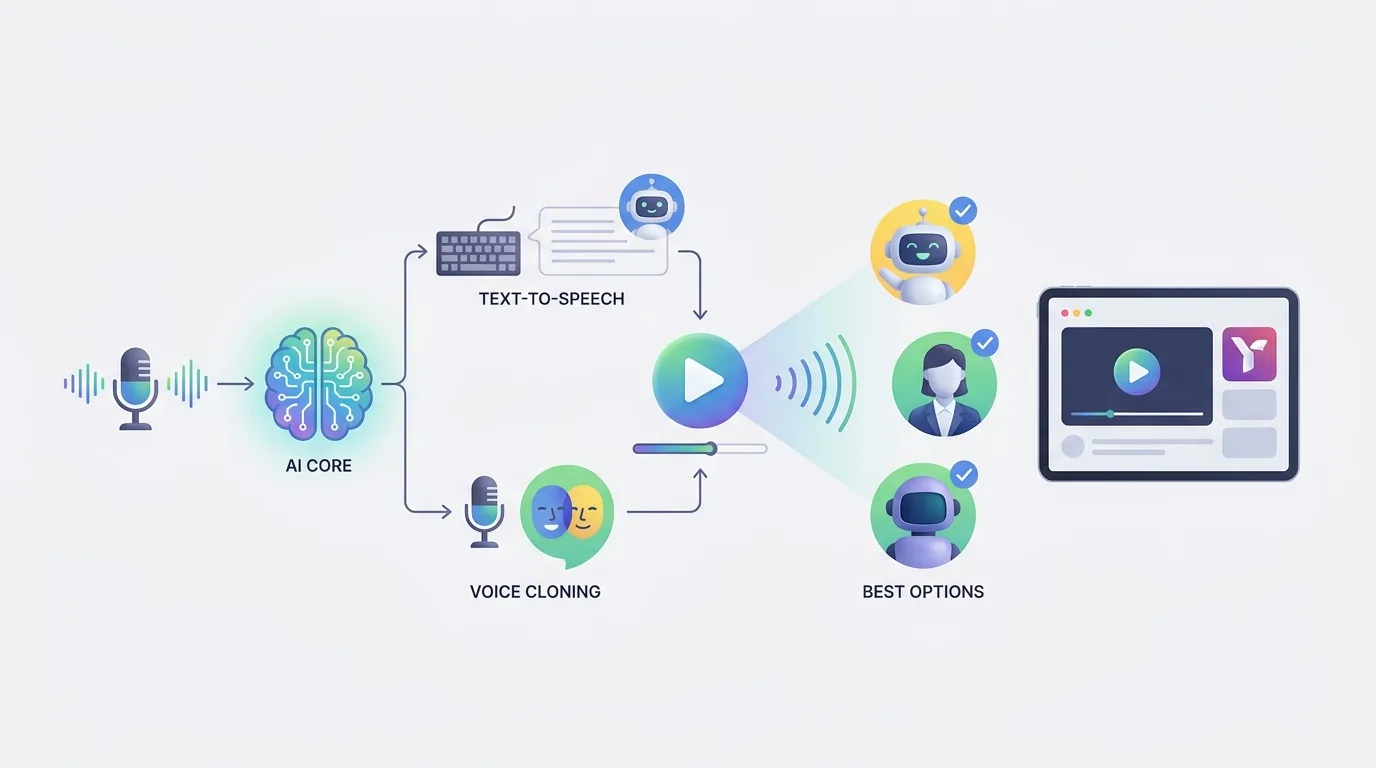
ElevenLabs هي أفضل تقنية للتعليق الصوتي بالذكاء الاصطناعي لمقاطع فيديو يوتيوب عندما يكون للسرد الطبيعي، وتناسق الشخصيات، أو الصوت المقلد المعتمد على الإذن، أهمية كبيرة في جذب المشاهدين. بينما يعتبر OpenAI TTS الخيار الأفضل من حيث التكلفة عندما ينتج القناة كمية كبيرة من السرد القابل للتكرار وتحتاج إلى التحكم في تكاليف إنشاء النصوص.
القواعد النهائية: اختر ElevenLabs عندما يكون الصوت جزءاً من العلامة التجارية ويُحبط أداء ضعيف الفيديو؛ اختر OpenAI TTS عندما تكون النصوص والبحث والتحرير وتواتر النشر تحمل قيمة أكبر من الأداء الصوتي المميز.
الملاحظات الأساسية:
- تم تحديد ElevenLabs كخيار يتمتع بأكثر الأصوات الطبيعية صوتياً وأقوى قدرات تقليد الصوت في مقارنة التعليق الصوتي على يوتيوب.
- تكلف OpenAI TTS حوالي 15 دولارًا لكل مليون حرف، وفقًا لهذه مقارنة التكاليف، التي تصف تكلفته بحوالي عُشر تكلفة ElevenLabs عند نفس الحجم.
- المواد التي تم الاستشهاد بها هنا لا تشمل لا اقتباس مباشر لصفحة تسعير ElevenLabs بمعدل 150 دولاراً لكل مليون حرف. اعتبر هذا الرقم كمجرد حساب يتضمنه المقارنة الثانوية، وليس سعر قائمة موثوق من ElevenLabs.
- تقول توجيهات يوتيوب حول المحتوى المعدل إن المبدع الذي يستخدم صوته الخاص المُولد بالذكاء الاصطناعي لا يحتاج إلى الإفصاح عن هذا الاستخدام، بينما قد تتطلب المحتويات الاصطناعية أو المعدلة بشدة الإفصاح. راجع توجيهات يوتيوب حول المحتوى المعدل.
- تحظر سياسة انتحال الشخصية في يوتيوب الأصوات الاصطناعية التي "توحي كذباً بالملكية أو الإذن"، وفقًا ل السياسة الرسمية ليوتيوب.
- تدعم البيان القائل بأن فيديوهات التعليق الصوتي بالذكاء الاصطناعي التي تُنتج بكميات كبيرة أو التي تحتوي على محتوى عام قد تفشل في مراجعة الت monetization من خلال دليل سياسة المحتوى المعاد استخدامه من vidIQ ولم يتم تقديم رابط مباشر في مجموعة المصادر المقدمة. لذلك، ينبغي على المبدعين قراءة مواد الم monetization الحالية في يوتيوب قبل الاعتماد على هذا التفسير.
| المرتبة | خيار التعليق الصوتي بالذكاء الاصطناعي | معيار التكلفة لكل مليون حرف | قوة موثقة | مناسب بشكل أفضل |
|---|---|---|---|---|
| 1 | ElevenLabs | تصف المقارنة المقتبسة OpenAI TTS بأنه تكلفته تقارب العُشر؛ لم يتم تقديم مصدر تسعير مباشر لـ ElevenLabs هنا | أكثر الأصوات طبيعية؛ أقوى تقليد صوتي | قنوات السرد التي تكون جودة السرد فيها مركزية |
| 2 | OpenAI TTS | حوالي 15 دولاراً، وفقًا ل مقارنة التكاليف | معايير تكلفة أقل بحوالي 10x من ElevenLabs في تلك المقارنة | مقاطع الشرح ذات الحجم الكبير، مقاطع القائمة، والسرد القابل للتكرار |
ماذا يجب أن تختار؟
يجب أن يتم اتخاذ قرار مبين حول ElevenLabs مقابل OpenAI TTS من خلال تحديد ما يجب أن يحققه السرد في فيديو يوتيوب منتهي. اختر ElevenLabs عندما يجب على الراوي تحمل التوتر والدفء والسلطة أو هوية معروفة متكررة. اختر OpenAI TTS عندما تكون ميزة القناة التنافسية هي الإنتاج الفعال لنصوص واضحة ومُبَحَثَة جيدًا عبر العديد من التحميلات. بالنسبة لأي من الخيارين، اختبر الصوت المحدد ضد تعديل نهائي، لأن الإيقاع والتوقف والموسيقى والتسميات والقصات المرئية يمكن أن تحول عينة صوتية واعدة إلى سرد نهائي غير مناسب.
اختبار ميزانية مفيدة هو حفظ خمسة نصوص مكتملة، حساب أحرفها بما في ذلك علامات الترقيم، وتقدير إنتاج شهر واحد. ثم أضف مساحة إضافية للتوليد للخطافات البديلة، تصحيحات النطق، المكالمات المُعدلة للعمل، والإصدارات المترجمة. توفر مقارنة التكلفة المرتبطة معياراً عملياً لـ OpenAI TTS، ولكن المواد المُستشهد بها لا تُنشئ تسعير قائمة موثقة لـ ElevenLabs بشكل مستقل. هذه التفرقة مهمة: استخدم المقارنة العشرية كأداة مساعدة توجيهية، وتحقق من شروط الخطة الحالية مباشرةً قبل الشراء.
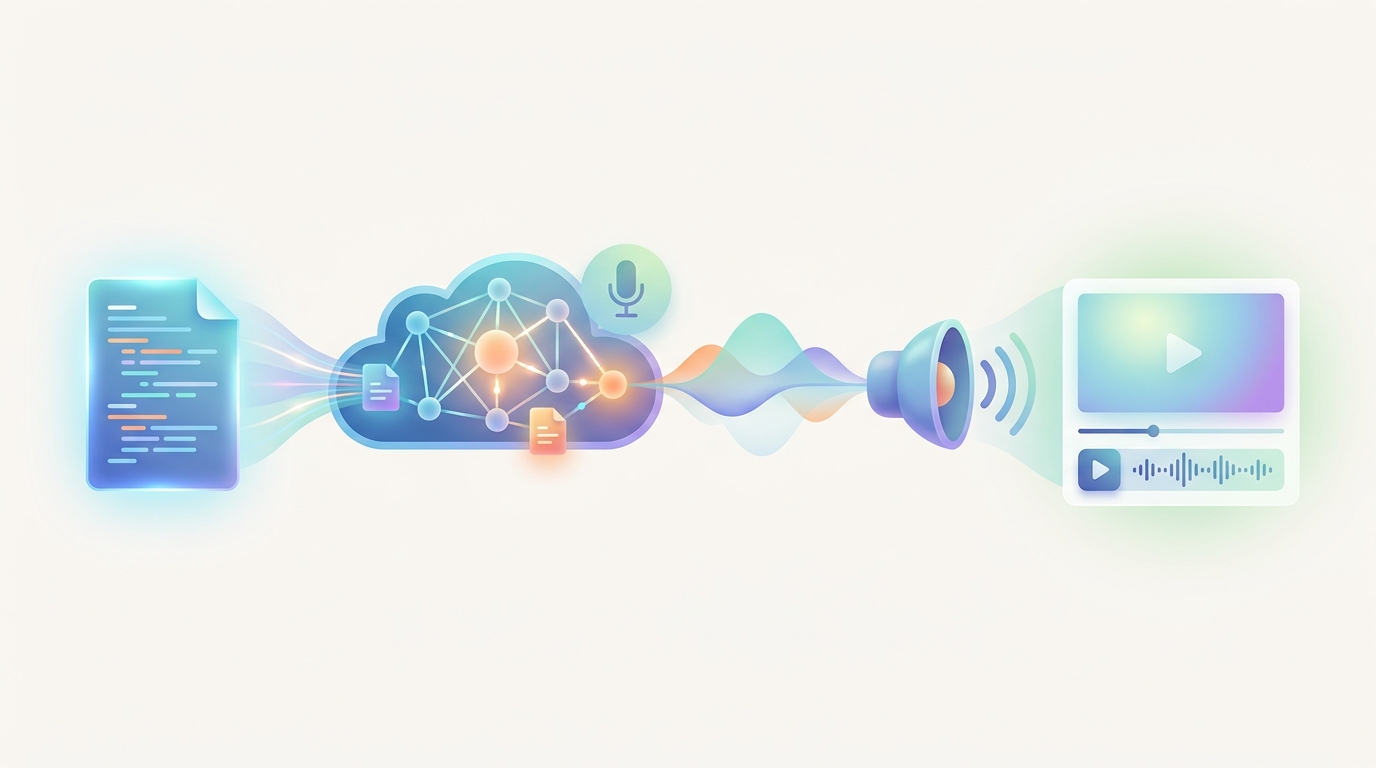
ما هي أفضل أدوات التعليق الصوتي بالذكاء الاصطناعي على يوتيوب؟
تُعد ElevenLabs وOpenAI TTS الخيارات المدعومة بالأدلة الأكثر وضوحاً في المصادر لتوليد السرد على يوتيوب في عام 2026، لكنهما تفوزان على معايير مختلفة. ElevenLabs هي الخيار القائم على الجودة للمبدعين الذين يحتاجون إلى توصيل صوتي طبيعي وقدرة على تقليد الصوت. بينما تعد OpenAI TTS الخيار القائم على التكلفة للمبدعين الذين يحتاجون إلى سرد قابل للتكرار على نطاق واسع. تبدأ تصنيفات مفيدة بدور الصوت في القناة، بدلاً من اعتبار كل ميزة صوتية مهمة على حد سواء.
تناسب ElevenLabs مقاطع الفيديو حيث الراوي هو جزء من تجربة المشاهدة: مقاطع الشرح على نمط الوثائقي، القصص الدرامية، الشخصيات المتكررة، والقنوات ذات الهوية الصوتية المعروفة. وتتمثل ميزاتها الموثقة في الأصوات الطبيعية وقدرة تقليد الصوت، كما هو مذكور في مقارنة أدوات التعليق الصوتي بالذكاء الاصطناعي. كوّن تقليد الصوت ليس مجرد ميزة راحتة في هذا السياق؛ بل يمكن أن يساعد القناة في الحفاظ على راوي متسق عبر الحلقات، شريطة أن يكون الشخص الذي يتضمن صوته قد صرح بذلك بوضوح.
تتناسب OpenAI TTS مع النصوص التي تُنتج بكميات كبيرة. قد يقدّر المبدع الذي يصنع مقاطع تعليمية قصيرة، ملخصات على نمط الأخبار، توضيحات المنتجات، أو تنسيقات القوائم المتكررة تكاليف ثابتة قائمة على الشخصية أكثر من وجود راوٍ مميز. تُشير مقارنة التكاليف إلى أن OpenAI TTS يكلف حوالي 15 دولارًا لكل مليون حرف. قبل الالتزام، قم بتقديم نفس الافتتاح المكون من 150 إلى 250 كلمة بصوتين مرشحين واستمع للأسماء الخاطئة والنبرة المحرجة والعناصر المتسرعة والتوقفات غير الطبيعية بعد إضافة التسميات.
يمكن أن يتغير الترتيب العملي من قناة لأخرى. قد تفقد قناة تاريخية تُفتتح بمشهد درامي أكثر مما توفره من تكلفة توليد بسبب أول 20 ثانية. قد تكسب قناة تُصدر ثلاثة مقاطع برمجية تعليمية قصيرة كل أسبوع المزيد من الفوائد من عملية توليد مستقرة منخفضة التكلفة أكثر من المكاسب الصغيرة في التعبير الصوتي. لذلك، ليست الأداة الأفضل هي الأداة التي تحتوي على العرض التوضيحي الأكثر تأثيراً بمفردها؛ بل هي الأداة التي تحافظ على الجودة عند حجم النشر الفعلي للقناة.
كيف تقارن تكلفة التعليقات الصوتية بالذكاء الاصطناعي؟
تقارن تكلفة التعليق الصوتي بالذكاء الاصطناعي بشكل مفيد على مستوى النص، لأن المبدع يشتري النصوص المسموعة بدلاً من خطة شهرية مجردة. تعطي مقارنة التكاليف لـ OpenAI TTS تكلفة تقريبية تقدر بـ 15 دولارًا لكل مليون حرف وتصورها بأنها نحو عُشر تكلفة ElevenLabs عند نفس الحجم. مما يجعل OpenAI TTS معيار التكلفة الواضح في هذه المقارنة، بينما ElevenLabs هو الخيار ذو التكلفة الأعلى المرتبط بالواقعية الموثقة وقدرة التقليد.
الرقم المتكرر عادة والذي يُقدر بـ 150 دولاراً لكل مليون حرف لـ ElevenLabs هو حساب من المقارنة الثانوية المرتبطة: إذا كانت 15 دولاراً تُعد عُشر التكلفة، فالرقم الضمني هو 150 دولارًا. لا ينبغي تقديمه كسعر مؤكد لـ ElevenLabs في هذا الدليل لأن المصادر المقدمة لا تحتوي على ارتباط مباشر لصفحة التسعير الخاصة بـ ElevenLabs. يمكن أن تتغير الأسعار والخطط والامتيازات المضمنة وتوفر النماذج. تحقق من شروط التسعير الأولية الحالية قبل اعتبار أي رقم مضمن كالتزام شراء.
تسعير الحرف الواحد أكثر فائدة من تسمية خطة شهرية لأنه يربط الإنفاق بالإنتاج. قدّر الاستخدام عن طريق حفظ عدة نصوص مكتملة وعد أحرفها بما في ذلك علامات الترقيم. تؤثر علامات الترقيم على إيقاع الحديث وهي جزء من المدخلات المرسلة إلى مولد الصوت. ينبغي على القناة أيضاً الاحتفاظ بحجم النص لإعادة التسجيلات، الافتتاحات البديلة، المكالمات المعدلة للعمل، الإصدارات اللغوية، واستبدالات الخطوط الصغيرة بعد التعديلات المرئية.
لا تقارن فقط رسوم توليد الصوت. تشمل الوقت المطلوب لتصحيح النطق، إعادة توليد خط، إعادة توقيت العناصر المرئية، إعادة توازن الموسيقى الخلفية، ومراجعة الفيديو المصدر. يمكن أن تصبح الصوتيات المنخفضة التكلفة أكثر تكلفة إذا تعاملت بشكل متكرر مع الأسماء بطريقة خاطئة أو قرأت جمل كثيفة بطريقة تجبر على تحرير واسع. على العكس من ذلك، فإن الصوتية ذات التكلفة العالية ليست تلقائيًا فعالة إذا لم تستفد تنسيقات القناة من شخصيتها الصوتية الإضافية.
ماذا تبدو مقارنة التعليق الصوتي على يوتيوب عند العمل؟
تجعل مقارنة التعليق الصوتي على يوتيوب المُنجز خيار ElevenLabs مقابل OpenAI TTS ملموسًا من خلال عرض كلا الخيارين ضد نفس مهمة الإنتاج. اعتبر قناة تنشر فيديو مدته ثماني دقائق يسمى "خمسة أخطاء يرتكبها المشترون لأول مرة عند اختيار كمبيوتر محمول". يحتوي الفيديو على نص مكون من 1600 كلمة، وخطاف بدء سريع، وخمسة أقسام مرقمة، وأسماء المنتجات، وأسعار، ورسوم مقارنة على الشاشة، وتسميات، وتوصية ختامية هادئة. الفيديو تعليمي بدلاً من كونه درامياً، ولكن الوضوح والثقة أمران مهمان.
بالنسبة لـ ElevenLabs، سيتعين على المبدع اختبار ما إذا كان الأداء الأكثر طبيعية يُحسن الخطاف، ويجعل التوصية تبدو أقل ميكانيكية، ويدير التناقض بين التحذيرات وأسماء المنتجات والاستنتاجات مع أصوات قابلة للتصديق. هذا الخيار يعد الأكثر منطقية إذا كان الراوي الخاص بالقناة جزءًا ثابتًا من العلامة التجارية: حيث يتعرف المشاهدون على الصوت، وتعتمد الحلقات الأطول على الاستماع المريح، أو قد قام المبدع بتفويض صوت متكرر مقلد. ينبغي على المحرر الاستماع بشكل خاص إلى الـ 30 ثانية الأولى والتوصية النهائية، حيث يمكن أن يؤثر الثقة الصوتية على مصداقية الملاحظة.
بالنسبة لـ OpenAI TTS، سيختبر المُبدع ما إذا كان قراءة واضحة وحيادية كافية بمجرد أن تقوم التعديلات المرئية بأكثر العمل التفسيري. يمكن دعم الأخطاء الخمسة من خلال بطاقات العناوين، مقاطع ب، مواصفات بارزة، تسميات، وتوقفات عمدية بين العناصر المرقمة. إذا أفرجت القناة عن عدة أدلة شراء قابلة للمقارنة كل شهر، فإن معيار 15 دولارًا لكل مليون حرف في المقارنة المُستشهد بها قد يكون أكثر أهمية من تحسين طفيف في التعبير. الاختبار ذا صلة ليس ما إذا كان الصوت يبدو أكثر تميزًا في الانفراد، ولكن ما إذا كان المشاهدون يستطيعون متابعة كل توصية دون تشتت.
قاعدة اتخاذ القرار لهذه الحالة الاستخدامية المحددة واضحة. اختر ElevenLabs إذا كان نفس الراوي هو أصل معروف للقناة وتحتاج الافتتاحية والانتقالات والحكم النهائي إلى تسليم معقد للحفاظ على الانتباه. اختر OpenAI TTS إذا كان التنسيق قابلاً للتكرار، وتحمل المرئيات جزءًا كبيرًا من التعليم، وتحتاج القناة إلى سرد اقتصادي عبر العديد من النصوص. في كلتا الحالتين، اجعل اختبارًا مكونًا من 200 كلمة يحتوي على اسم نموذج، سعر، قائمة مرقمة، والتوصية النهائية؛ ثم وضعه تحت الموسيقى والتسميات الفعلية قبل الاختيار.
ما هي أفضل خيارات التعليق الصوتي بالذكاء الاصطناعي للمحتوى متعدد اللغات؟
أفضل خيار لتعليق الصوت بالذكاء الاصطناعي لمحتوى يوتيوب متعدد اللغات هو الخيار الذي ينتج قراءة بلغة وطنية موثوقة بعد مراجعة شخص للجوانب النطق والمعنى والسياق الثقافي. لا يثبت لا التكلفة المنخفضة لكل حرف ولا العينة المبهرة باللغة الإنجليزية أن الصوت المولد سيتعامل بشكل جيد مع الأسماء والأمثال والتواريخ والوحدات وإيقاع الجمل في لغة أخرى. يعد الإنتاج متعدد اللغات سير عمل تحرير، وليس مهمة ترجمة بنقرة واحدة.
ابدأ بنص مصدر واحد وأنشئ ملخص محلي لكل لغة. يجب أن يحافظ الملخص على المطالبات الواقعية، والإحساس المقصود، ونُطق الأسماء الصحيحة، والوحدات، والمصطلحات المعروضة على الشاشة. غالبًا ما تخلق الترجمة المباشرة جملًا صحيحة تقنيًا ولكن طويلة للغاية بالنسبة للتعديل الأصلي. يُعد إعادة الكتابة بلغة محكية طبيعية قبل توليد الصوت خطوة مهمة، ولا تُفرض السرد المترجم لتتبع نقاط التقطيع في اللغة الإنجليزية عندما تحتاج اللغة إلى إيقاع مختلف.
اختبر عينة مكررة عبر كل لغة تخطط القناة لنشرها. تضمن أن تحتوي على خطاف، قائمة، اسم صحيح، رقم، تاريخ، وحدة، والدعوة الختامية إلى العمل. ثم اسأل مراجعاً متمكنا فيما إذا كان السرد يبدو طبيعياً لا مجرد قابل للفهم. احتفظ ورقة نطق للأسماء المتكررة والمصطلحات للمنتجات. تحمي هذه النظام التحريري البسيط من عدم الاتساق عندما تشترك عدة مقاطع فيديو في نفس نمط الراوي.
بالنسبة لقناة تتخذ قرارًا بين الأداتين، قم بإجراء اختبارات مكافئة بدلاً من افتراض أن الفائز باللغة الإنجليزية سيكون فائزًا أيضًا بمجموعة اللغات. أنشئ نفس الافتتاح المحلي القصير في كل صوت مرشح، واستمع مع تمكين التسميات المناسبة، واضف ملاحظات حول مكان إعادة كتابة المقطع بدلاً من إعادة توليده. يمكن أن تكون الأداة التي تتطلب إعادة كتابة أقل للحفاظ على المعنى وتصحيحات نطق أقل هي الخيار الأفضل للإنتاج حتى وإن لم تكن عينة إنجليزية المفضلة.
كيف تؤثر التعليقات الصوتية بالذكاء الاصطناعي على الاحتفاظ بالمشاهدين؟
تؤثر التعليقات الصوتية بالذكاء الاصطناعي على الاحتفاظ بالمشاهدين من خلال الوضوح، والإيقاع، والملاءمة العاطفية، والتناسق، وليس من خلال كون الصوت اصطناعيًا. يمكن أن يدعم الصوت الذي يبدو طبيعيًا الاحتفاظ عندما يكون من السهل متابعة كل جملة، بينما يمكن أن تجعل الأداء المسطح والقوائم المتعجلة، والتأكيد غير الصحيح، أو الأخطاء الواضحة في النطق المشاهدين يتركون حتى عندما تكون الأبحاث والمرئيات مفيدة. لذلك، فإن الاحتفاظ هو نتيجة النص والتحرير بقدر ما هو نتيجة الأداة الصوتية.
قم ببناء الاحتفاظ في النص قبل توليد الصوت. افتتح بوعد محدد، اذكر العائد مبكرا، واستخدم جُمل قصيرة مُسموعة. امنح الصوت مساحة للتوقف بعد كل ادعاء رئيسي أو قبل الكشف. تجنب كتابة علامات الترقيم فقط من أجل النحو؛ فالفواصل، والواصلات، وفواصل الأسطر يمكن أن تُشير إلى الإيقاع عندما تتجاوب الصوت المختار مع تلك. عندما تحتوي الجملة على رقم، اسم، واستنتاج، يجب تقسيمها إلى ضربات منطوقة منفصلة بدلاً من الطلب من الراوي معالجة الثلاثة في نفس النفس.
طابق الراوي مع التنسيق. يتناسب تسليم هادئ ومدروس مع الدروس التعليمية ومقاطع الشرح التعليمية. يمكن أن تتناسب المزيد من الطاقة مع مقاطع الفيديو القائمة، ولكن القراءة ذات الكثافة العالية المستمرة تصبح مرهقة. استخدم التسميات كطبقة ثانية للفهم، وليس كإصلاح لمعدل الكلام غير الواضح. يجب أن يكون بإمكان المشاهد فهم النقطة دون قراءة كل كلمة على الشاشة.
ينبغي على المبدعين اختبار أجزاء الفيديو حيث يكون السرد الاصطناعي أكثر تعرضاً: الجملة الأولى، قائمة من الأسماء غير المألوفة، انتقال من فكرة إلى أخرى، والدعوة النهائية إلى العمل. إذا بدت أي من تلك الأقسام متسرعة، قم بإعادة صياغة السطر، واضبط علامات الترقيم، قلص الجملة، أو غير الصوت المختار. يمكن للمبدعين الذين يخططون لافتتاحيات جديدة أيضًا اختبار الزوايا من خلال مكتبة الخطافات المجربة قبل توليد السرد الكامل.
ما هي سياسات يوتيوب بشأن التعليقات الصوتية المُولدة بالذكاء الاصطناعي؟
تسمح يوتيوب بالتعليقات الصوتية التي تم إنشاؤها باستخدام الذكاء الاصطناعي، لكن سياسات يوتيوب تحظر الانتحال المخادع وتتطلب من المبدعين الإفصاح عن المحتويات المعدلة أو الاصطناعية بشكل كبير في الحالات المعمول بها. تحظر سياسة الانتحال الرسمية لـ يوتيوب بالتحديد الأصوات المُولدة بالذكاء الاصطناعي المستخدمة لـ "التظاهر كاذبًا بالملكية أو الإذن." تلك القاعدة مهمة حتى عندما يحتوي الفيديو على مرئيات أصلية، وتحرير أصلي، ونص أصلي، لأن المشكلة تتعلق بالتمثيل المضلل للهوية أو الإذن.
تبدأ سير العمل المتوافقة بالحقوق. لا تقم بتقليد شخصية عامة، زبون، موظف، منافس، أو راوي دون الحصول على إذن واضح. لا تجعل صوت الذكاء الاصطناعي يظهر وكأنه الصوت الرسمي لعلامة تجارية أو شخص عندما لا يوجد إذن. الافصاح في وصف الفيديو ليس حلاً للمظهر المضلل، لأن الإفصاح بعد الفاتورة لا يجعل من التظاهر كاذباً دقيقاً.
تستخدم يوتيوب أيضًا الإفصاح لمنح المشاهدين السياق حول المواد الاصطناعية الواقعية. السؤال ذي الصلة ليس ببساطة ما إذا كان الذكاء الاصطناعي قد ساعد في إنشاء الفيديو؛ بل هل قد يتسبب العنصر المعدل أو الآلي في أن يساء فهم ما هو حقيقي. اقرأ إرشادات الإفصاح عن المحتوى المعدل في يوتيوب قبل نشر محتوى حساس يتعلق بالأشخاص أو الأحداث أو الصوت الواقعي.
يشمل سجل الإنتاج الأكثر أمانًا نسخة النص، الصوت المختار، الوثائق الإذن عندما يكون صوته أحد الأشخاص الحقيقيين متضمنًا، وملاحظة توضح قرار الإفصاح. لا تحل هذه الأمور محل قواعد يوتيوب، لكنها تمنح المبدع وسيلة متكررة لتقييم كل تحميل. كما أنها تمنع التح редак.« 조회i00 40 35 2023 году / суритив••نًا من التحويل عن طاقة فعالة لشغل کوالخوقيت خدم سيرتين ثانئ.

كيف يجب على المبدعين الكشف عن المحتوى المُولّد بالذكاء الاصطناعي على يوتيوب؟
يجب على المبدعين الإفصاح عن المحتوى الذي تم إنتاجه باستخدام الذكاء الاصطناعي من خلال عملية الإفصاح عن المحتوى المعدل الخاصة بيوتيوب عند احتواء الفيديو على تعديلات كبيرة أو مواد اصطناعية قد تضلل المشاهدين. التوجيه الرسمي المقدم يميز هذا من الاستخدام الروتيني لسرد المُبدع الاصطناعي الخاص به. كما هو مذكور في موجز التوجيهات المُستشهد بها، "استخدام صوت المُبدع الخاص المُولد بالذكاء الاصطناعي لا يتطلب الإفصاح،" بينما قد تتطلب التعديلات الكبيرة الإفصاح بموجب توجيهات الإفصاح الرسمية ليوتيوب.
استخدم مراجعة عملية واقعية من ثلاث خطوات قبل التحميل. أولاً، تحديد ما إذا كان الصوت يقلد شخصاً حقيقياً أو يمثل حدثاً كـ حقيقي. ثانياً، تقرر ما إذا كان من الممكن أن يخطئ مشاهد معقول الصوت في تسجيل حقيقي. ثالثاً، تكمل الإفصاح ذي الصلة على يوتيوب أثناء التحميل إذا تجاوز المحتوى الحدّ. يجب أن تتم هذه المراجعة بعد الموافقة على المسار الصوتي النهائي، لأن الاستبدال المتأخر يمكن أن يُغير الإجابة.
ملاحظة قصيرة بلغة بسيطة في الوصف يمكن أن تضيف الشفافية، خاصة بالنسبة لقناة تحتوي على راوي اصطناعي متكرر. نص الوصف مفيد كسياق، لكن ينبغي على المبدعين عدم اعتبارها بديلاً عن إعداد الإفصاح المطلوب من يوتيوب. احتفظ بسجلات أذونات الصوت وإصدارات النص والموافقات. تجعل تلك السجلات من السهل الرد على أسئلة من المتعاونين أو أصحاب الحقوق أو مراجعي المنصة.
على سبيل المثال، يجب على قناة تعليمية تستخدم راويًا اصطناعيًا حياديًا لقراءة نص تعليمي أصلي تقييم السرد وأي مرئيات بشكل منفصل. قد يقع صوت المُبدع الخاص المُولد بالذكاء الاصطناعي ضمن مثــال عدم الإفصاح كما هو محدد في التوجيهات المُستشهد بها، لكن تسجيل صوتي مزيف واقعي لشخص أو حدث يطرح سؤالاً مختلفًا. يجب على قرار التحميل أن يتبع المحتوى النهائي الذي سيسمعه المشاهدون ويشاهدونه فعلاً، وليس نية المُبدع وحدها.
ما هي مخاطر تحقيق الربح من مقاطع الفيديو التي تحتوي على تعليقات صوتية بالذكاء الاصطناعي؟
المخاطر الرئيسية لتحقيق الربح ليست فقط في التعليق الصوتي بالذكاء الاصطناعي؛ بل في نشر مقاطع الفيديو المُنتجة بكميات كبيرة أو العامة التي تفتقر إلى قيمة أصلية. تصف دليل سياسة المحتوى المعاد استخدامه من vidIQ أن المحتوى الذي يحتوي على تعليقات صوتية بالذكاء الاصطناعي المُنتجة بكميات كبيرة أو العامة غير مؤهل لتحقيق الربح. هذه نصيحة مستندة إلى مصدر ثانوي مطلع في المواد المتاحة لهذا المقال، وليست اقتباسًا مباشرًا لسياسة إعادة استخدام المحتوى في يوتيوب، لذا ينبغي على المبدعين التحقق من توجيهات المونيتازATION الحالية في يوتيوب قبل اتخاذ قرار بشأن تحقيق الربح.
قم ببناء أدلة على الملكية في كل تحميل. ابحث في الموضوع، اكتب نصًا أصليًا، أضف وجهة نظر متميزة، حرر المرئيات لدعم كل مطالبة، واجعل السرد يخدم القصة بدلاً من مجرد قراءة نص مُجمع. لا تعيد استخدام نفس الهيكل العام مع تغيير القليل من الأسماء. يجب أن يتمكن المراجعون والمشاهدون من تحديد لماذا تكون مقطع الفيديو مفيدًا بمفرده: ما السؤال الذي يجيب عليه، ما الحكم الذي يضيفه، وما الذي فعله المُبدع بخلاف تجميع المصدر.
يمكن إكمال مراجعة عملية الأصالة قبل التصدير. اسأل ما إذا كان النص يحتوي على إطارات أصلية أو تحليل، وما إذا كانت كل مرئية لها هدف بالإضافة إلى ملء الشاشة، وما إذا كانت الأمثلة مختارة لهذا الفيديو بدلاً من نسخها من نموذج، وما إذا كانت الاستنتاجات تقدم حكماً تحريرياً حقيقياً. إذا كانت الإجابة لا، فلن يحل تغيير الصوت الاصطناعي المشكلة الأساسية.
يعتبر دليل سياسة المحتوى المعاد استخدامه تذكيرًا مفيدًا بأن الأتمتة لا تعني التحويل. التحليل الأصلي، والتعليم، والتعليق، والتحرير الهادف تقلل من المخاطر. يجب أن تبدأ القنوات التي تحتاج إلى خط أنابيب ثابت بمفاهيم متميزة بدلاً من إعادة تدوير الموضوعات؛ يمكن أن تساعد موارد أفكار الفيديو المتخصصة المبدعين في تخطيط تقويم نشر أكثر تنوعًا.
كيف يمكن للمبدعين استخدام التعليقات الصوتية بالذكاء الاصطناعي بشكل أخلاقي؟
يمكن للمبدعين استخدام التعليقات الصوتية بالذكاء الاصطناعي بشكل أخلاقي من خلال الحصول على إذن الصوت، وتجنب التقليد المضلل، والتحقق من نصوص الحقائق، والإفصاح بوضوح عن المواد الاصطناعية عند طالب يوتيوب ذلك. يحمي التعليق الصوتي الأخلاقي الذكاء الاصطناعي المشاهدين من الارتباك ويحمي المبدعين من المخاطر المتعلقة بالسياسات والسمعة المرتبطة بتقليد الصوت غير المصرح به أو التقديم المضلل. كما يجعل القناة أكثر استدامة، لأن عملية الإنتاج يمكن شرحها والدفاع عنها عندما يسأل المتعاونون أو المشاهدون كيف تم إنشاء الصوت.
اعتبر الصوت مساهماً بشرط له حدود. احصل على موافقة مكتوبة قبل تقليد صوت شخص ما. حدد أين يمكن أن يظهر التقليد، وأي اللغات مسموح بها، وما إذا كان الشخص يوافق على النصوص النهائية، وما إذا كان يمكن استخدام الصوت في إعلانات، ومدة سريان الإذن. لا تستخدم صوتاً مُولدًا لتلفيق تأييدات أو تصريحات خاصة أو تقارير طارئة أو سلطات لم يمنحها المتحدث.
ينبغي على المبدعين أيضًا أن يحتفظوا بالتحكم التحريري البشري. تحقق من المطالبات قبل السرد، استعرض كل سطر مُولد، وصحح الأخطاء في الأسماء والتواريخ والنبرة. يمكن أن يجعل الصوت الاصطناعي البيان غير المدعوم يبدو واثقًا، وهذا هو السبب في أن البحث والمراجعة النهائية تظل مسئوليات بشرية. احتفظ بنسخة من النص المقرر بحيث يمكن للمبدع تتبع مطالبة منطوقة إلى المواد المصدر وتصحيحها بسرعة إذا وصل خطأ إلى النشر.
عندما تستخدم القناة راويًا اصطناعيًا متكررًا، اشرح سير العمل بشكل متسق بدلاً من انتقائي. يمكن أن تغطي سياسة داخلية واضحة من يوافق على النصوص، من يمكنه الوصول إلى تقليد الصوت، متى يحتاج التحميل إلى مراجعة إفصاح يوتيوب، وكيف يتم التعامل مع التصحيحات. تعد هذه الطريقة أكثر قيمة من اعتبار الأخلاق كخانة نهائية: إنها تحول الموافقة، والشفافية، والتحقق من الحقائق إلى خطوات تمثيل عادية.
هل أنت مستعد لبناء تدفق سرد أكثر أصالة؟
تستخدم سير العمل المسؤولة للتعليق الصوتي بالذكاء الاصطناعي الأتمتة لتسريع الإنتاج دون إزالة الحكم، والبحث، والإذونات، أو المساءلة. اختر ElevenLabs عندما يكون الهوية الصوتية أساسية، واختر OpenAI TTS عندما تكون الإنتاجية المكتوبة الاقتصادية ذات الأولوية، وراجع كل مسار مكتمل في تعديل الفيديو الفعلي قبل النشر.
Sources & further reading
Keep reading
سياسة المحتوى غير الأصيل في يوتيوب: دليل المبدعين
تعرف على كيفية تأثير سياسة يوتيوب بشأن المحتوى غير الأصيل على فيديوهات الذكاء الاصطناعي، والنماذج، ومراجعات الربح، والاستئنافات، وقرارات الكشف عن الذكاء الاصطناعي.

هل هناك مستقبل للمحتوى المولد بواسطة الذكاء الاصطناعي على يوتيوب؟
يمكن أن يُدرج المحتوى المولد بالذكاء الاصطناعي على يوتيوب كوسيلة لتحقيق الربح عندما يكون أصلياً ويقوده المبدع. تعرف أين تواجه قنوات الذكاء الاصطناعي مخاطر السياسات والإفصاح والربح.

كيف تعمل تقنية الكشف التلقائي للذكاء الاصطناعي في يوتيوب لصالح المنشئين
تعرف على ما يمكن أن تصنفه تقنية الكشف التلقائي للذكاء الاصطناعي في يوتيوب، ومتى يجب على المنشئين الإفصاح عن الوسائط الاصطناعية، وكيفية إدارة مخاطر الشفافية.