
Access opens in the order businesses ask
Every event on your calendar, announced and counted down.
We read your event calendar and turn each show into an announcement, a countdown and a last-tickets reminder, from the artwork and footage you have the rights to. You approve each one.
A managed monthly service, scoped on a 20-minute call
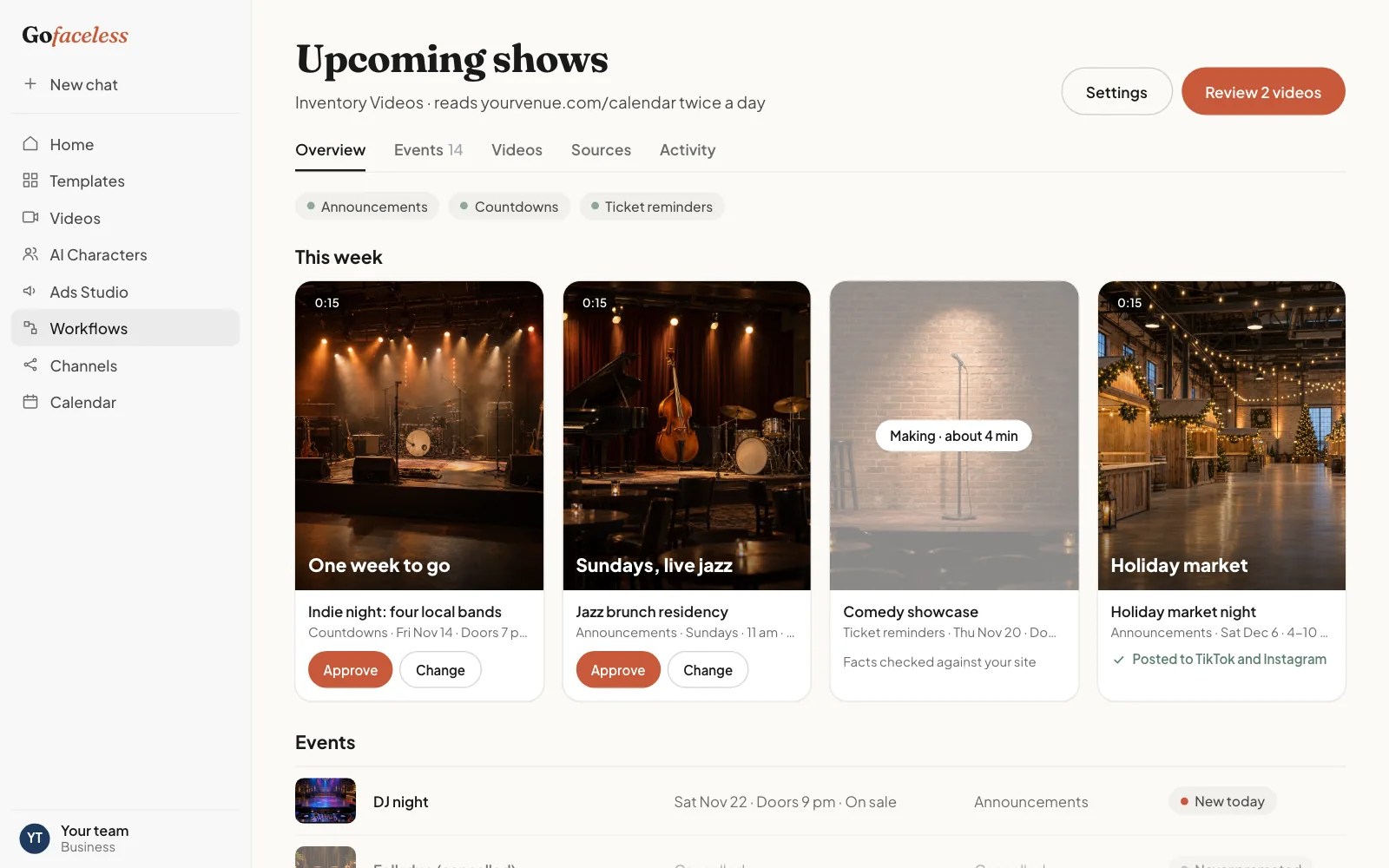
The moments in an event's run we turn into videos
Not open yet for this business: these are the videos the workflow is being set up to make. On the call we show plainly what it can make from your material today.
- 01
Announcements
When an event goes on sale, a short video with the name, date and doors you list.
- 02
Countdowns
A reminder a few days out, with the same facts, checked again before it posts.
- 03
Ticket reminders
A last-chance video, only while your ticket page says tickets are on sale.
Send your calendar the way you already keep it
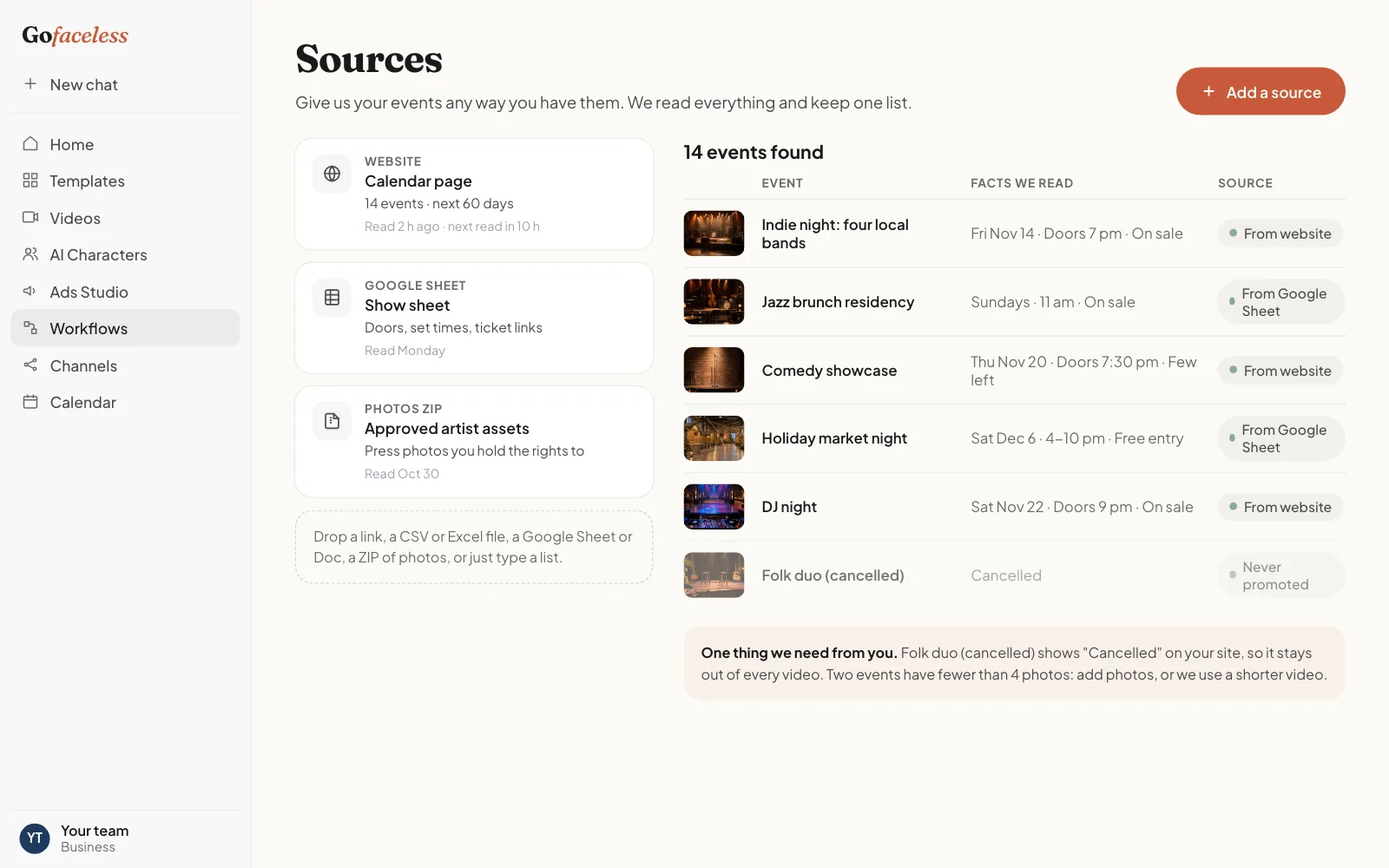
We read your events page or ticketing listings: event name, date, time, venue, ticket link and approved artwork. A CSV or a Google Sheet works too.
Your website
We read your inventory or listings page and check it again on a schedule.
A feed or export
From your inventory, listings or booking software, as a file.
A CSV or spreadsheet
Columns in any order. We map them on the call.
A Google Sheet
Share a link with read access. We read it on the same schedule.
A ZIP of photos
One folder per item works best. We keep your photos in your workspace.
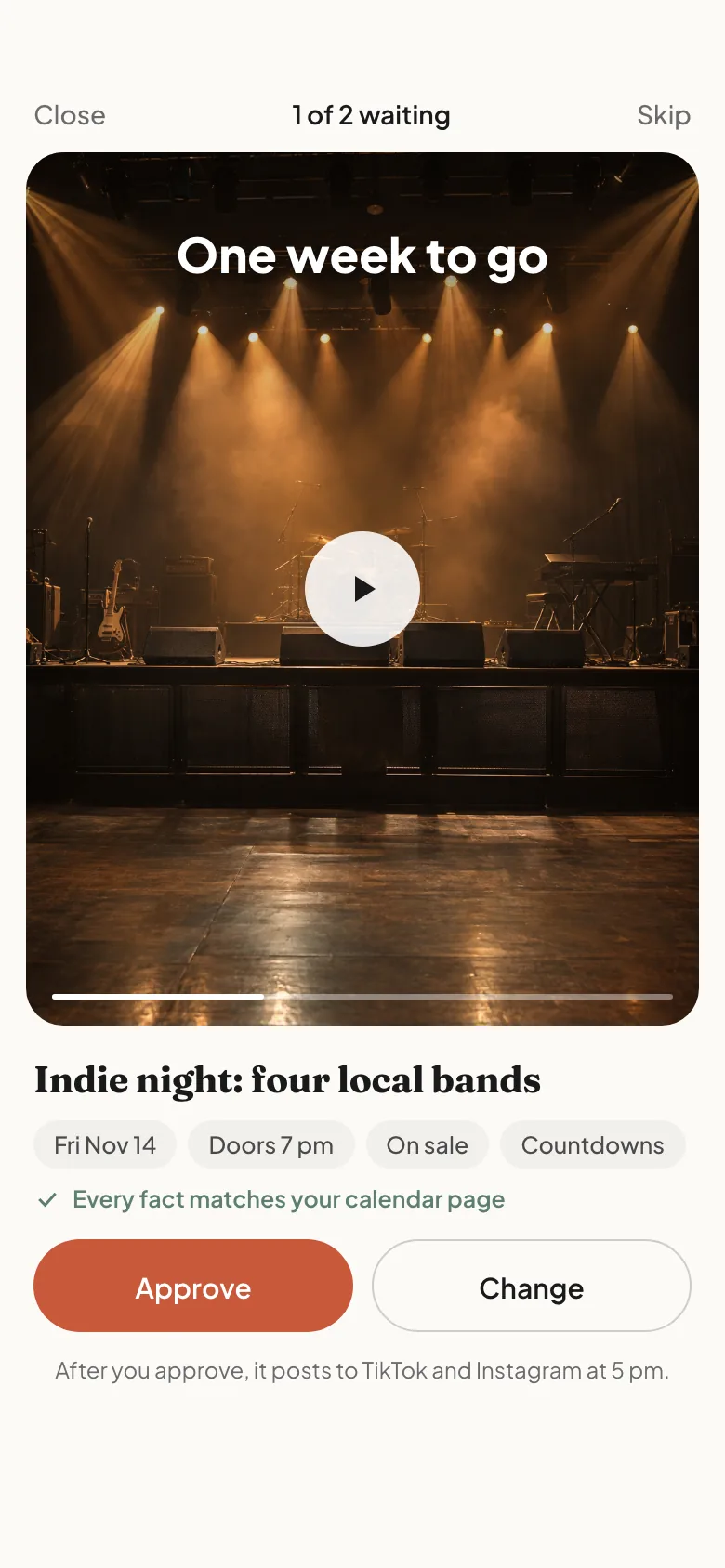
What your workspace looks like
How it works
One workflow, the same for every business. Only the words, the facts we read and the video formats change.
- 01
Give us your inventory
Your website, a feed, a CSV, a Google Sheet or a ZIP of photos. Whatever you already have.
- 02
Each new item becomes a video
Short vertical videos made from your own photos, with facts read from your own inventory.
- 03
You approve on your phone
Approve or reject in one tap. A video whose facts changed is marked stale until you approve again.
- 04
It posts
To your TikTok, Instagram, Facebook and YouTube Shorts accounts, at the hour you choose.
Our accuracy rules
- Only artwork, footage and music you have the rights to use. We never assume rights to an artist's name or likeness.
- Dates are checked again right before posting. A moved or cancelled event stops its videos.
- Only facts from your own listing.
Who it fits
Venues and promoters running 8 or more paid events a month, with a marketing lead.
What we promise every business
Nothing posts without your approval
Every video waits for a person on your team to approve it.
Facts only from your own inventory
We never invent a price, a spec, a date or a feature.
No AI stickers, no invented reviews
We never put an AI label on your videos and never write a review or testimonial.
Monthly, cancel any month
A managed monthly service. Nothing is charged before the scope is agreed on a call.
Your media never trains models
Neither we nor the providers that make or check videos train on your photos or results.
20 min
What happens on the 20-minute call
- We open your inventory page together and look at what we can read from it.
- We show you what your first items look like as videos.
- We agree how many videos a month, which moments and who approves.
A note from the founder
We built GoFaceless to make short videos without a film crew. Businesses with inventory kept asking us for the same thing: a video for every new item, made from what they already have, and checked by them before anything goes out. This is that service. Every request is read by a person on our team, and we only take on the businesses we can do well.
Questions
Is this open for venues yet?
Access opens in the order businesses ask for it. On the call we show what the workflow can make from your calendar today.
Can you use the artist's music?
Only music you are licensed to use on social. Otherwise the video uses music cleared for it.
What happens when an event moves?
Its videos update from your page or stop until you approve the new date.
Can several promoters approve their own shows?
Yes. Approval can follow the event.
Where do the videos post?
Your venue's own accounts, after approval.
Request access
Tell us about your business. We reply within one business day to book a 20-minute call.
- 01
Send this short form.
- 02
Book a 20-minute call.
- 03
We scope your videos together. Nothing is charged before that.
Other businesses we make inventory videos for
- Wedding venuesTours, open dates and packages as short videos couples share.
- RestaurantsSpecials, catering and seasonal menus as short videos for every location.
- Boutique hotelsPackages, rooms and your destination as short videos for direct bookings.