
Taking pilot teams now
A video for every listing your team launches.
We read your listings page. Each new listing becomes short vertical videos from its licensed photos, with the price, beds and baths exactly as listed. An agent approves it on their phone, then it posts.
A managed monthly service, scoped on a 20-minute call
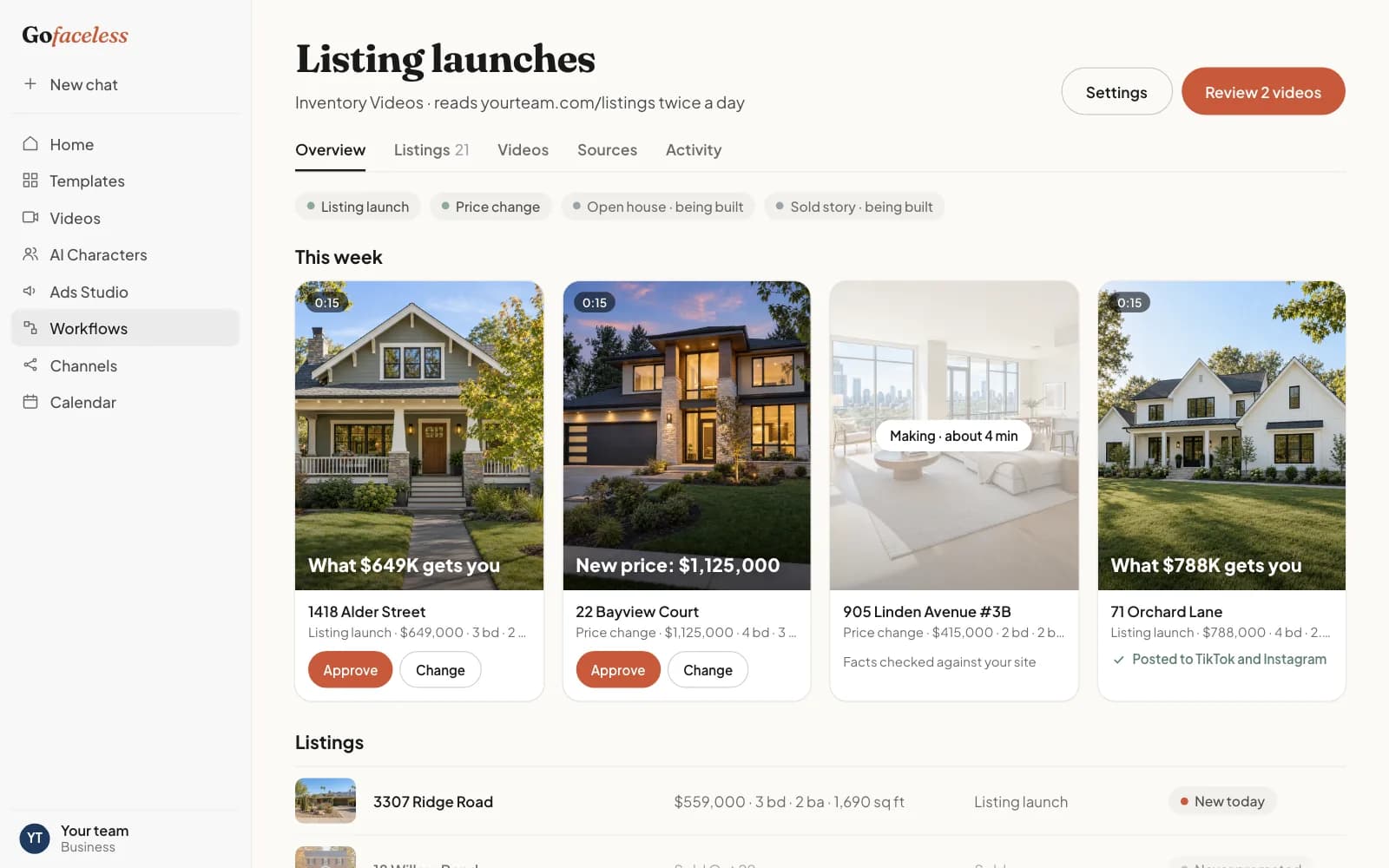
The moments in a listing's life we turn into videos
- 01
Listing launch
When a listing goes live: what this price gets you, behind this door, or POV you live here, from the listing photos.
- 02
Price change
A new version with the new price, the day it changes on your page.
- 03Being built
Open house
A reminder video with the date and time you set. Being built: it will only ever show times you confirm.
- 04Being built
Sold story
A just-sold video once the sale is public. Being built, and it will never show a price you have not published.
Example videos from our templates
Made with the templates this workflow uses, on sample material. Yours are made from your own photos and facts.

What $X Gets You

Behind This Door

POV: You Live Here
Send your listings the way you already keep them
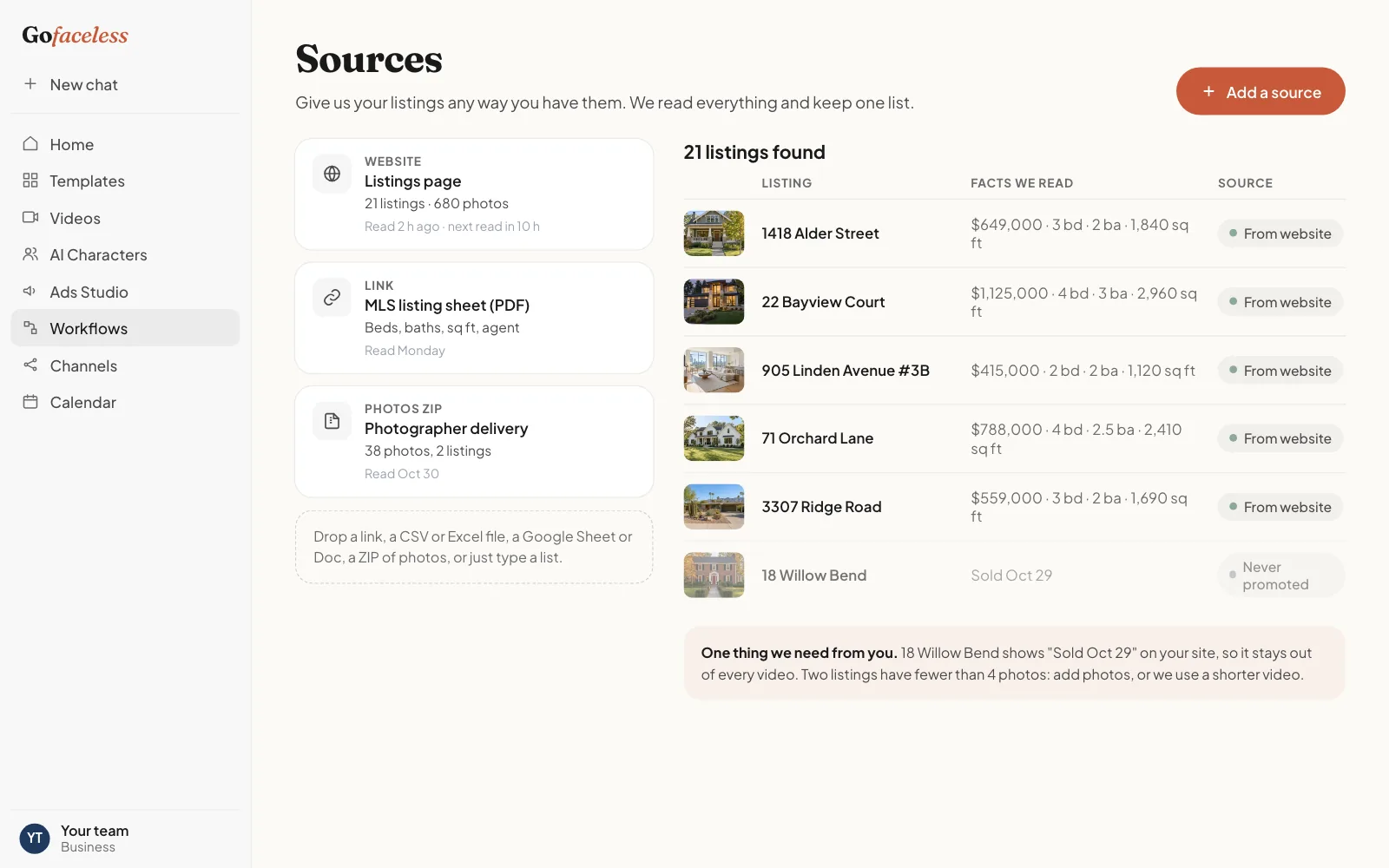
Your team's listings page is usually enough: we read address, price, beds, baths, square footage, status and every photo. An MLS export, a CSV or a Google Sheet works too.
Your website
We read your inventory or listings page and check it again on a schedule.
A feed or export
From your inventory, listings or booking software, as a file.
A CSV or spreadsheet
Columns in any order. We map them on the call.
A Google Sheet
Share a link with read access. We read it on the same schedule.
A ZIP of photos
One folder per item works best. We keep your photos in your workspace.
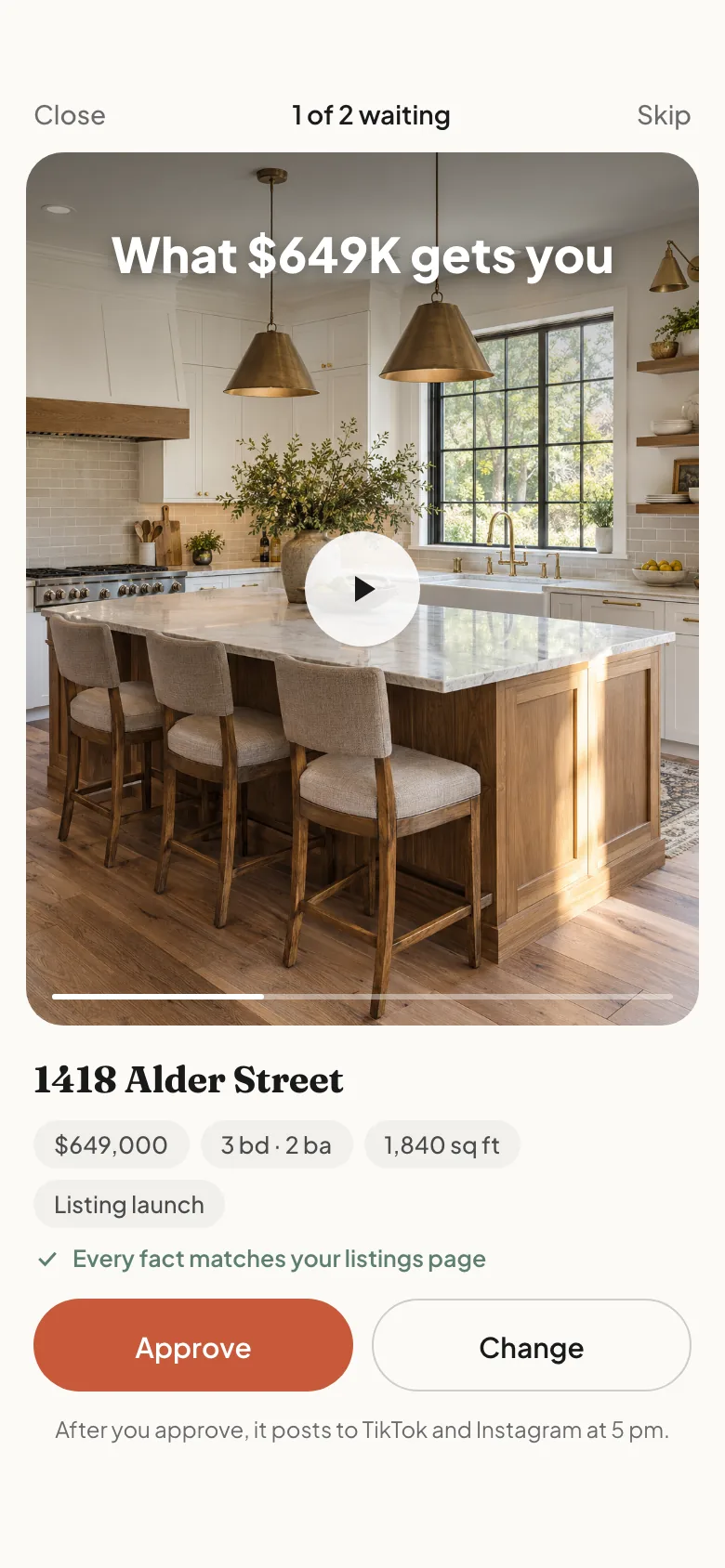
What your workspace looks like
How it works
One workflow, the same for every business. Only the words, the facts we read and the video formats change.
- 01
Give us your inventory
Your website, a feed, a CSV, a Google Sheet or a ZIP of photos. Whatever you already have.
- 02
Each new item becomes a video
Short vertical videos made from your own photos, with facts read from your own inventory.
- 03
You approve on your phone
Approve or reject in one tap. A video whose facts changed is marked stale until you approve again.
- 04
It posts
To your TikTok, Instagram, Facebook and YouTube Shorts accounts, at the hour you choose.
Our accuracy rules
- The real property, as photographed. No virtual staging, no generated rooms, no changed views.
- Only photos you have the rights to use, and only facts from the listing you approved.
- A listing that goes pending or sold stops being promoted as available.
Who it fits
Teams of roughly 5 to 30 agents launching 8 or more listings a month. Solo agents with a listing or two a month are usually a weak fit.
What we promise every business
Nothing posts without your approval
Every video waits for a person on your team to approve it.
Facts only from your own inventory
We never invent a price, a spec, a date or a feature.
No AI stickers, no invented reviews
We never put an AI label on your videos and never write a review or testimonial.
Monthly, cancel any month
A managed monthly service. Nothing is charged before the scope is agreed on a call.
Your media never trains models
Neither we nor the providers that make or check videos train on your photos or results.
20 min
What happens on the 20-minute call
- We open your inventory page together and look at what we can read from it.
- We show you what your first items look like as videos.
- We agree how many videos a month, which moments and who approves.
A note from the founder
We built GoFaceless to make short videos without a film crew. Businesses with inventory kept asking us for the same thing: a video for every new item, made from what they already have, and checked by them before anything goes out. This is that service. Every request is read by a person on our team, and we only take on the businesses we can do well.
Questions
Does each agent get their own videos?
Yes. Videos follow the listing, and you choose whether the listing agent or one marketing person approves them.
Can you add our branding and agent details?
Yes. Each video can end on your team's card with the agent's name and contact line you approve.
Do you pull from the MLS?
We read your own listings page or an export you send. On the call we check what your MLS allows and pick the simplest way to stay current.
What happens when a listing changes price?
A new version with the new price is made, and the old one is marked stale so it never posts with the old number.
Is this fair-housing safe?
Videos describe the property from your approved facts and never describe who should live there. You approve every word before anything posts.
Request access
Tell us about your business. We reply within one business day to book a 20-minute call.
- 01
Send this short form.
- 02
Book a 20-minute call.
- 03
We scope your videos together. Nothing is charged before that.
Other businesses we make inventory videos for
- Property managersVacancies, unit types and amenities as short videos for your leasing team.
- Vacation rentalsEvery home in your portfolio as a short video, made from your approved photos.
- RemodelersYour finished projects as short videos, from your own before and after photos.