
Venom Trend
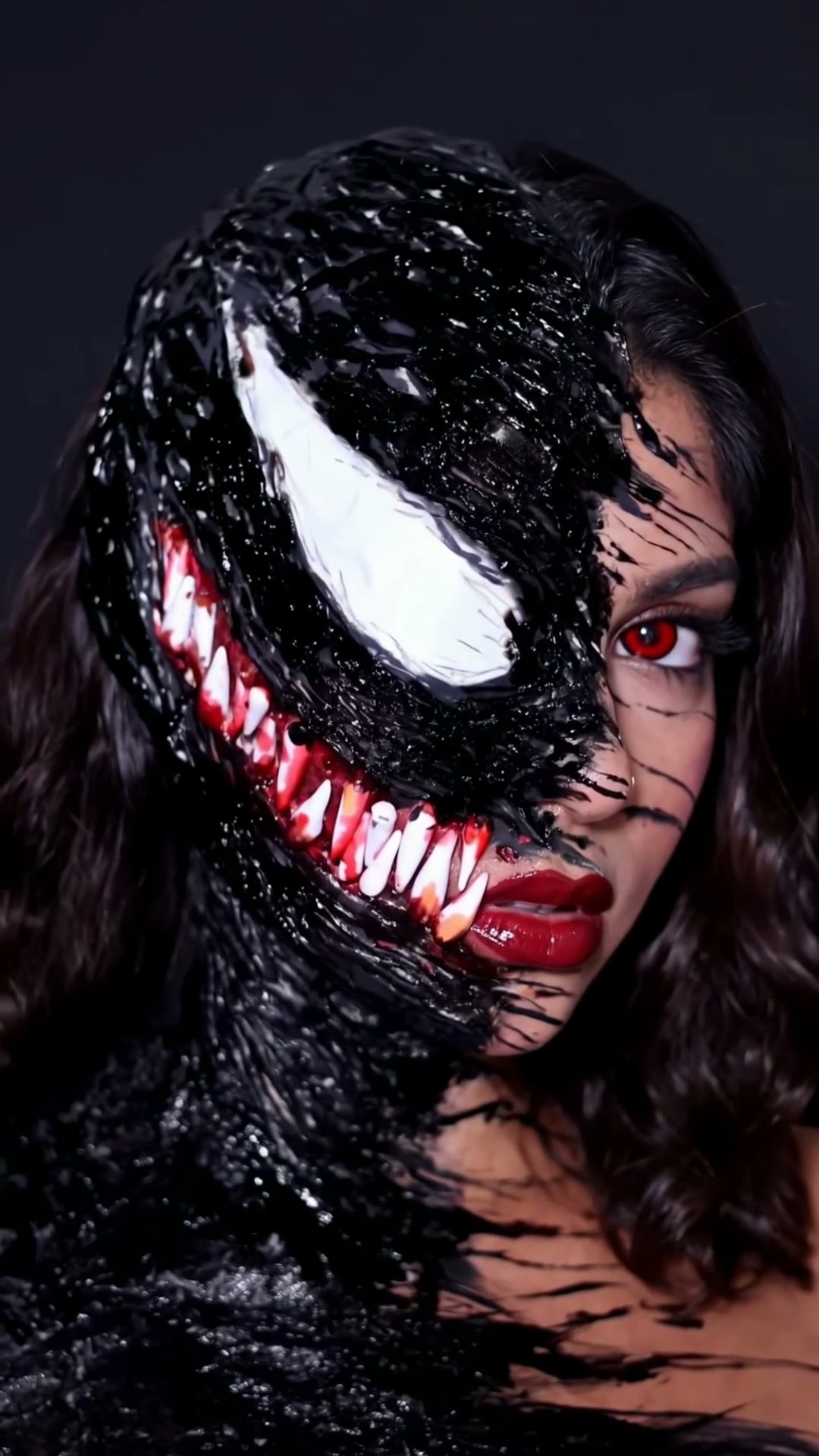
The Venom makeup trend with your face. You sketch the Venom lines on your face with a brush, and on the drop your head whips around into glossy Venom symbiote makeup, with your own hair and red lips. Vertical and ready to post.
The original
Replace You
Leave empty to keep You unchanged.
Before the swap we turn each person's photos into a clean full-body and face reference, so they look the same from the first second to the last.
Each caption sits right against the video. Leave one empty to skip it. Emoji work too.
Your video: You unchanged.
Add a photo for You to continue.
By continuing, you confirm you have permission to use these photos.
- 1
Add your photo
One clear photo of you. A selfie works.
- 2
Choose your plan
Create your account and pick a plan. Your photo is kept while you do.
- 3
Get your video
Press Make my video, and it lands in your library when it is ready.
How to do the Venom makeup trend
The Venom trend is a Halloween makeup transformation: you sketch the outlines of Venom's eye and teeth on your face with a brush, then whip your head around, and on the beat drop the video cuts to the finished look in glossy black symbiote makeup.
Here one photo of you is enough. You do the sketching in the template's own video, and the reveal is you in the finished Venom makeup, with your own hair and red lips.
Questions
- Do I need to do any makeup?
- No. Upload one clear photo of yourself and the whole transformation, from the first brush stroke to the reveal, is made for you.
- Is it free?
- You start with a free trial and see the price before we make your video. Videos made during the trial carry the GoFaceless watermark, which comes off once your first payment goes through.
- Where can I post it?
- Anywhere. Download the MP4 and post it to TikTok, Instagram Reels, YouTube Shorts, or any other app.