
AI storyboarding works best when you give an AI system a specific brief, turn its output into a scene-by-scene and shot-by-shot production plan, and keep a human responsible for the final decisions. Use AI storyboarding to explore hooks, map a tutorial, plan B-roll, sequence product demonstrations, estimate pacing, and give collaborators something concrete to review; keep human review whenever a video makes factual claims, depicts real people or events, uses third-party material, touches sensitive subjects, or may require an AI disclosure.
An AI storyboard is most useful before you generate visuals or begin editing. For example, a 45-second tutorial can be planned as a hook, a screen-recorded problem, two demonstrated steps, a before-and-after result, and a final action—rather than as a vague request for “an engaging short video.” The AI can propose the first sequence, but a creator should verify that the examples are true, the screenshots are authorized, the timing is realistic, and the visual plan actually supports the narration.
Key takeaways:
- Adobe research reports that 71% of video creators use AI video-generation or editing tools, and 56% save more than 30 minutes per video.
- Opus research reports averages of 8.5 scenes and 20.2 shots for AI-generated videos. Treat those numbers as a planning benchmark, not a creative requirement.
- PYLON’s AI Disclosure Policy is a platform-specific policy page that should be checked in its live version before release; policy requirements and effective dates can change.
- SceneCrew’s content-rights rules address input ownership or licensing and AI-content labeling. The relevant rule is worth checking against the current project before publishing.
Prerequisites and time: Start with a defined audience, one video goal, a working title or hook, target platform, target duration, and assets you have the right to use. Reserve 60–90 minutes for a first storyboard even if the initial AI draft takes only minutes. That time covers a scene review, a shot-level pacing check, an asset-and-rights log, and a decision about whether any platform disclosure applies.
What are the benefits of using AI in video storyboarding?
AI video storyboarding speeds up the conversion of a raw idea into a reviewable sequence of scenes, shots, narration, and visual directions. The practical benefit is not hands-off filmmaking; it is faster iteration while the project is still inexpensive to change. Adobe research reports that 71% of video creators use AI video-generation or editing tools, while 56% save more than 30 minutes per video. Reclaiming that time is valuable only if it is redirected into better evidence, clearer openings, stronger visual choices, and a deliberate final review.
AI storyboard drafts also make production scope visible early. A request for “a short explainer” becomes a numbered plan that specifies what the viewer learns, what they see, what they hear, and what needs to be sourced. Opus research reports an average of 8.5 scenes and 20.2 shots in AI-generated videos. Those averages are useful as a prompt to inspect visual density: a 30-second vertical video may need fewer shots, while a screen-recorded tutorial may require more individual demonstrations.
AI storyboarding is especially helpful when the creator needs to compare alternatives before committing to production. Ask for three opening approaches to the same verified message, such as a question-led hook, a before-and-after contrast, and a direct demonstration. Then evaluate each version against the same criteria: whether it accurately represents the topic, fits the target audience, can be produced with available assets, and earns attention without overpromising.
A good AI-assisted board gives you three useful outputs:
- A narrative map that identifies the hook, setup, proof, payoff, and call to action.
- A shot list that tells you what viewers should see while each narration line plays.
- A revision surface where you can test a different hook, order, visual metaphor, or asset path before spending time on production.
The creator’s role is to reject generic ideas and unsupported claims. If a planned shot does not add proof, emotion, clarity, or momentum, remove it or replace it with a more specific visual. A pleasant-looking generated image is not a reason to keep a scene that repeats the narration or distracts from the point.
How do AI storyboard generators work?
AI storyboard generators work by interpreting a structured brief and producing a draft sequence that links narration or on-screen copy to visual scenes and shots. The quality of an AI storyboard depends mainly on the brief because a system cannot reliably infer the audience, factual boundaries, brand constraints, available assets, or desired emotional arc from a broad topic alone. Give the system explicit constraints, then treat the output as an editable planning document rather than a final production instruction.
An AI storyboard brief should state the viewer, intended outcome, core claim, proof available, platform, duration, format, tone, and exclusions. For a 45-second video aimed at new freelance designers, an effective brief might specify: explain one invoicing mistake, demonstrate the correction with an original or authorized screen capture, avoid financial promises, use vertical framing, and end by asking viewers to save the checklist. Those details prevent the system from filling gaps with invented examples or unusable visuals.
An AI storyboard generator can usually propose scene purposes, draft narration, visual concepts, transitions, and rough durations. It cannot establish whether an example is accurate, whether a visual is licensed, whether a person should be depicted, or whether a platform labels a particular kind of content. The human editor should make those determinations before the plan moves into generation, filming, or final editing.
What is the practical AI storyboarding workflow?
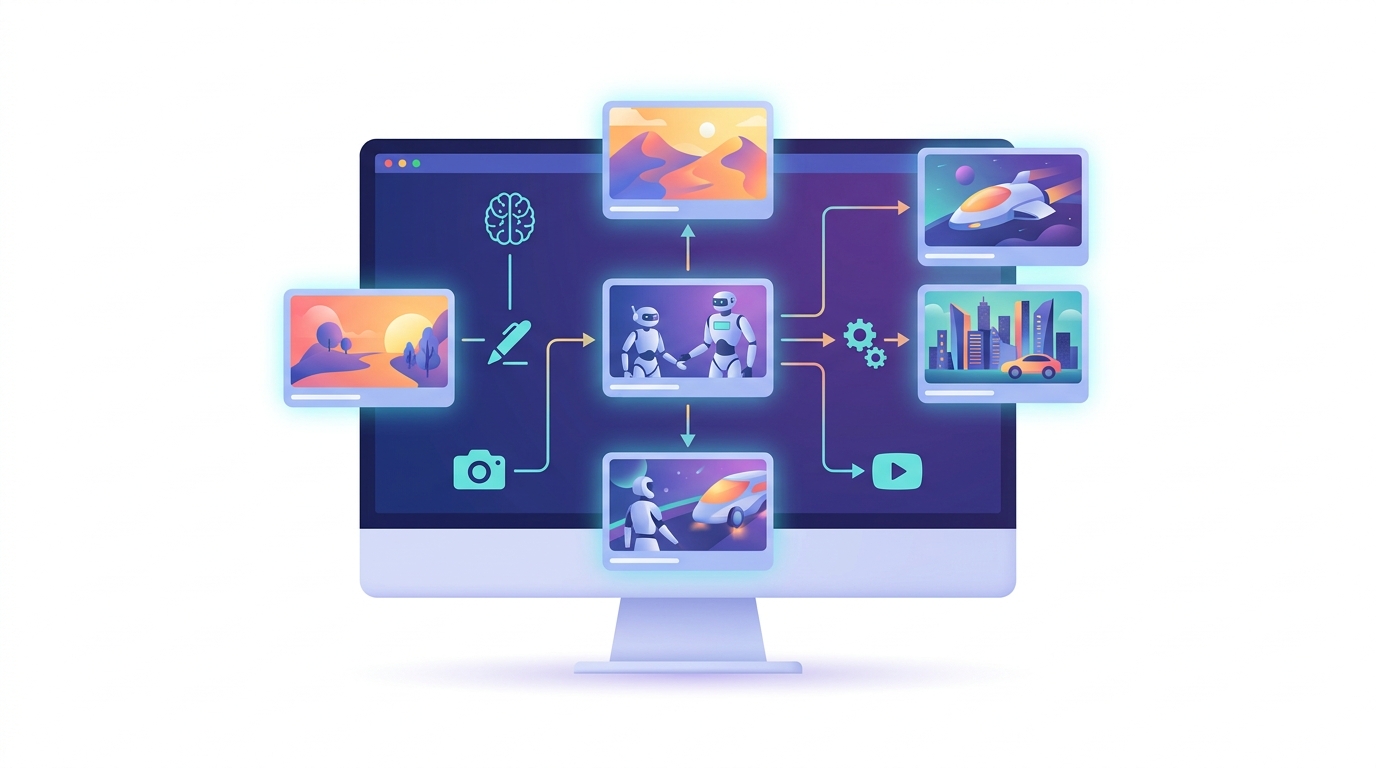
A practical AI storyboarding workflow has seven ordered steps: define the viewer and outcome, write the core claim, set production constraints, create a scene outline, expand it into shots, review for compliance, and test pacing. Each step creates a visible artifact—such as a one-sentence objective, a proof list, a shot table, or an asset log—so the creator can identify weak planning before final video assets are made.
- Define one viewer and one outcome.
Requires: A specific audience, such as new freelance designers, and one intended action, such as saving a checklist. Avoid combining unrelated audiences or goals in a short video.
It worked when: You can complete the sentence: “After watching, this viewer will understand or do ___.” For example: “After watching, a new freelance designer will know where to place payment terms on an invoice.”
- Write the core claim and proof.
Requires: One central message plus the examples, demonstrations, or sources that support it. List the proof before asking AI to write narration, and do not ask AI to invent proof, customer results, research findings, or legal conclusions.
It worked when: The claim can be said in one sentence and every supporting point directly backs it. If a scene does not support the claim, it belongs in a different video or should be cut.
- Set format constraints.
Requires: Platform, target duration, aspect ratio, tone, visual style, and whether the video uses narration, captions, screen captures, stock footage, original footage, or generated visuals. Also state any assets that are unavailable or prohibited.
It worked when: A collaborator could produce the same format without guessing. A vertical, caption-led 30-second video has different shot needs from a two-minute horizontal tutorial with a voiceover.
- Ask for a scene outline before asking for images.
Requires: A prompt that requests scene purpose, narration, visual concept, transition, and estimated duration for every scene. Start with the narrative architecture so you can correct logic before spending time generating or sourcing individual assets.
It worked when: Every scene has a distinct job, such as opening curiosity, naming the problem, explaining a step, showing proof, or delivering the final action.
- Expand each scene into individual shots.
Requires: Directions for framing, subject action, on-screen text, sound cue, asset source, and estimated duration. Split a scene whenever the narration changes meaning or the viewer needs a new visual reference.
It worked when: The board identifies what changes visually whenever the narration introduces a new term, step, comparison, or proof point. A long narration line over one static image is a signal to reconsider the shot plan.
- Run a human editorial and rights review.
Requires: A check for factual claims, confusing transitions, sensitive topics, third-party material, recognizable brands or people, and disclosure needs. This is the point to replace uncertain visuals rather than trying to solve the issue after a final edit exists.
It worked when: Every asset has an approved source, a documented right to use it, or a replacement plan that does not weaken the explanation.
- Read the board at playback speed.
Requires: Timed narration or a rough voiceover and a scene-by-scene duration estimate. Read captions aloud as well, because text that looks short on a board may still be too dense for a mobile viewer.
It worked when: The hook arrives immediately, the explanation has no unsupported leap, visual changes match the message, and the ending provides one clear next step that fits the opening promise.
What industry policies should I be aware of when using AI for videos?
AI video policy compliance requires checking the rules of the distribution platform and any production service before publishing, because disclosure and labeling requirements can be tied to a specific service, content type, or release context. PYLON’s official AI Disclosure Policy page is one relevant example, but it should not be treated as a universal rule or relied on from an old project note. Review the live policy page, identify the rule that applies to the planned upload, and retain a record of the version reviewed.
PYLON’s policy page is relevant because it concerns AI disclosure, but the practical compliance question is narrower: what does the current destination require for this particular video? A creator should check whether the work includes generated visuals, generated voice, material edits, realistic depictions, or altered depictions of real events. The answer may affect metadata, a caption, visible on-screen text, an end card, or whether the video is suitable for that service at all.
Build policy review into the storyboard rather than adding it at export. Add a disclosure field to every scene and decide where any needed label will appear: in the caption, end card, description, or visible on-screen text. Also flag scenes that depict a realistic person, a real-world event, a sensitive subject, or material that could be mistaken for documentary footage. Those scenes deserve additional editorial scrutiny even when no automated tool raises a warning.
Use a simple policy checklist before final production:
- Record which scenes use AI-generated visuals, voice, writing assistance, or edits.
- Check the current destination rules for disclosure, visible labeling, metadata, and restricted content.
- Keep the final disclosure wording and a link or record of the reviewed policy with the project files.
- Review claims that could mislead viewers if presented as real footage, verified fact, or a real person’s statement.
- Confirm that collaborators know which content was generated, which content was supplied, and which assets need source documentation.
Policy pages change, and policy names alone do not answer every publishing question. The responsible workflow is to verify the live policy before release, apply the requirement to the specific upload, and preserve the decision in the project record. That approach is more reliable than repeating an unverified effective date or assuming that one platform’s policy governs every distribution channel.
How can I ensure my AI-generated videos are compliant with copyright laws?
Copyright compliance for AI-generated videos starts with the inputs: creators should upload material they own, have permission to use, or have licensed for the intended use. SceneCrew’s official Content Rights rules state that creators must “own or license input content” and “visibly label AI-generated content.” That is a direct operational standard from SceneCrew’s policy: before an image, clip, recording, screenshot, or reference enters the storyboard, the creator should be able to identify its source and the right that permits the planned use.
The SceneCrew policy is a service-specific rule, not a substitute for legal advice or a complete description of every jurisdiction’s copyright law. Its practical lesson is still useful: rights review belongs at the planning stage. A storyboard is the right place to track these decisions because it lists every planned visual before the final asset is created, when replacing a risky reference is usually much easier than rebuilding an edited sequence.
Create an asset log alongside the board. For each scene, record the asset type, source, license or permission status, intended use, any required attribution, whether the asset will be transformed or edited, and whether the scene includes generated material. A simple entry might read: “Scene 3, screen recording, creator-made account, permission not needed, social-video use, generated captions only.” A vague entry such as “found online” is not enough to support a later review.
Do not use a recognizable character, logo, photograph, clip, artwork, or recording just because an AI system can transform it or produce something similar. A prompt that asks for a particular protected character, a recognizable commercial brand, a living artist’s distinctive work, or an identifiable person creates risk that a generic alternative may avoid. Replace uncertain material with original footage, properly licensed assets, abstract visuals, diagrams, original screen demonstrations, or a concept that does not depend on another creator’s protected expression.
For a practical rights review, ask four questions of every shot:
- Did I create this asset, license it, or receive documented permission to use it?
- Does the planned use match the license terms, including commercial use, social-video use, editing, and any attribution requirements?
- Does the prompt request or depend on a recognizable protected work, brand, recording, image, or person?
- Does the published video need an AI label under the relevant service’s current rules, including the SceneCrew rule quoted above where applicable?
Keep licenses, permissions, source files, prompt records where useful, and final exports in the same project folder. That record makes collaboration cleaner and provides a factual trail if a question arises later. For complex licensing, likeness, contractual, or jurisdiction-specific issues, pause production and seek qualified legal advice rather than relying on a storyboard tool to make the decision.
What role does AI play in enhancing creative collaboration?
AI enhances creative collaboration by making an early visual draft easy for writers, editors, producers, and clients to discuss before production begins. Instead of debating a loose concept, a team can comment on Scene 4, a specific narration line, a planned screen recording, or a transition between two shots. The useful contribution is not that AI replaces creative judgment; it gives the team a shared object that makes assumptions, gaps, and production constraints visible.
AI collaboration works best when the team asks for options rather than treating the first draft as the answer. Ask for three distinct approaches to the same verified message: one built around a problem-solution story, one around a demonstration, and one around a surprising but accurate contrast. Then have collaborators choose using agreed criteria: audience fit, factual clarity, production feasibility, rights safety, and consistency with the intended tone. Naming those criteria prevents feedback from collapsing into an unhelpful “I just don’t like it.”
A shareable AI storyboard should include scene number, purpose, narration, visual instruction, estimated duration, asset source, owner, disclosure note, and approval status. That structure creates clear handoffs. A writer can revise a line, an editor can flag a pacing issue, a producer can confirm the asset path, and a reviewer can identify a disclosure question without rewriting the entire concept. Each comment should point to a named scene and propose a decision, such as “replace this stock-style visual with an original screen capture.”
AI-generated alternatives can also make creative disagreements cheaper to resolve. If a client thinks the opening is too abstract, produce a second board that begins with the demonstrated problem rather than arguing in general terms. If the editor thinks a scene is slow, split it into two shots and test the narration timing. People still provide taste, accountability, context, and final approval; AI simply shortens the distance between a concept and a reviewable version of that concept.
How can AI improve video engagement and watch time?
AI can improve video engagement and watch time when creators use a storyboard to align each visual change with a new piece of information, a question, a demonstration, or an emotional beat. Opus research reports averages of 8.5 scenes and 20.2 shots in AI-generated videos. Those figures do not prove a particular shot count will improve retention, but they illustrate why shot-level planning matters: viewers need meaningful visual progression rather than a static image behind a long block of narration.
An engagement-focused AI storyboard begins with an opening that creates a precise expectation. Draft several hooks, then choose the one that promises a clear payoff without making a claim the video cannot support. For a tutorial, the opening should name the obstacle and the outcome: “This is the invoice field new freelancers often miss” is more specific than “Here’s a productivity tip.” A free library of proven video hooks can help compare hook structures, but the final wording must match the actual topic and evidence.
AI storyboarding improves pacing when every shot has a reason to exist. A new visual can introduce a new term, reveal a result, show a before-and-after state, demonstrate a step, or give the viewer a moment to absorb a point. If two adjacent scenes use different images but communicate the same idea, the second scene may be decorative rather than useful. If a single scene contains three distinct instructions, it may need to become three shots.
Then storyboard for retention:
- Put the key problem or payoff near the beginning, not after a long introduction.
- Match each important noun in narration with a relevant visual, example, screen capture, diagram, or caption.
- Use transitions to signal progress: question to answer, mistake to fix, before to after, or claim to proof.
- Remove repeated scenes that restate the same point without adding a new visual, example, or proof.
- Give dense instructions enough screen time for viewers to read and understand them.
- End with one next action that fits the promise made in the hook, rather than introducing a new topic at the last moment.
AI can draft a starting sequence, but watch-time improvement comes from testing whether each scene earns the next few seconds of attention. Read the narration at normal speed, compare it against the visual plan, and mark the moments where a viewer might ask “why does this matter?” or “what am I looking at?” Those are the points where the board needs clearer proof, a stronger visual, or a simpler explanation.
One way to operationalize the process is to use GoFaceless to turn a structured topic into a draft storyboard, script, voiceover, visuals, and captions, then review the output with the same pacing, rights, and disclosure checklist. Automation can create a first sequence quickly; a human creator still decides whether the hook is honest, the assets are appropriate, the scenes are understandable, and the final video deserves publication.
Ready to turn a video idea into a storyboard?
AI storyboarding is most reliable when a creator starts with one tightly defined topic, documents the proof and assets, builds a scene-and-shot plan, and reviews the finished board for pacing, rights, and applicable disclosure rules. The seven-step process is deliberately practical: it turns an AI draft into a production document that writers, editors, and reviewers can challenge before a weak assumption becomes a finished video.
For an automated starting draft, sign up for GoFaceless and edit the storyboard before publishing.
Sources & further reading
Keep reading
How to Move From Human Editing to AI Video Production
Move from human editing to AI video production with a controlled pilot, quality gates, cost comparisons, and clear human approval.
How to Make Engaging Faceless Story Videos
Learn how to make original faceless story videos with stronger hooks, thumbnails, upload workflows, AI disclosures, and YouTube-safe production.

Efficient AI Video Production Workflow: A Two-Hour System
Build a batched AI video workflow for scripting, assets, editing, and human QC in a two-hour production loop.