
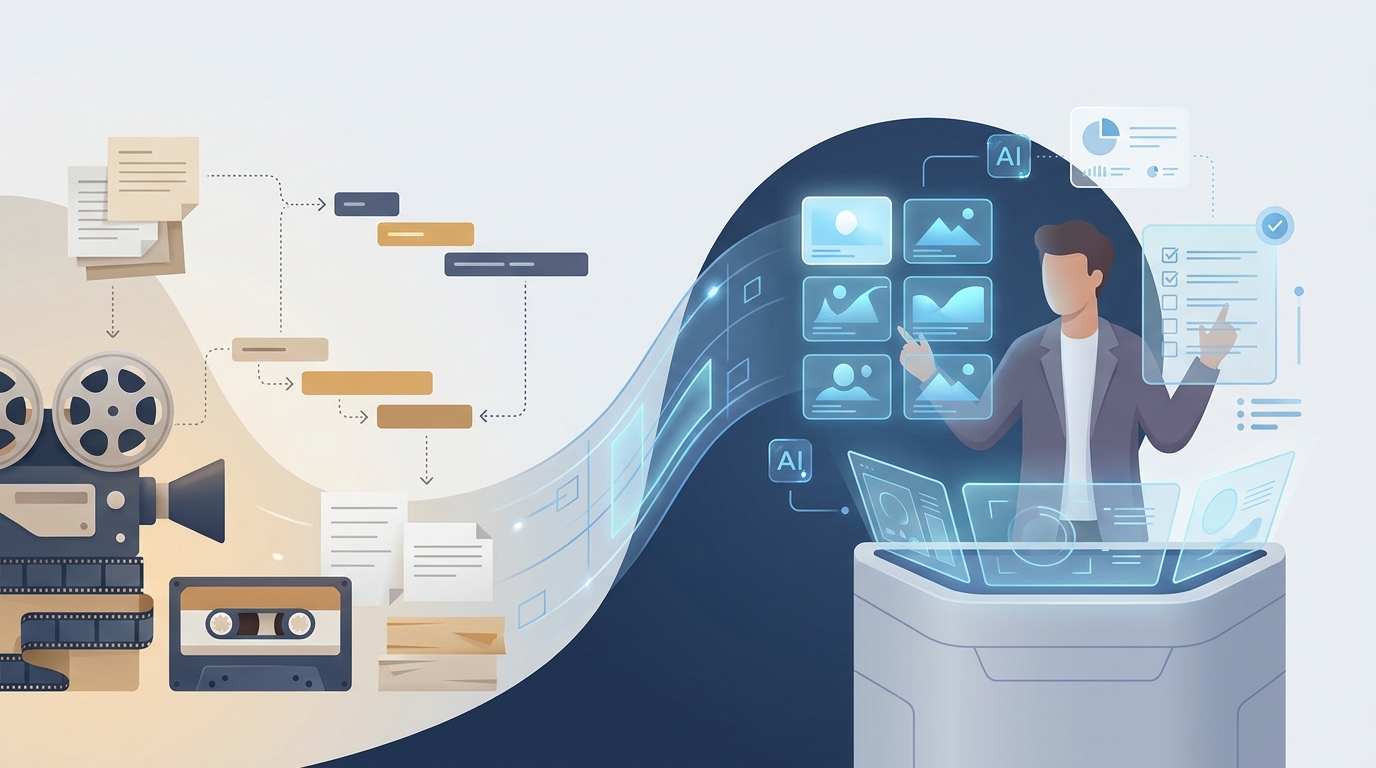
Transition from a human editor to AI by mapping your current workflow, automating one repeatable format, running a short parallel pilot, and moving human effort to creative direction and quality control. Keep approval checkpoints for scripts, voices, visuals, captions, and exports; expand only when the AI version meets your established publishing standard.
Key takeaways:
- A 10-minute AI-generated video costs about $30–45, compared with $400–2,500 for a human editor.
- One 2026 comparison puts a freelance editor at about $1,200 for a 10-minute faceless video, making an AI workflow potentially close to 30 times less expensive at the low end.
- Podcast-to-clip workflows can take 15 minutes and cost $15 per month with AI tooling, versus up to 5 days and $800–1,500 per month with a human editor.
- The safest AI migration automates repeatable assembly work first and retains human approval for ideas, claims, brand voice, and final publishing.
What are the steps to using AI for video production?
Using AI for video production works best as an eight-step migration rather than a sudden replacement of a human editor. Start with one repeatable format, such as a 30–60 second narrated Short or a 10-minute faceless explainer, because repeatable inputs make quality easier to assess. The required prerequisites are a defined channel style, access to past videos, ownership or permission for your source material, and one person who can approve final outputs. Plan roughly two to four weeks for a controlled pilot, depending on your normal publishing cadence.
- Document one existing video workflow from idea to upload.
What it requires: Write down the inputs, handoffs, revisions, assets, and final checks for your last three videos. Include who writes the brief, selects visuals, approves the voice, checks captions, and uploads. Record the actual order of work, not an idealized version: for example, note whether the editor waits for a revised script, whether the producer replaces visuals after the voiceover is complete, and whether captions are corrected only at final review.
How to tell it worked: You can identify which tasks are creative decisions and which are repeatable production steps. Repetitive assembly is the first AI candidate; decisions about accuracy and audience fit remain human-owned. A useful output is a two-column list: tasks AI may draft or assemble, and tasks a named reviewer must approve. If a task has no owner, it is likely to become a quality gap during the pilot.
- Choose a single pilot format with stable rules.
What it requires: Define length, aspect ratio, visual style, voice style, caption treatment, source policy, and call to action in a one-page production brief. Use a format you already publish, not an experimental flagship series. For a 30–60 second Short, the brief can specify one promise in the opening, a fixed caption treatment, and a final call to action. For a 10-minute explainer, it can specify the intended runtime, scene sequence, voice pace, and where evidence must be reviewed.
How to tell it worked: A second person can use the brief to describe what a passing video should look and sound like. If the brief is vague, AI output will be vague too. Test the brief before production by asking that person to identify what would make the video fail: an unsupported claim, the wrong aspect ratio, an off-brand voice, unreadable captions, or visuals that do not match the narration are all concrete failure conditions.
- Create reusable inputs before generating videos.
What it requires: Build templates for topic briefs, script structure, pronunciation notes, visual exclusions, caption rules, and a final review checklist. A structured outline from AI storyboarding helps turn a rough idea into scenes that can be reviewed before production begins. Include a source field for every factual claim, a field for names that need pronunciation guidance, and a visual-note field that says what must not appear, such as a competitor logo, an unlicensed clip, or an image that implies a fact the script does not support.
How to tell it worked: Every pilot starts from the same input template rather than a blank prompt. The template should let a reviewer inspect the plan before time is spent on voice, visuals, captions, and export. For stronger openings, creators can also test ideas against the free hook library before committing to a script. Keep the selected hook in the brief so the reviewer can check whether the first seconds actually deliver on that promise.

Is it hard to switch from human to AI video editing?
Switching from human editing to AI video editing is manageable when a creator changes the process before changing the whole team. The difficult part is rarely generating a first draft; the difficult part is defining quality, collecting reusable source material, and deciding who owns approval. A parallel pilot removes most operational risk because the human process remains available while the AI workflow proves it can meet the same brief. Do not begin with a deadline-critical sponsorship, a sensitive news topic, or a video format that changes every episode.
- Run AI and human production in parallel for the same brief.
What it requires: Give both workflows the same approved outline, source pack, target runtime, and deadline. Compare the finished outputs against a shared checklist instead of judging them only by whether they were faster. The comparison is fair only when both versions begin with the same factual inputs and creative constraints. If the human editor receives a detailed brief while the AI workflow receives a one-line topic, the test measures briefing quality rather than production capability.
How to tell it worked: You can point to specific differences in script accuracy, pacing, visual relevance, captions, and revision time. Those observations become operating rules for the next production run. For example, if the AI first cut needs every proper name corrected but the visual sequence is usable, add pronunciation notes to the brief and retain a human name check. If visuals repeatedly miss the point of one scene, revise that scene’s visual instruction instead of treating the entire workflow as a failure.
- Move responsibility in stages, not by eliminating the editor role overnight.
What it requires: Assign AI to draft scripts, assemble visuals, generate voiceover, place captions, and create first cuts. Reassign the human editor or producer to brief design, exception handling, fact review, pacing review, and final sign-off. A staged handoff can begin with AI generating only a first cut, then expand to captions and voice once those outputs consistently meet your written standard. Keep the human role explicit at every stage so a missed claim, rights question, or sensitive visual has an accountable reviewer.
How to tell it worked: The reviewer spends less time performing repetitive timeline work and more time making decisions that improve the video. This is where the financial case becomes meaningful: a 2026 comparison estimates AI generation at $30–45 for a 10-minute video and human editing at $400–2,500. Those figures are estimates, not a promise for every channel, so compare them with your own revision load and approval time rather than treating the production price alone as the total cost.
| Estimated cost for a 10-minute video | |
|---|---|
| AI video, low estimate | $30 |
| AI video, high estimate | $45 |
| Human editor, low estimate | $400 |
| Human editor, high estimate | $2,500 |
The cost gap does not mean every video should be automated. A complex brand film, an interview requiring editorial judgment, or footage with strict rights requirements may still need a specialist human edit. The goal is to reserve that expertise for work where it changes the outcome. For context, the cited $1,200 freelance-editing example sits between the $400 and $2,500 human-editing range; compared with a $30–45 AI estimate, it illustrates why a pilot may have a strong cost case, but it does not remove the need to count human review time.

How can I maintain video quality when using AI tools?
Video quality stays high with AI tools when creators treat AI output as a controlled first cut, not an automatic final export. Quality means more than sharp visuals: it includes factual accuracy, a coherent narrative, natural pacing, correct pronunciation, readable captions, appropriate music, and visuals that support each claim. A written acceptance standard turns subjective feedback into checks that can be repeated on every video, especially across TikTok, Reels, and YouTube Shorts.
- Install a five-part quality gate before publishing every AI-produced video.
What it requires: Review the script for unsupported claims, listen for voice errors, inspect each visual against the narration, watch captions at normal speed on a phone, and check the final export in the intended aspect ratio. Make each check specific. Script review asks whether each claim is supported by the approved source pack; voice review checks names, acronyms, pauses, and emphasis; visual review checks whether a scene illustrates rather than contradicts the spoken point; caption review checks readability; export review checks that nothing important is cropped.
How to tell it worked: The reviewer can mark each gate as pass, revise, or replace. Track recurring failures, such as a mispronounced name or an irrelevant scene, and add the fix to the input template rather than correcting the same problem manually every time. A simple review record can list the scene number, issue, decision, and template change. After three pilot videos, recurring issues should be easier to predict because the brief contains the instructions that earlier drafts lacked.
Use owned assets, licensed material, or visuals that fit your rights policy. If you are deciding when AI-generated scenes make more sense than existing clips, compare the trade-offs in stock footage versus AI visuals for faceless videos. Maintain a library of approved visual references and rejected examples so every new production has a clearer standard. A rejected example is useful only when it explains the reason for rejection, such as an irrelevant subject, a misleading depiction, a visible logo, or a mismatch with the narration.
Pacing also needs a human-defined rule. Mark where the hook ends, where each new idea begins, and where a visual or audio change should reset attention. Better openings come from a specific promise, not a faster cut alone; use the principles in how to write a video hook to review the first seconds of each draft. In practical review, compare the opening sentence with the first scene and first caption: all three should communicate the same promise rather than making three competing introductions.
What AI tools should I start with for video editing?
Start with AI tools that remove the largest recurring bottleneck in your current workflow, rather than buying separate tools for every production task. A creator who spends hours turning podcasts into clips should prioritize transcription and clip assembly; a creator who spends time coordinating scripts, voiceover, visuals, captions, and music should prioritize an integrated production workflow. The relevant benchmark is your current time to a publishable first cut, not the number of AI features on a pricing page.
- Select one workflow category and test it with three real briefs.
What it requires: Choose either a clip-repurposing tool, an AI-assisted editing layer for an existing timeline workflow, or an end-to-end faceless-video platform. Keep your current editor available during the test, and use the same channel format for all three briefs. The three briefs should be ordinary work for your channel, not unusually easy subjects. This makes it possible to see whether the tool works with your normal source material, approval process, and publishing requirements.
How to tell it worked: The tool produces a usable first cut from your real inputs, reduces a measurable handoff, and lets you revise the details your channel needs. A published comparison reports that tools such as Videotto can convert podcasts into clips in 15 minutes at $15 per month, compared with up to 5 days and $800–1,500 per month for human editing; use that kind of before-and-after measurement for your own process. Record the time from approved brief to first cut, the number of reviewer interventions, and whether the final export passed the same checklist as the human-edited version.
Do not select a category solely because its estimated cost is lower. A clip-repurposing workflow is appropriate when long-form audio or video already exists and the bottleneck is finding and formatting clips. An AI-assisted layer may fit when a team already has a timeline-based process and needs help with a defined production task. An end-to-end workflow may fit when the repeatable output is a narrated faceless video and the recurring handoffs are script, voice, visuals, captions, and music. The right category is the one that removes the handoff you documented in step one.
Choose topics that fit a repeatable format before scaling output. The free faceless video topic ideas by niche tool can help create a pilot backlog without changing your channel’s core promise. Review the backlog before generating anything: remove topics that need reporting you have not done, require footage you do not have rights to use, or would be risky to publish without an additional subject-matter review.
What are the challenges in adopting AI for video production?
The main challenges in adopting AI video production are unclear creative standards, weak source control, inconsistent brand voice, and publishing without review. AI makes it easier to create more drafts, but it does not decide which topics are accurate, which claims need evidence, or which version best represents a channel. Address these challenges with clear ownership: a creator or producer owns the brief and approval, while the AI workflow handles repeatable production tasks.
- Set governance rules before increasing publishing volume.
What it requires: Create a source policy, a list of prohibited claims or visuals, naming and file-storage conventions, a brand voice guide, and an escalation path for sensitive topics. Decide in advance which videos require a second human review. The source policy should specify where a writer records evidence for claims, who can approve factual changes after the outline is signed off, and what happens when a source is missing. The escalation path should identify who pauses publication when a rights, accuracy, or disclosure question cannot be resolved in the normal review.
How to tell it worked: Each published video has a traceable brief, source record, reviewer, and final version. When a problem appears, the team can change the rule or template instead of relying on memory. For example, if a reviewer finds a synthetic scene that could be mistaken for a real event, flag it in the production record, decide whether it needs disclosure or replacement, and add a visual-review rule for similar future scenes.
Creators should also plan for audience trust and platform requirements. YouTube, the platform, states in its official altered-content disclosure policy: “Creators are required to disclose when they’ve created altered or synthetic content that is realistic, including using AI tools.” If a video includes realistic altered or synthetic elements, review the practical guidance in how to label AI videos on YouTube and stay compliant before publishing. Disclosure decisions should be deliberate and matched to the content, not added as an afterthought; keep the disclosure decision in the final review record alongside the export approval.
Finally, expect a learning curve in prompting and review. The first AI drafts may reveal that your human editor had been silently making valuable decisions about rhythm, emphasis, and visual selection. Capture those decisions as written rules. That process redesign is the real transition: AI becomes faster as your production knowledge becomes more explicit. Once the pilot establishes those rules, an integrated platform such as GoFaceless (our own product) can be evaluated as one option for creators who need AI script, voiceover, visuals, captions, music, preview, and export controls in one workflow; it should still be assessed against the same three-brief test and quality gate described above.
Ready to test an AI-first faceless-video workflow?
An AI-first faceless-video pilot should begin with three ordinary videos, not a full production replacement. Compare output quality, review time, total cost, and the number of corrections against your current editor-led process. Keep the workflow only if the AI first cut consistently reaches your established standard after the planned human approvals, and retain specialist editing for projects where detailed judgment, rights handling, or custom craft materially changes the result.
Start a GoFaceless project when you are ready to run that controlled pilot.
Sources & further reading
Keep reading

Efficient AI Video Production Workflow: A Two-Hour System
Build a batched AI video workflow for scripting, assets, editing, and human QC in a two-hour production loop.

How to Get Started With AI Storyboarding
Learn a practical AI storyboarding workflow for planning scenes, reviewing rights and disclosures, and improving video pacing.

How to Make Engaging Faceless Story Videos
Learn how to make original faceless story videos with stronger hooks, thumbnails, upload workflows, AI disclosures, and YouTube-safe production.