

AI video creation is cost-effective when the combined cost of generation, retries, editing, and allocated subscription fees is lower than the filming, talent, equipment, and post-production work it replaces. A creator should calculate cost per publishable video—not merely the listed cost per generated second—because discarded takes and finishing work determine the real total.
Key takeaways: Cost per publishable video = paid generated seconds × applicable rate + retry cost + editing and finishing cost + allocated subscription cost. Use this formula before comparing an AI workflow with filming or stock-footage production.
- Google’s September 8, 2025 pricing announcement reduced Veo 3 Fast to $0.15 per second and Veo 3 to $0.40 per second.Google Developers Blog
- The linked Gemini API pricing documentation lists Veo 3.1 Lite at $0.05 per second for 720p and up to $0.08 per second for 1080p. Treat documentation prices as a budgeting reference to verify when setting a live project budget.Google Gemini API pricing
- The linked Google Workspace product update states that Google Vids includes 10 free video generations per month. Availability, eligibility, and feature limits should be confirmed in the relevant account before production depends on that allowance.Google Workspace Blog
- Google AI Plus is listed at $7.99 per month and provides access to a range of Google AI tools.Google One Blog
How has Google's pricing for AI video models changed in recent years?
Google’s AI video pricing has become easier to model because published per-second rates provide a starting point for estimating generation spend. In its September 8, 2025 announcement, the Google Developers Blog—Google’s official developer publication—described the update as offering “new pricing, new configurations and better resolution.” That announcement listed Veo 3 Fast at $0.15 per second and Veo 3 at $0.40 per second.Google Developers Blog
For a simple example, 30 seconds generated at the stated September 2025 Veo 3 Fast rate equals $4.50 before retries. The same 30 seconds at the listed Veo 3 rate equals $12.00. Neither figure is the cost of a finished 30-second social video. A publishable result may require alternate prompts, extra takes for transitions, editing, captions, narration, music, factual review, and time spent removing clips that do not match the script.
The important change for creators is not just that one rate is lower than another. It is that a workflow can be divided by shot importance. A channel may reserve a higher-priced model for a visually demanding opening scene, product reveal, or establishing shot while using lower-cost generation for short supporting visuals. That approach avoids paying a premium rate for every second of a video when only a few moments need premium visual detail.
A useful way to read price changes
Compare a price change against the footage that survives into the final timeline. A lower-priced clip is not automatically cheaper if it needs many reruns before it becomes usable. Track four numbers for each video format: generated seconds, accepted seconds, rejected seconds, and total retry attempts. Those figures reveal the rate that matters most: the effective cost per accepted second.
For example, a creator who pays for 90 generated seconds to obtain 45 accepted seconds has a two-to-one generation-to-final-footage ratio. At $0.05 per second, the raw generation cost is $4.50; at $0.15 per second, it is $13.50; and at $0.40 per second, it is $36.00. The model rate matters, but the acceptance ratio can change the result just as dramatically. Keep that ratio in a project spreadsheet rather than relying on a headline price alone.
What are the differences between Veo 3 and Veo 3.1 models?
Veo 3 and Veo 3.1 should be compared through the specific pricing, resolution, and output needs shown in the relevant documentation—not simply by assuming that a newer name is the right choice for every scene. The linked Gemini API pricing documentation lists “Veo 3.1 Lite” at $0.05 per second for 720p and up to $0.08 per second for 1080p, while Google’s September 2025 announcement listed Veo 3 Fast at $0.15 and Veo 3 at $0.40 per second.Google Gemini API pricing Google Developers Blog
Resolution is part of the production decision because it changes the cost of the same duration. At the listed Veo 3.1 Lite rates, a 15-second 720p clip costs $0.75. A 15-second 1080p clip can cost up to $1.20. The $0.45 difference may appear minor for one shot, but it compounds when a creator produces multiple alternatives, creates backups for each visual beat, or revises a video after reviewing a draft edit.
The better question is not, “Which model is best?” It is, “Which option produces an acceptable shot for this job with the fewest discarded generations?” A brief vertical supporting clip, a background loop, a visual metaphor behind narration, and a hero scene all have different requirements. Define the intended use before selecting a rate. A scene that will appear for two seconds beneath captions may not need the same resolution or generation budget as the first image viewers see.
A practical test uses the same short prompt and acceptance criteria across options. Generate one scene intended for a real script beat, then score it for relevance to the narration, visual coherence, framing, editability, and the number of reruns required. The lowest nominal rate wins only if it produces footage that passes those standards quickly enough to remain cheaper after retries.

How do subscription plans like Google AI Plus affect video creation costs?
Google AI Plus affects video-creation costs by adding a predictable monthly subscription line to a creator’s budget, but that subscription should not be treated as proof of unlimited video generation. Google lists Google AI Plus at $7.99 per month and describes it as providing access to a range of Google AI tools.Google One Blog Before assigning that full fee to video, creators should verify which features, limits, and terms apply to their specific account.
A subscription may be economical when it supports several parts of a real production workflow: ideation, outlining, scripting, research, planning, and video-related work. In that situation, video does not carry the entire $7.99 charge. If the plan is purchased solely to make a small number of experimental clips, however, its per-video allocation can be meaningful even before any separate usage-based charges are added.
Use a simple allocation method instead of treating the monthly price as either zero or the full price of one upload:
- Allocated subscription cost per video = $7.99 ÷ number of published videos materially supported by the plan.
- If the plan supports eight published uploads in a month, the allocation is about $1.00 per video.
- If it supports two uploads, the allocation is about $4.00 per video.
- If only half of the subscription’s value is used for video work, a creator can allocate only that relevant share rather than charging unrelated use to the video budget.
The common mistake is comparing a subscription with a per-second generation rate as though they buy the same thing. They do not. A subscription is a fixed access cost that may support multiple tasks. A per-second rate is a variable usage cost tied to generated duration. Keep both as separate budget lines, then add them only after deciding how many published videos will share the subscription.
What free resources are available for AI video creators on Google?
Google Vids can provide a low-risk testing route because the linked Google Workspace product update states that it includes 10 free video generations per month.Google Workspace Blog That statement should be used carefully: it is a claim from the linked product update, not a permanent guarantee that every creator, account, region, or plan has the same allowance. Confirm availability and current terms in the account before designing a production schedule around it.
When available, free generations are most useful for reducing uncertainty before paid work begins. Do not spend them on ten unrelated experiments. Instead, use them to test a single repeatable format: for example, an opening visual, a supporting explanatory scene, and a closing visual for one 30- to 60-second script. This produces information a creator can reuse on future uploads.
Build a concise test brief for each generation:
- The visual subject and setting
- The camera movement or framing need
- The intended aspect ratio and duration
- The narration line the shot must support
- The pass/fail condition, such as “the action is clear without extra explanation”
A creator who compares two versions of the same scene can learn whether a prompt structure works. A creator who generates ten disconnected clips may have footage, but not a usable production system. The goal of a free allowance is to establish a visual recipe before the channel begins paying to scale it.
Google’s pricing documentation is also a free planning resource. The linked Gemini API page identifies model and resolution-related pricing, including the listed $0.05-per-second 720p Veo 3.1 Lite rate.Google Gemini API pricing Documentation does not create footage, but it prevents a common avoidable expense: beginning an edit before knowing whether a higher resolution changes the generation budget.
Free access is not the same as free finished content. Editing, narration, captions, fact checking, brand review, and approval time still have a cost. Use free generations to validate a format, then make a paid decision only after the format has shown that it can meet the channel’s quality standard.
How does the cost of AI video creation compare to traditional methods?
AI video creation can cost less than traditional production when a creator needs original visual scenes that would otherwise require filming, locations, performers, equipment, or complex compositing. The linked Gemini API pricing page lists Veo 3.1 Lite at $0.05 per second for 720p, equal to about $3 for 60 generated seconds before retries and finishing work.Google Gemini API pricing ClipBudget also describes Veo 3.1 Lite as approximately $3 per minute.ClipBudget
Traditional production does not have one universal price. A simple desk tutorial filmed on a phone may mainly cost the creator’s time and editing effort. In contrast, a video that needs cinematic product scenes, historical reconstructions, changing locations, weather-dependent footage, or difficult visual metaphors can require coordination that is disproportionate to a short final runtime. AI generation is often more economically compelling in the second category because it can replace or reduce hard-to-film shots.
Compare complete workflows rather than comparing a one-minute generation estimate with a one-day shoot. Include the cost of:
- Visual development, shot planning, and prompt writing
- Generated takes that are rejected or revised
- Voiceover, music, captions, transitions, and timeline editing
- Human review for factual, brand, and rights-sensitive content
- The creator’s time to assemble a coherent sequence
- Any subscription allocation and any paid generation beyond a free allowance
A worked example makes the comparison clearer. Suppose a 45-second video uses nine five-second visual beats. The planned final visual duration is 45 seconds. If the creator budgets one backup generation for every shot, the production allowance becomes 90 generated seconds. At the cited Veo 3.1 Lite 720p rate, that is $4.50 in generation before editing. At the listed maximum 1080p rate, it can reach $7.20. If the creator publishes eight videos using a $7.99 monthly subscription, another roughly $1.00 per video is allocated to the project. The pre-edit total is therefore about $5.50 to $8.20, before narration, captions, music, review, and the creator’s own labor.
That example does not prove AI is cheaper in every situation. It shows what must be compared: the cost of the specific shots AI replaces, plus the work AI introduces. A creator filming an easy real-world demonstration may gain little from generation. A creator who needs nine distinct conceptual visuals without arranging nine shoots may gain much more.
A short-form creator can reduce waste by scripting to a shot list first. If a 45-second video needs nine five-second visuals, generate to those nine named beats instead of collecting a large pool of vague footage. A clear opening concept also protects the budget because it limits the chance of producing visuals for an idea that does not hold together once edited.

What are the potential pitfalls in understanding pricing models for AI video tools?
The largest pricing pitfall in AI video creation is treating a listed per-second rate as the full cost of a publishable upload. The linked Gemini API documentation’s $0.05-per-second Veo 3.1 Lite 720p figure measures generated duration, while a creator’s actual workflow includes rejected takes, resolution choices, editing, review, and any allocated subscription cost.Google Gemini API pricing A 60-second upload can therefore require substantially more than 60 seconds of paid generation.
Watch for four recurring sources of confusion. First, distinguish generated seconds from final timeline seconds. A five-second final shot may need several five-second attempts. Second, check whether resolution changes the price; the cited documentation lists Veo 3.1 Lite at $0.05 per second for 720p and up to $0.08 per second for 1080p. Third, separate a stated free-generation allowance from paid usage and confirm account eligibility. Fourth, do not treat a subscription as evidence that every feature, duration, or volume is included.
The remedy is a pre-production budget cap. Set a maximum number of attempts per shot and a maximum total generation spend before opening the generation tool. For nine planned five-second shots, the final timeline needs 45 seconds. Giving each shot one backup attempt creates a 90-second working allowance. At $0.05 per second, that allowance is $4.50; at $0.08, it is up to $7.20. Once the allowance is spent, revise the script, reuse accepted footage, or select a simpler visual approach rather than endlessly rerunning prompts.
Also separate “quality retries” from “creative exploration.” A retry that fixes a necessary framing or narrative problem belongs in the production budget. A new idea that changes the entire concept is development work. Both can be valuable, but blending them makes it impossible to learn whether a format is genuinely profitable.
Review official pricing documentation when a budget is approved, not only when a model is first selected. Product pages, account terms, and feature availability can change. A spreadsheet based on a past rate is useful for planning only if its assumptions are checked before spending begins.
When will deprecated models be phased out, and what are the alternatives?
Creators should treat a model as deprecated only when Google’s current documentation or a product notice gives a retirement date. A model name, a new release, or a lower price does not by itself establish a phase-out schedule. The pricing materials cited here identify Veo 3, Veo 3 Fast, and Veo 3.1 Lite pricing, but the evidence available in these sources does not provide a retirement date for a deprecated model.Google Developers Blog Google Gemini API pricing
The practical alternative is not to wait for a rumored deadline. Build an interchangeable workflow now. Store prompts, shot descriptions, narration timing, aspect-ratio requirements, and acceptance criteria outside any one generation interface. That way, if a model, price, or product path changes, the creator has a reusable production brief rather than having to reconstruct the format from memory.
For cost planning, Veo 3.1 Lite is a lower-cost reference point in the linked pricing documentation: $0.05 per second at 720p and up to $0.08 per second at 1080p.Google Gemini API pricing For an earlier pricing comparison, Google’s September 2025 announcement listed Veo 3 Fast at $0.15 per second and Veo 3 at $0.40 per second.Google Developers Blog These are planning references from the linked sources, not a substitute for checking the currently available choices at the moment of migration.
Before changing a workflow, run a side-by-side test with the same five-shot script. Record the generated seconds, accepted shots, retry count, time spent correcting each shot, and the cost per accepted second. Test a realistic script rather than a single attractive demo prompt. A tool that produces one impressive scene but repeatedly fails on the channel’s normal scenes may be less economical than an alternative with more predictable output.
Can AI video creation maintain content quality while reducing costs?
AI video creation can maintain content quality while reducing costs when generated visuals are used for suitable tasks and a creator keeps human control over the script, factual claims, pacing, and final edit. The Google Workspace update linked above provides a possible low-risk testing route by stating that Google Vids includes 10 free video generations per month, subject to verification of account availability and terms.Google Workspace Blog Cost reduction should come from removing avoidable production friction, not from publishing unreviewed output.
For faceless video, quality has a practical definition: visuals should support the narration, each clip should have a clear purpose, captions should remain readable, and claims should be checked before publication. A visually polished generated scene cannot compensate for a weak premise, a misleading statement, or an opening that does not make viewers want to continue. Start with a concise outline, then map one visual purpose to each narration beat.
Creators can control cost and quality by assigning scenes to tiers. Use simple supporting visuals when the audience only needs context. Reserve extra generation attempts, a higher resolution, or more editing time for moments that carry emotion, explain a difficult concept, establish trust, or determine whether viewers stay through the opening. This prevents a project from spending the same amount of effort on every second regardless of its importance.
A useful quality-control pass happens before the final export. Ask whether every visual is relevant to the spoken line, whether any generated detail could confuse the audience, whether captions cover important imagery, and whether the sequence still makes sense with sound off. If the answer is no, the correct response may be to simplify the shot rather than buy repeated generations.
Measure results after publication. Track which formats are completed within budget, which visual beats cause repeated retries, and which videos require extensive post-generation fixes. The target is not the lowest possible price per generated second. It is a reliable cost per publishable video that meets the audience’s expectations.
What is a practical next step for a cost-conscious creator?
A cost-conscious creator should choose one 30- to 60-second concept, write a shot list before generating, use any available free generations to test the visual approach, and set a fixed retry budget before purchasing additional footage. For a 45-second video, define the number of shots, the maximum attempts per shot, the required resolution, the editing time available, and the subscription allocation. Then compare the final total with the filming or production work the AI workflow would replace.
Start with a small worksheet containing five fields: final video length, planned generated seconds, backup generated seconds, applicable per-second rate, and subscription allocation. Add an editing and review line even if that cost is measured only in your own hours. After publishing three to five videos in the same format, replace estimates with actual accepted-footage and retry data. That record will show whether the format is scaling efficiently or merely producing low-looking generation costs with high hidden labor.
Sources & further reading
Keep reading

How to Make Engaging Faceless Story Videos
Learn how to make original faceless story videos with stronger hooks, thumbnails, upload workflows, AI disclosures, and YouTube-safe production.

How to Move From Human Editing to AI Video Production
Move from human editing to AI video production with a controlled pilot, quality gates, cost comparisons, and clear human approval.
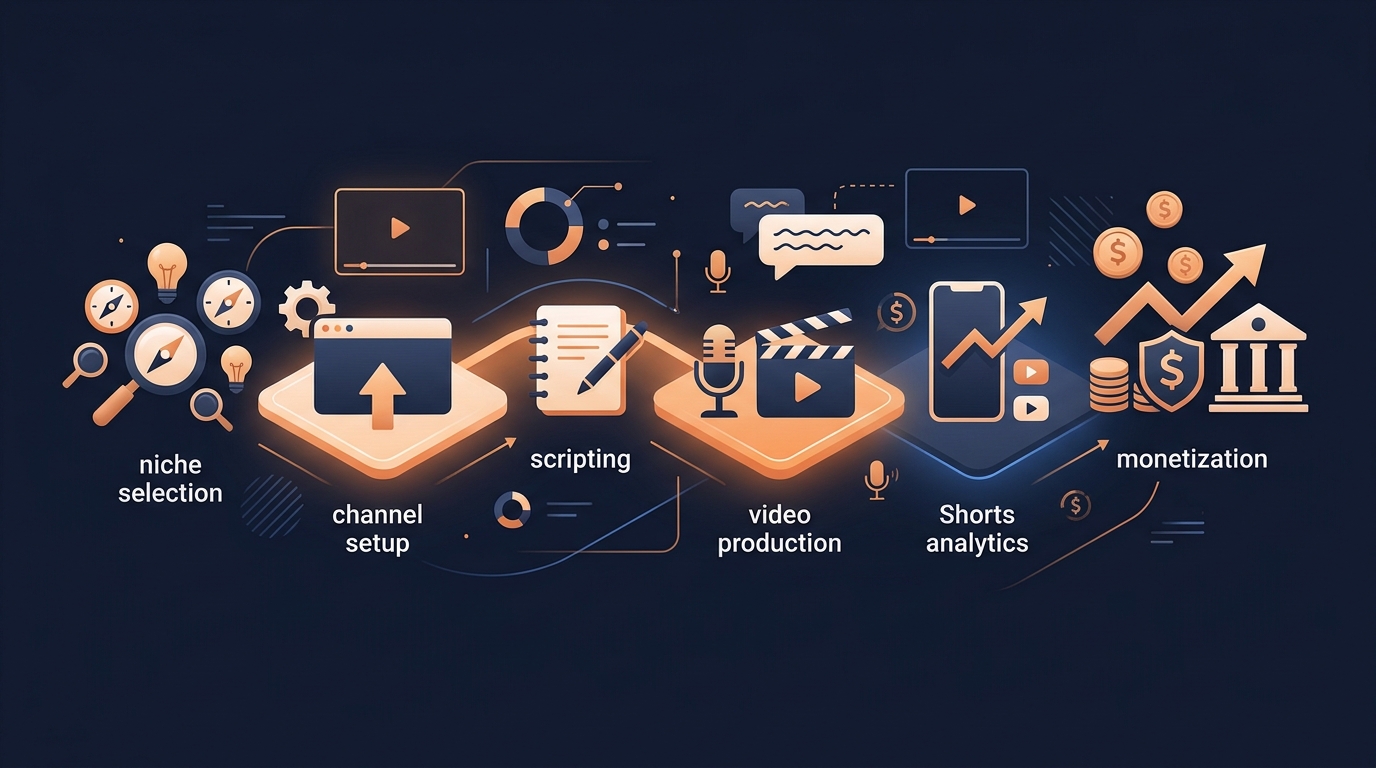
How to Build and Monetise a Faceless YouTube Channel
A practical map for building a faceless YouTube channel—from choosing a niche and making videos to growing on Shorts and creating multiple revenue streams.